Details
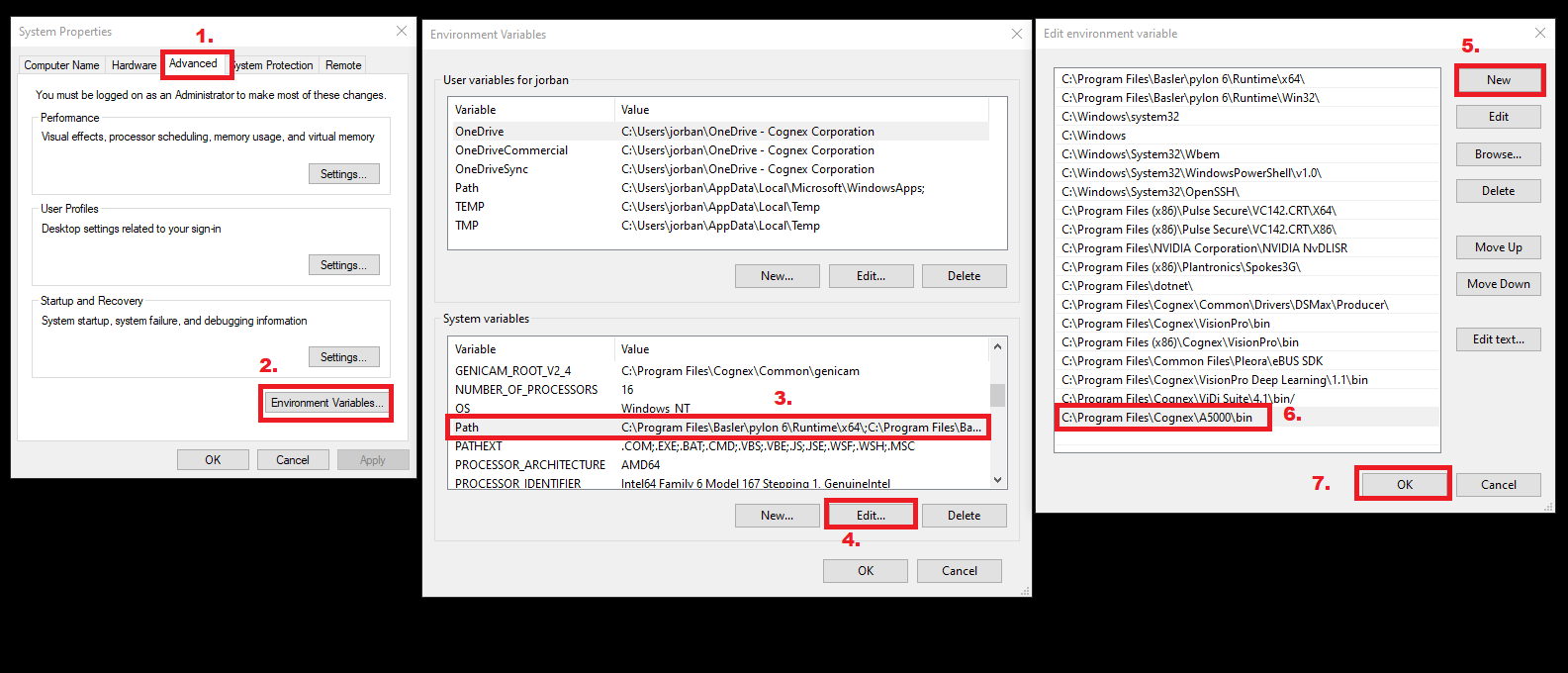
If the 3D-A5000 cannot be detected in VisionPro, check if the PATH environment system variable contains the "..\A5000\bin" directory. On a typical installation, the directory can be found at:
C:\Program Files\Cognex\A5000\bin
- Open Advanced System Settings of Windows
- Click on Environment Variables...
- Select Path under System variables
- Click on Edit...
- Check if "..\A5000\bin" is in the list, if not, click on New
- Add the "..\A5000\bin" path, which is "C:\Program Files\Cognex\A5000\bin" with typical installation
- Click on OK