

Question
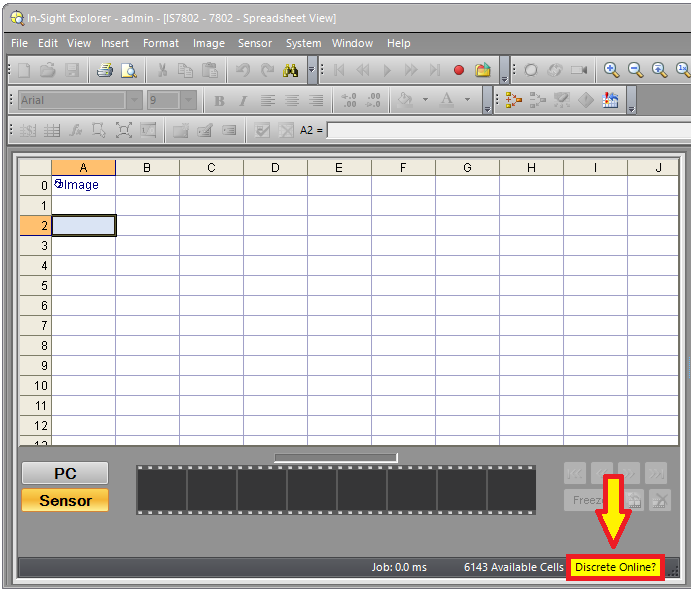
Why do I get a yellow Discrete Online status message in my In-Sight camera after I set the camera to Online mode?
Answer
The Discrete Online status message means, that one of the camera's discrete input lines is configured to Online/Offline, but that input is not getting the active input signal.
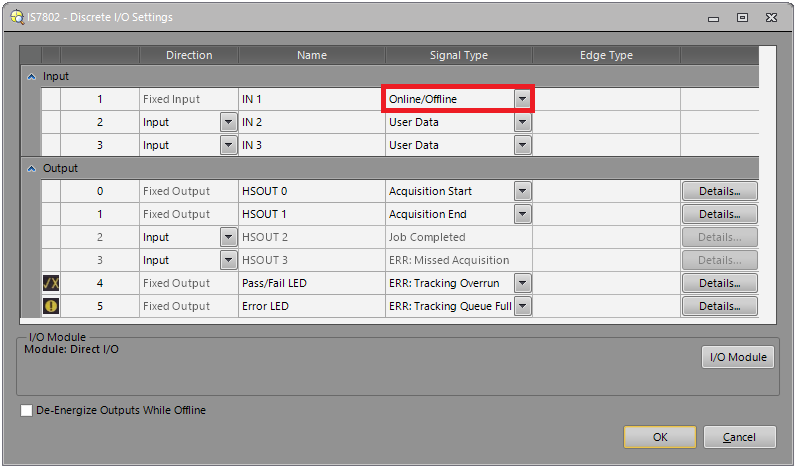
If you need to switch the camera Online/Offline through its discrete input line:
then the camera will turn into Online mode only, if that discrete input line is activated.
If you don't need to switch the camera Online/Offline through its discrete input line:
then change the Signal Type in the camera's Discrete I/O Settings to something different from the Online/Offline setting. If you don't need to use that input at all, then set its Signal Type to User Data.
