

Details
Issue:
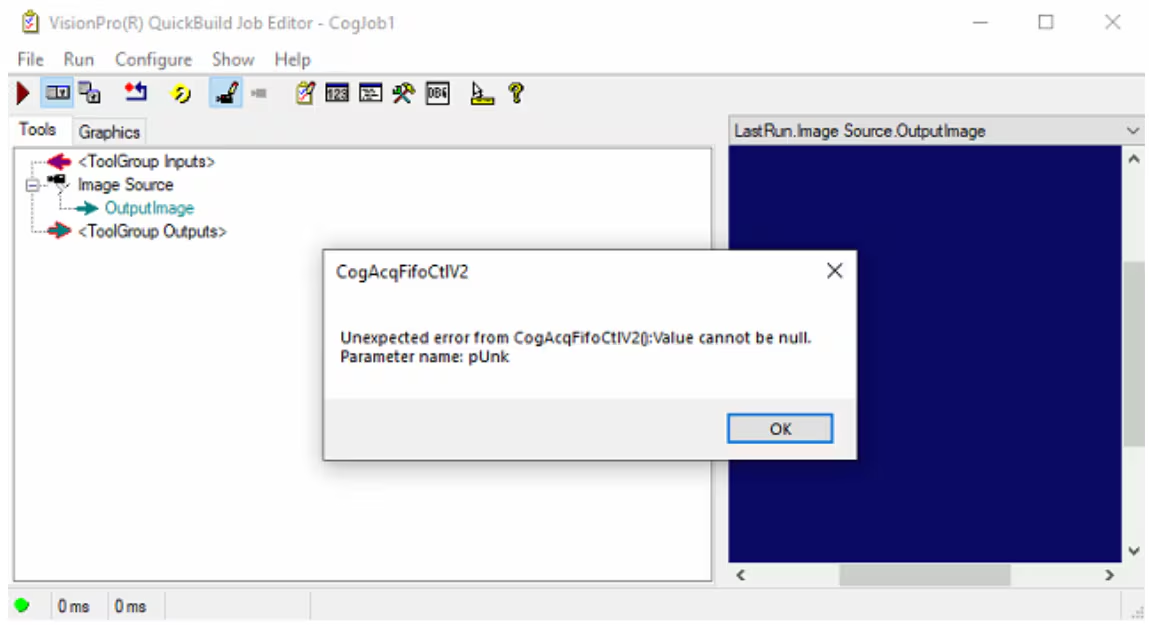
QuickBuild, CogTool and/or VisionPro applications report an error similar to below:
Unexpected error from CogAcqFifoCtlV2: Value cannot be null. Parameter name: pUnk |
Cause:
Most frequently, this error is due to one or more acquisition modules not initializing properly. Unfortunately, the acquisition modules have many dependencies, so the cause varies.
Resolution:
The following steps have had some success with users:
- Uninstalling the 3rd party software such as Basler's Pylon SDK or Allied Vision's Vimba SDK when it is not needed.
- Alternately, disable Cognex GenTL acquisition module, so that VisionPro will not attempt to load or use the 3rd party producer.
Additionally:
GenTL producers may be failing to load. Check that third party camera software is functional without Cognex (e.g. pylon Viewer, Allied Vision SmartView, etc.).
The GENICAM_CACHE_V2_4, GENICAM_ROOT_V2_4, GENICAM_ROOT, GENICAM_GENTL32_PATH and/or GENICAM_GENTL64_PATH environment variables may be incorrect (note that older versions of Cognex software use older versions of GenICam). The environment variables should be set as follows:
- GENICAM_CACHE_V*: <Installation directory>\Cognex\Common\genicam\cache
- GENICAM_ROOT_V*: <Installation directory>\Cognex\Common\genicam
- GENICAM_ROOT: <Installation directory>\Cognex\Common\genicam
- GENICAM_GENTL32_PATH: A semicolon separated list of directories containing the *.cti files and possibly other supporting files. This value is not used for 64-bit installations.
- GENICAM_GENTL64_PATH: A semicolon separated list of directories containing the *.cti files and possibly other supporting files. This value is not used for 32-bit installations.
GenICam DLL’s, Pleora drivers may be missing, or other installation problems might be present. Consider reinstalling.
