Skip to Main Content
Cognex 支持中心
LogoLogo

如何解决AI标注工具准备期间发生错误

如果解决AI标注工具准备期间发生错误

2025/12/29

Details

[问题]

当使用红色工具AI标注工具功能标注缺陷时,软件提示AI标注工具准备期间发生错误,错误截图如下所示:
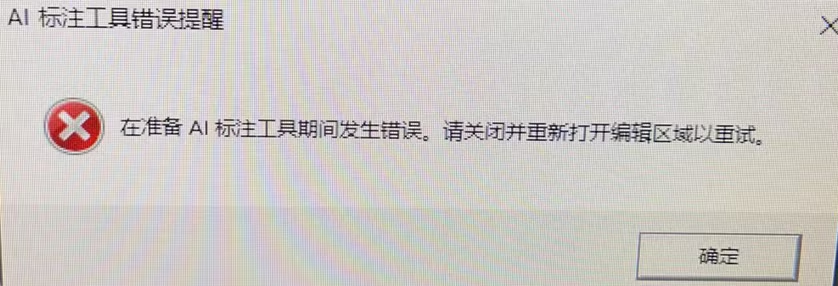
how-to-solve-the-error-occurred-during-the-preparation-of-ai-labeling-tool_image-1_CH

[解决方法]

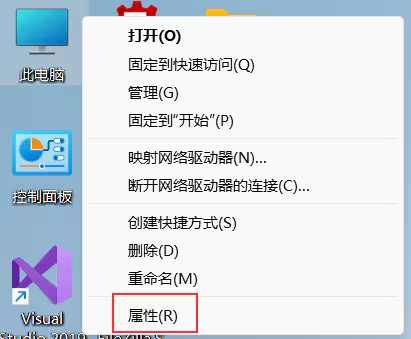
  1. 鼠标右键打开“此电脑”属性 

    How to Solve the Error Occurred During the Preparation of AI Labeling Tool_Image-2_CH
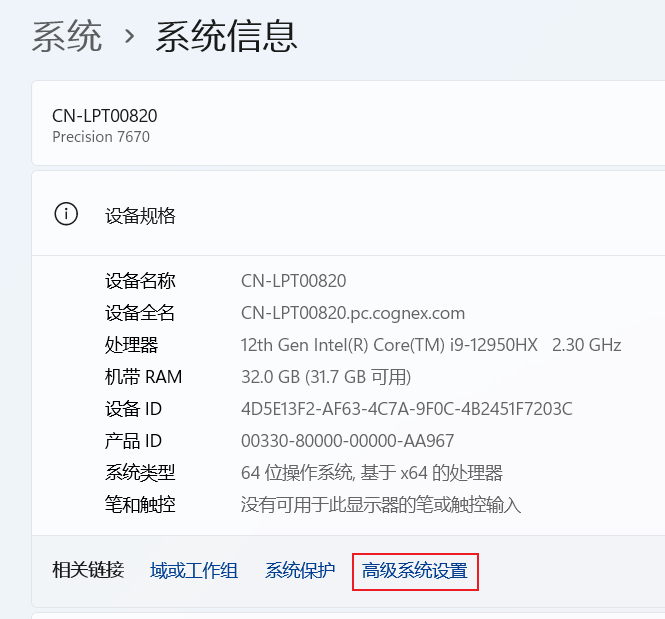
  2. 在“系统-系统信息”页面单击“高级系统设置”

    How to Solve the Error Occurred During the Preparation of AI Labeling Tool_Image-3_CH
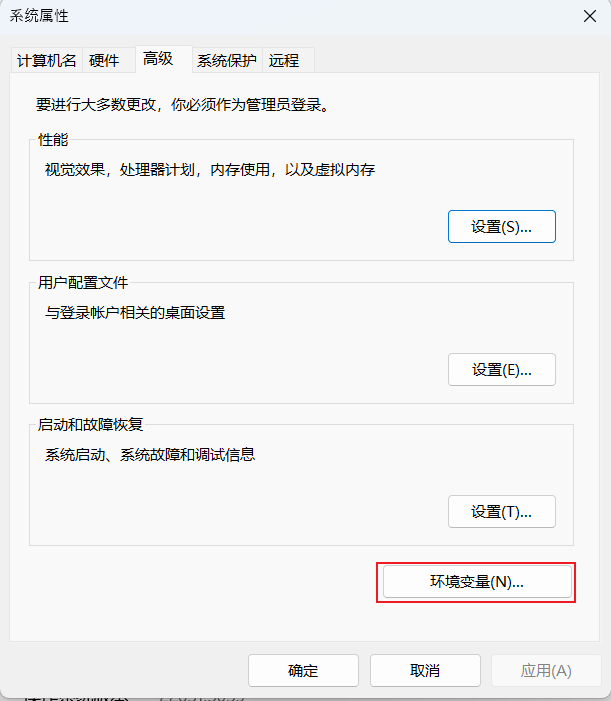
  3. 在“系统属性”对话框中单击“环境变量”按钮

    How to Solve the Error Occurred During the Preparation of AI Labeling Tool_Image-4_CH
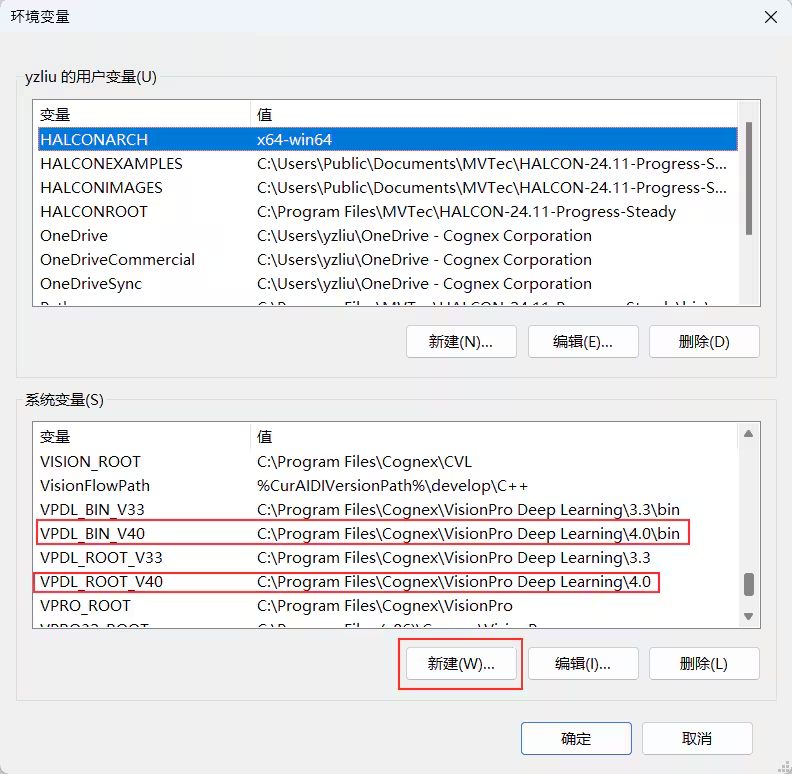
  4.  在“环境变量”对话框通过“新建”按钮添加两个系统变量。如果所用软件是VisionPro Deep Learning 4.0并且安装目录为默认,第一个变量为“VPDL_BIN_v40”并且值为“C:\Program Files\Cognex\VisionPro Deep Learning\4.0\bin”,第二变量为“VPDL_Root_V40”并且值为“C:\Program Files\Cognex\VisionPro Deep Learning\4.0”
    How to Solve the Error Occurred During the Preparation of AI Labeling Tool_Image-5_CH
  5. 重启电脑

相关资源

Loading component...