Cognex 支持中心


How to Set Up and Use Match String Validation on DataMan 8700 Reader
This article shows how you can set up match string validation for your DataMan 8700 reader.
2025/05/16
This article shows how you can set up match string validation for your DataMan 8700 reader.
How can I set up match string validation for my DataMan 8700 reader?
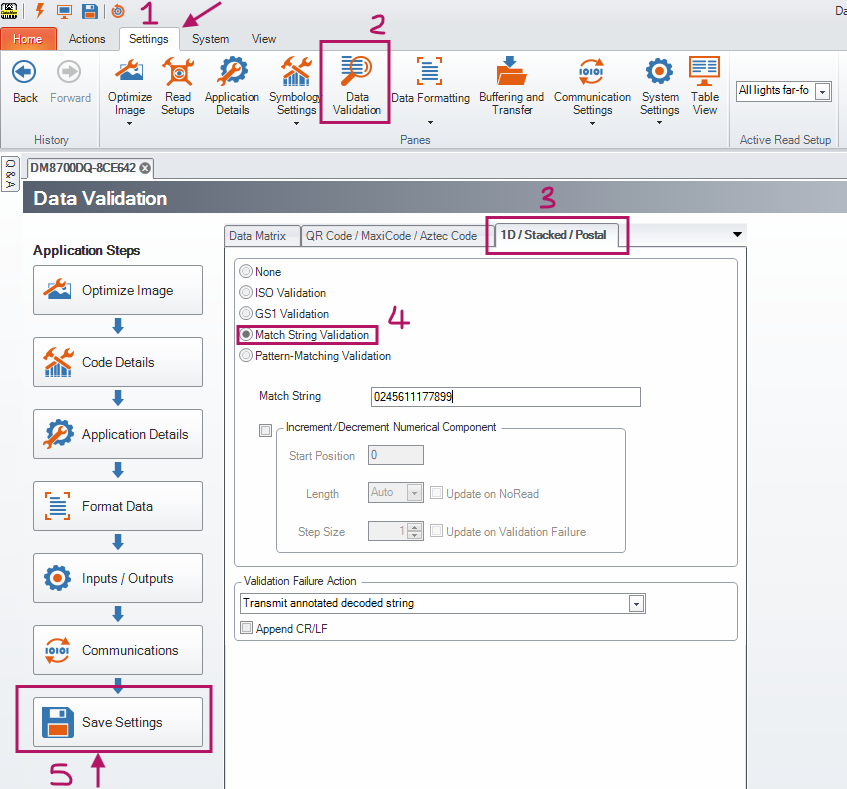
This is how you can set up match string validation for your DataMan 8700 reader.
Click on Save Settings at the bottom left to apply these changes to the reader.
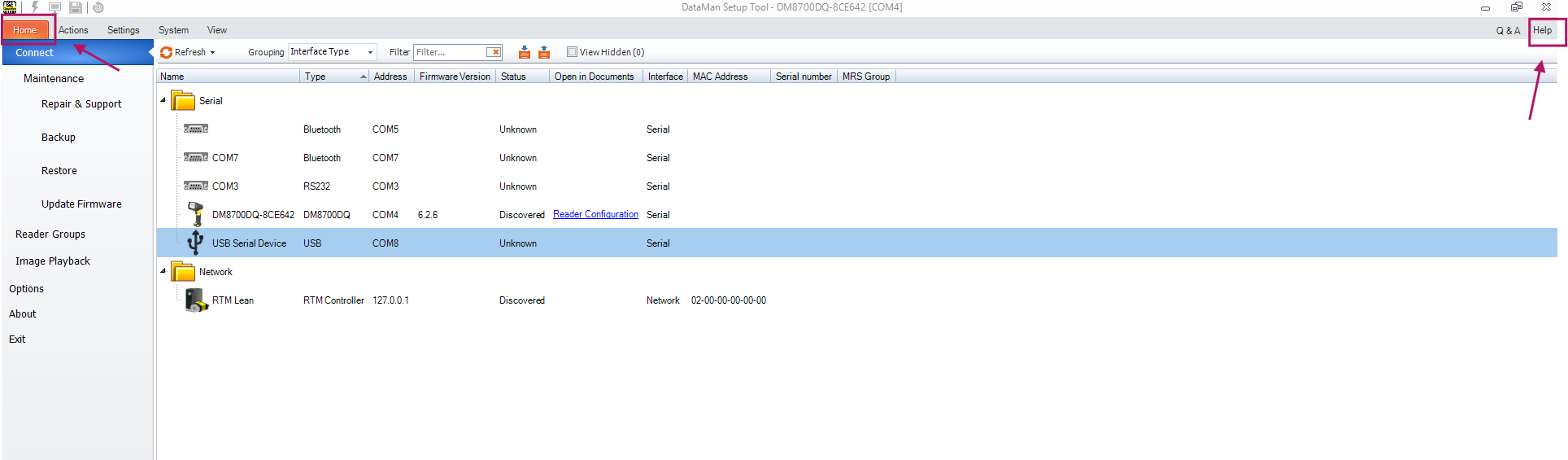
Open the Reader Configuration Codes guide. It can be found in the documentation listed under the Help tab in Setup Tool. Here is a direct link: Reader Configuration Codes.
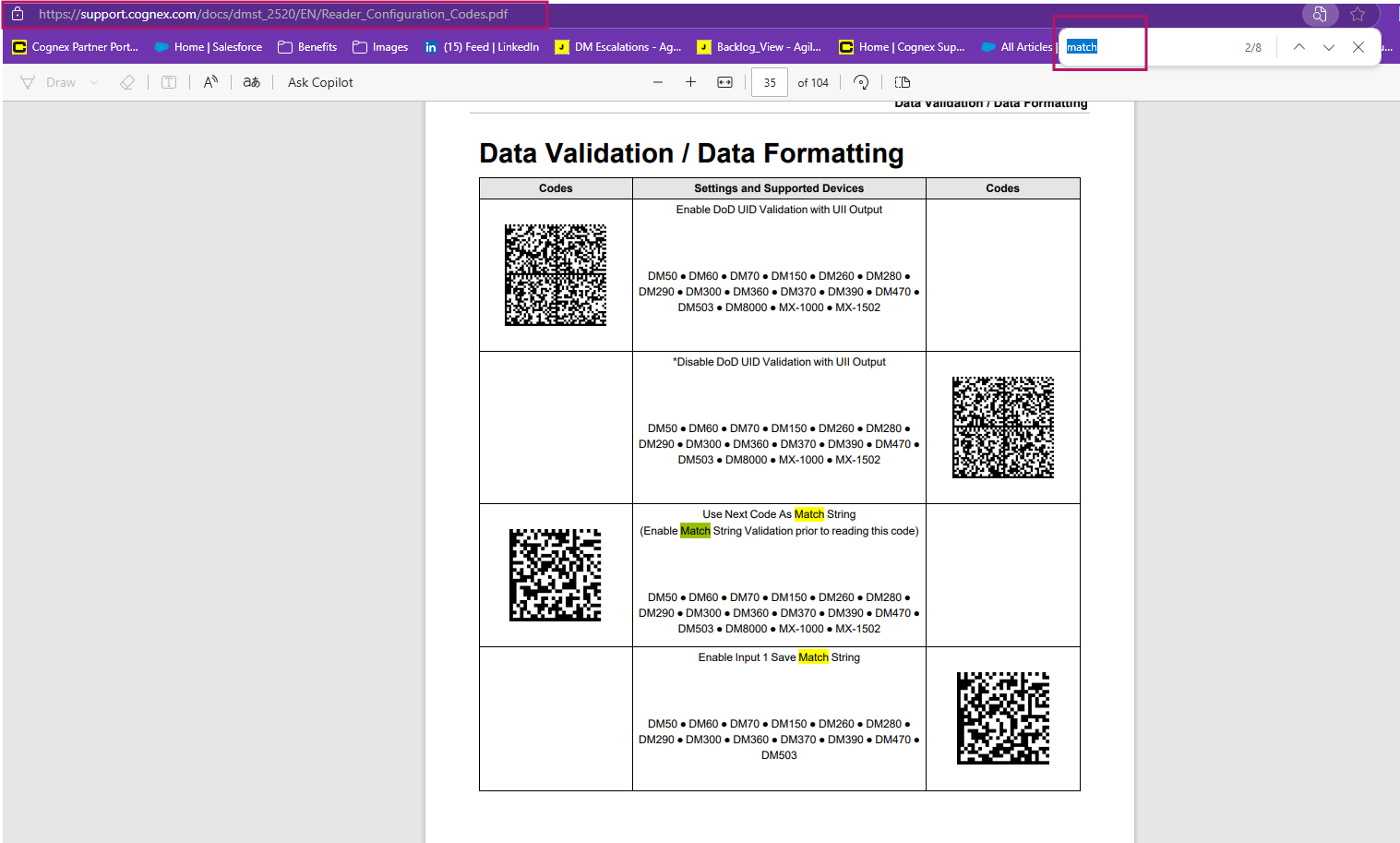
The codes we need are on page 35 (according to version 25.2.0.8 of the documentation). In case of documentation changes, you can also use the look up function and type “match” to find the code needed.
Note: Even though the DataMan 8700 is not explicitly listed under the code, it still works
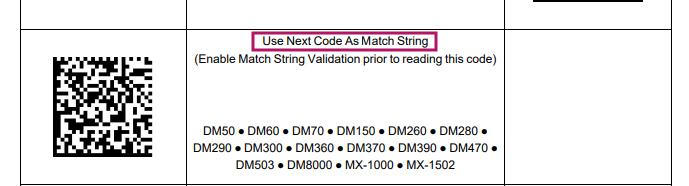
Scan this code with your DataMan 8700 and Save Settings to apply the changes to your reader.
Best Practice: Print this code out and have it near the operator’s workstation.
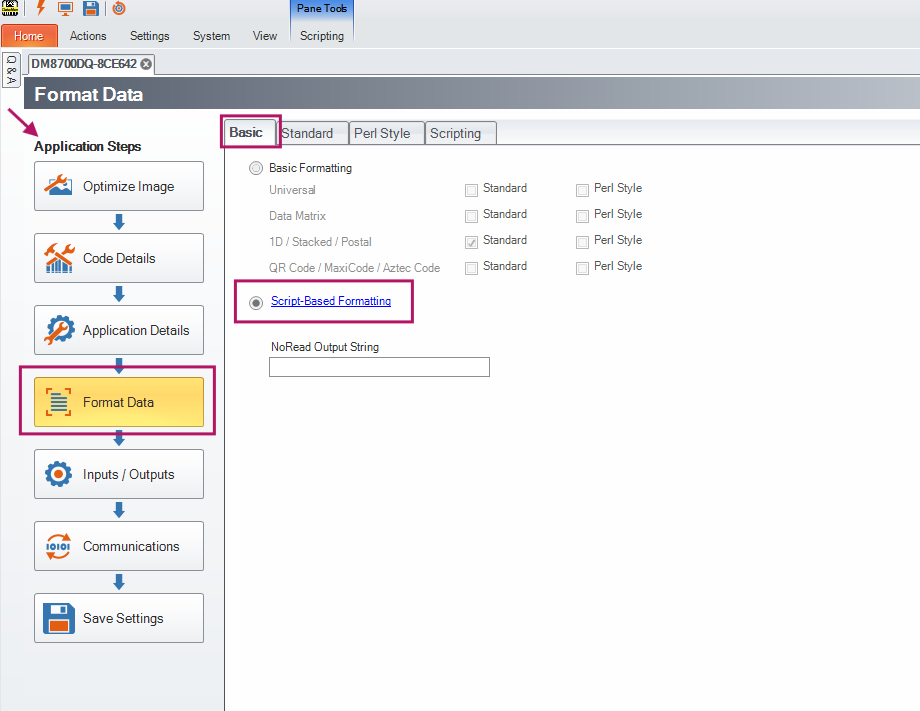
Under Basic, select Script-Based Formatting.
Open the Scripting tab at the top of the window. This is where you can input your script.
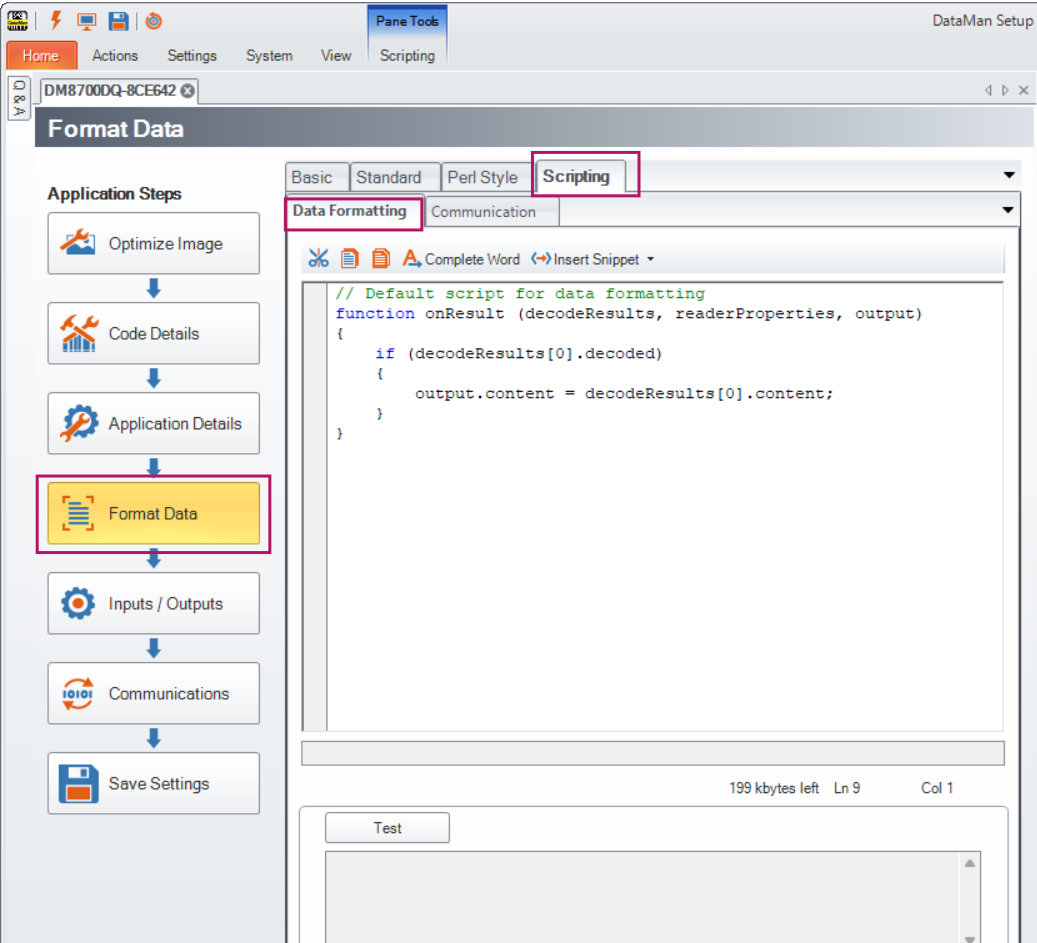
function onResult (decodeResults, readerProperties, output)
{
if (decodeResults[0].decoded)
{
var dataToPLC = "";
var dataToOLED = "";
switch(decodeResults[0].validation.state)
{
//---------------------------------------------------------------------------------------------
case 1: //Validation Failure -> Customize user feedback and data output for a failure here
dataToPLC = "";
dataToOLED = "Bad Match";
break;
//---------------------------------------------------------------------------------------------
case 2: //Validation Success -> Customize user feedback and data output for a success here
dataToPLC = decodeResults[0].content;
dataToOLED = "Good Match";
break;
//---------------------------------------------------------------------------------------------
case 0: //Validation Not Tried -> Not expected to occur for normal use cases
validationMessage = "Script Error: Validation Not Tried";
break;
default: //Error case, should never happen
validationMessage = "Script Error: Validation Not Recognized";
}
//Send Validation Message
output.content = dataToPLC;
output.OLED = dataToOLED;