

Details
This article shows the steps to measure the distance between two edges in In-Sight Vision Suite software with EasyBuilder interface:
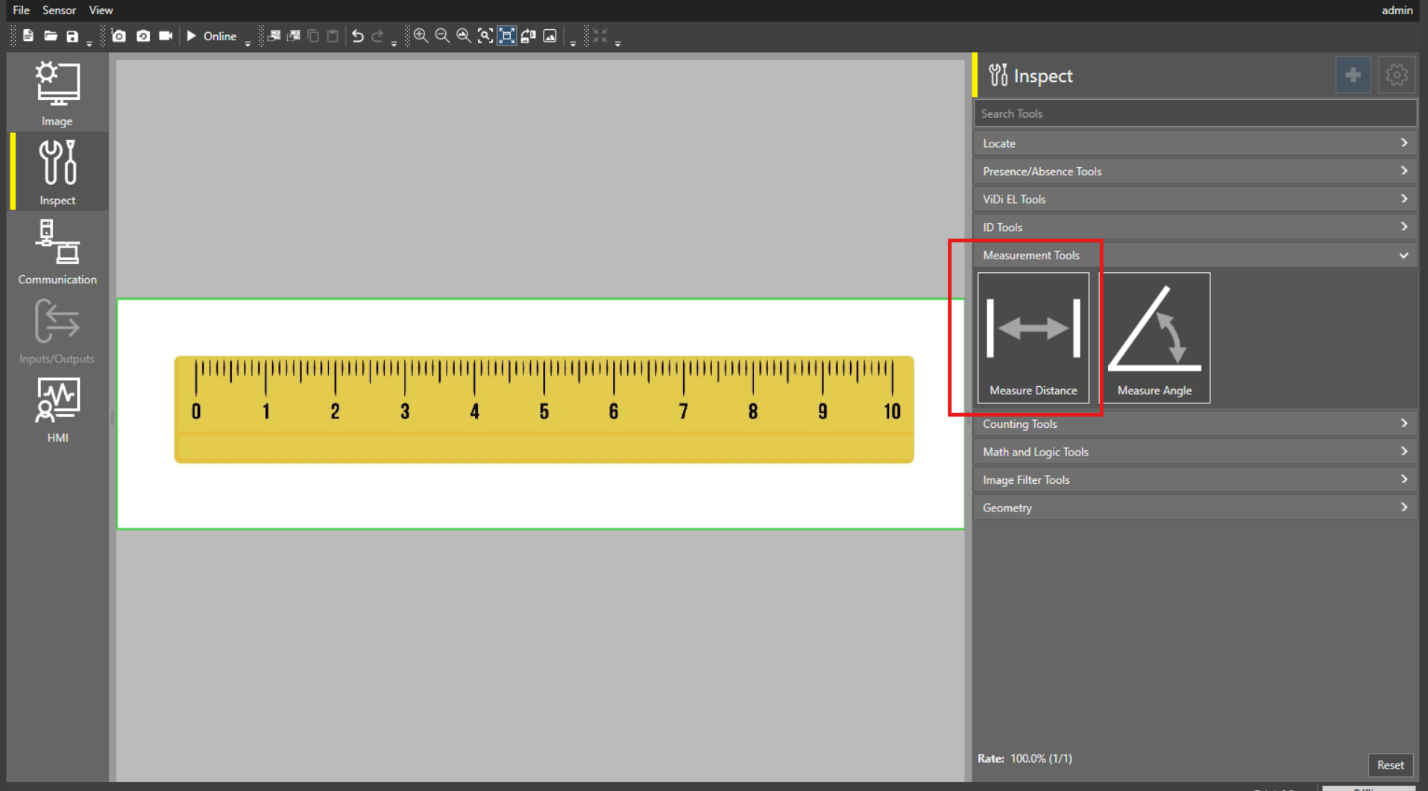
Select the "Measure Distance" tool under Measurement Tools menu.
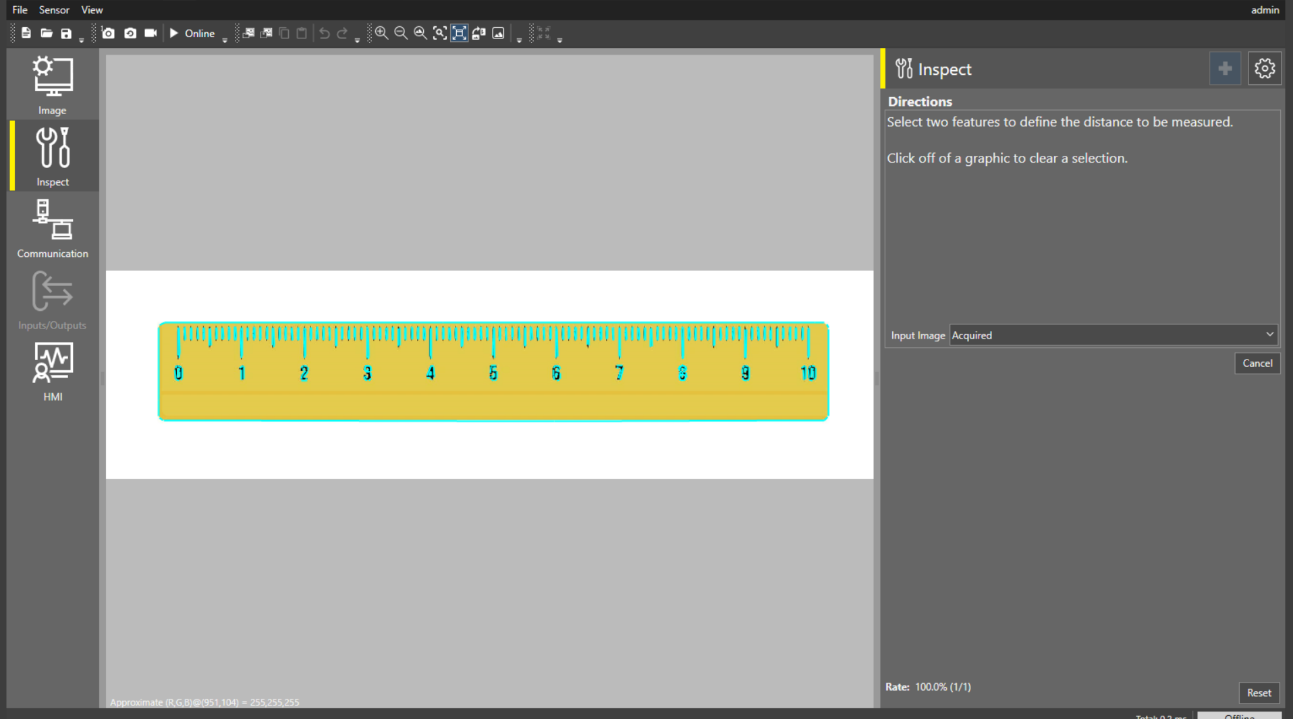
On selecting the Measure Distance tool, all the edges/circles will be highlighted.
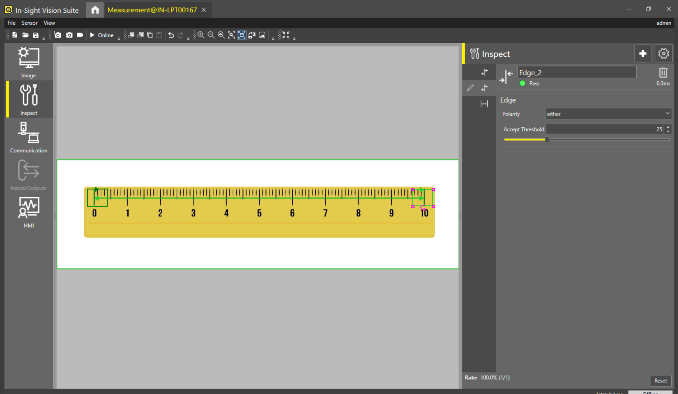
On Selecting the edges for which measurement is required. Selected edges will turn into pink color for reference and making sure correct edges are selected.
By Default, 3 tools will be adding:
- Edge_1
- Edge_2
- Distance
Edge_1 and Edge_2 tools - Adjust the corresponding ROI of Edge_1 and Edge_2 and set the edges parameters:
Polarity – to change the edge direction
Accept Threshold – finding the edge feature
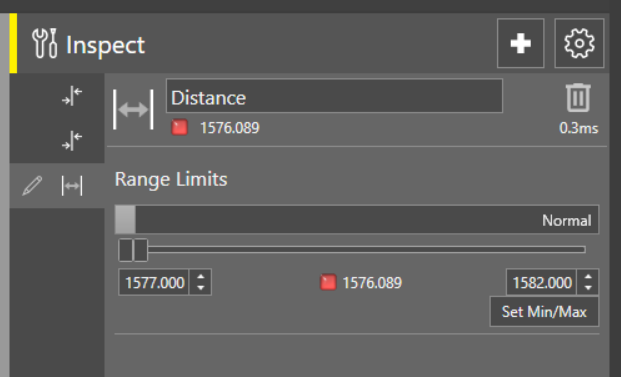
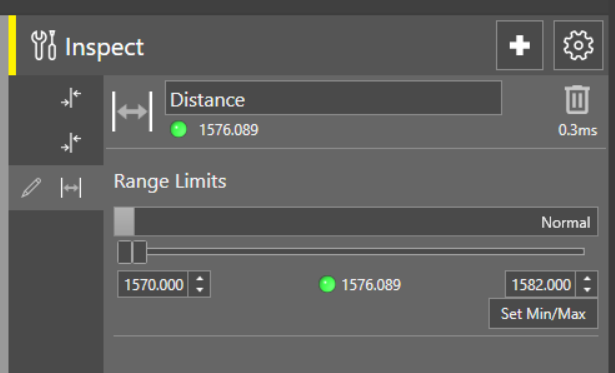
Distance Tool: Set the Minimum and Maximum distance values under Range Limit to set the Pass Fail criteria for measured distance.
Set Min/Max button can also be used to automatically calculate the minimum and maximum value ( +/- 5%) of measured distance value.
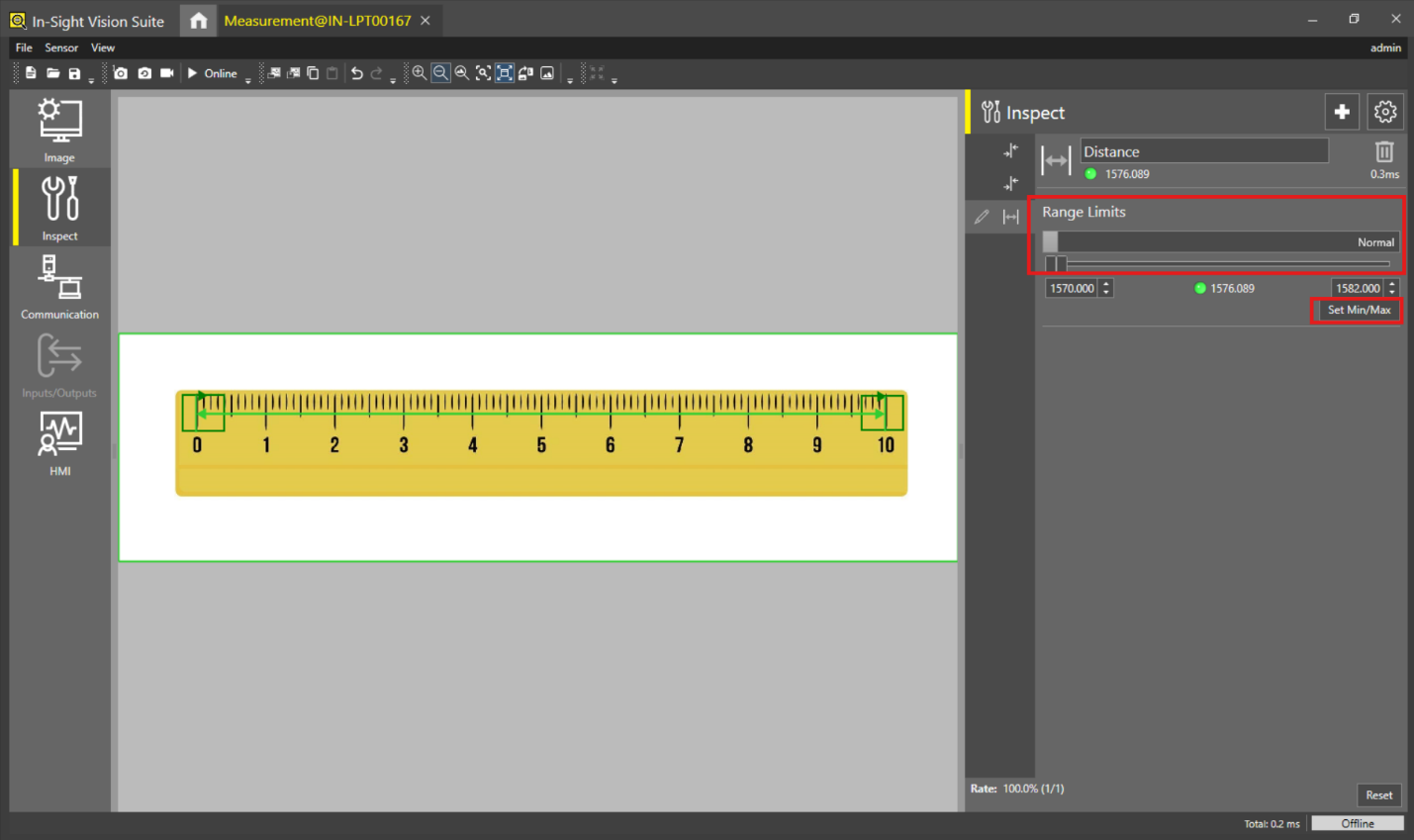
Tool Status indicates the Pass or Fail status of Distance tool
Green – Measured distance is within the Minimum and Maximum result.
Red – Measured distance is out of the Minimum and Maximum range.
- Configure the Communication, Inputs/Outputs and HMI based on the application requirement.
