Question
How to set Online/Offline via HTTP with In-Sight Vision Suite Cameras?
Answer
To be able to trigger camera via HTTP Post request at first we have to openSession and login with admin privilidges described in
000001845 [In-Sight] How to Open a Session Via HTTP with In-Sight Vision Suite Cameras
We're able to set camera online/offline even when camera booted up in offline.
To set camera online, we have to connect to the camera via HTTP using additional software. For testing purposes, use Postman.
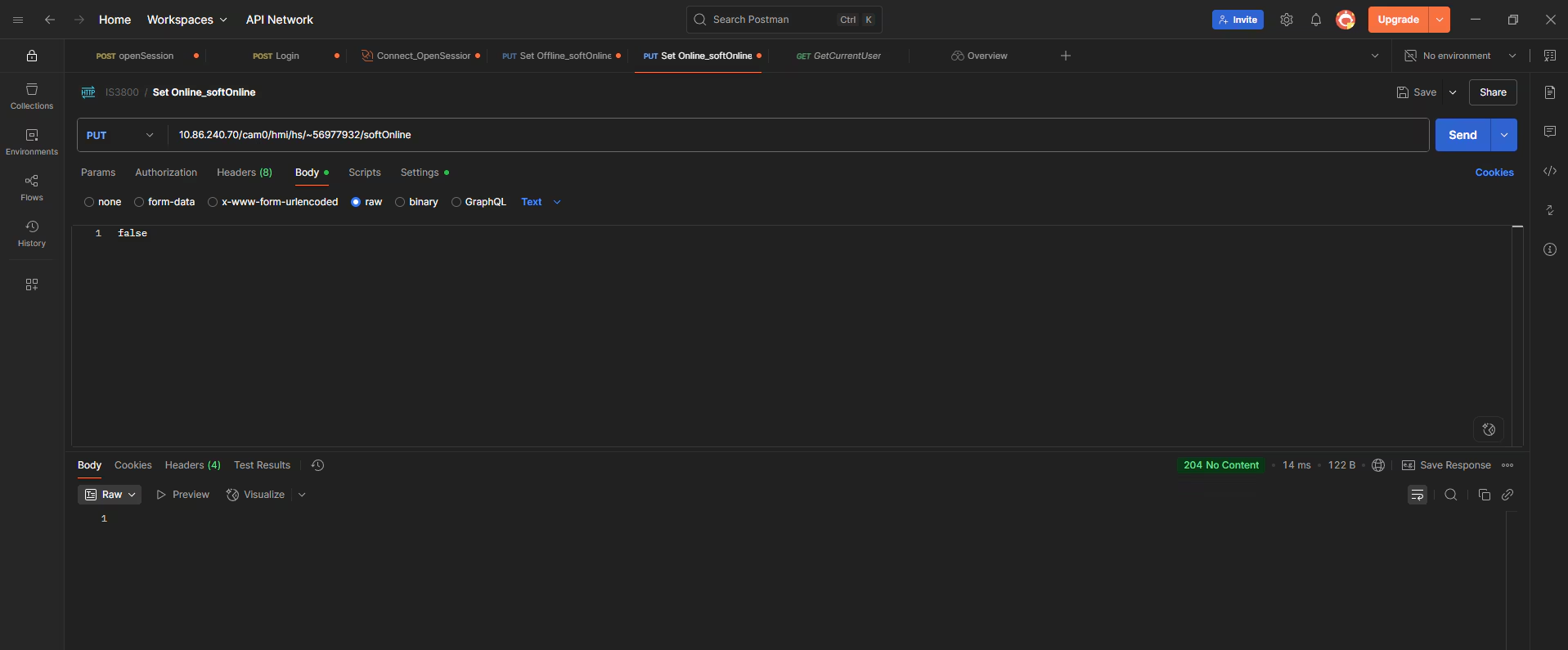
Send PUT command to camera:
PUT <cameraIP>/<SessionID>/softOnline with Body true
In reply, we will get 204 No Content
To set camera offline
Send PUT command to camera:
PUT <cameraIP>/<SessionID>/softOnline with Body false
In reply, we will get 204 No Content