

Question
How do I configure In-Sight Explorer to send images using SFTP to a server?
Answer
- First, ensure you have a working SFTP server.
Once you have installed the SFTP server, you can target it in the WriteImageSFTP function in this way:
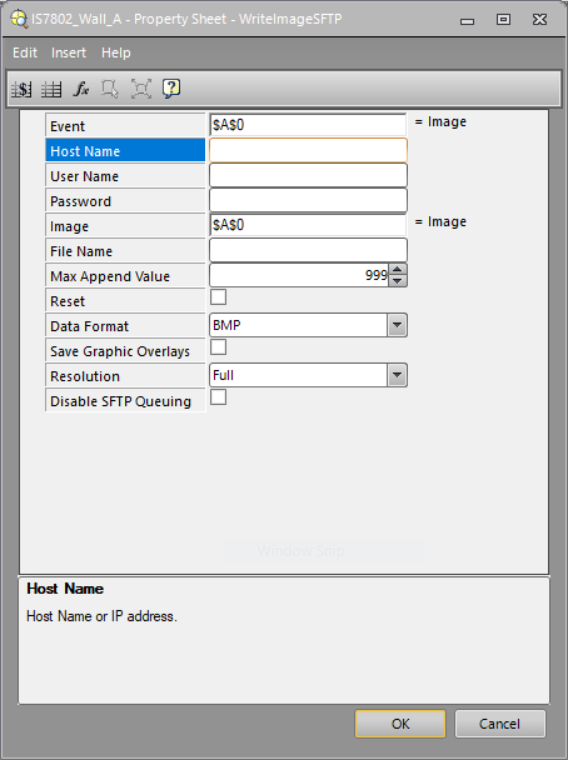
- Host Name: Name or IP address of the PC where the SFTP server is running;
- User Name: Name created in the SFTP server to log in;
- Password: password (if any) created in the SFTP server to log in;
- Fill or select all the other needed fields (File Name, Data Format and so on);
- Once you select the OK button and the camera goes Online, communication should start.
