

Question
In-Sight 3800 and In-Sight D900 Cameras cannot use a CIO breakout board. How can I obtain additional outputs from these cameras?
Answer
It is possible to use the GARDASOFT Trigger Timing Controller for this.
The Cognex part number for this is CTR-C320
To use this controller as a CIO, first you must connect to it and setup a fixed IP address. For this you can use the Gardasoft Maintenance Application from here:
http://gardasoft.com/Downloads/?f=24
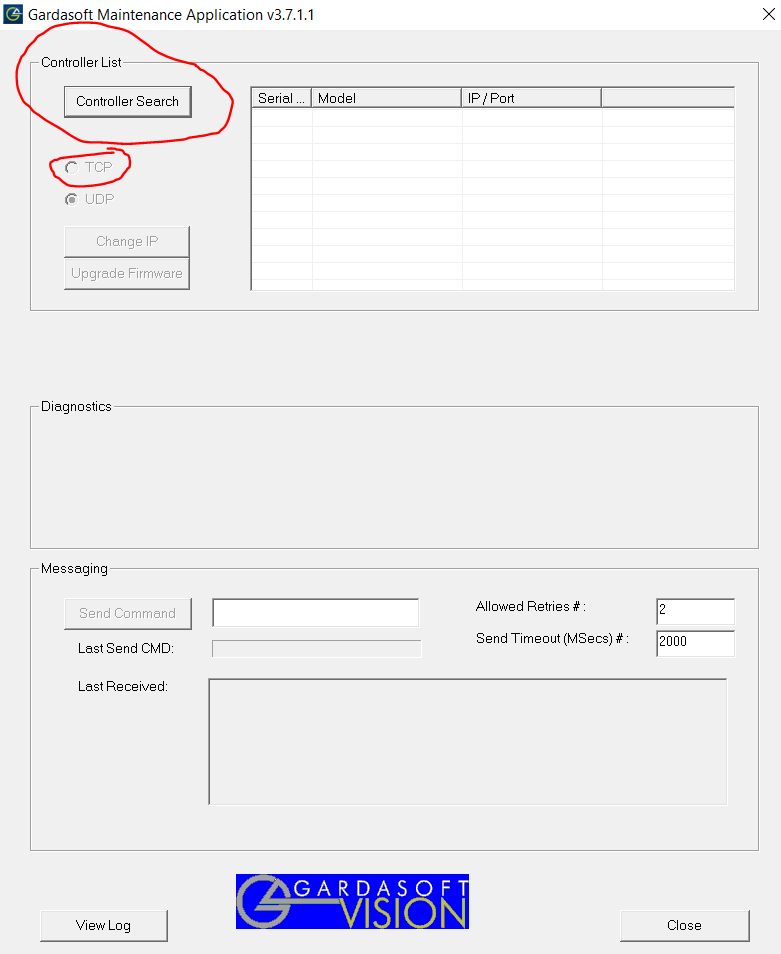
Using the Controller Search button you can find the controller and then set the correct IP address with Change IP:
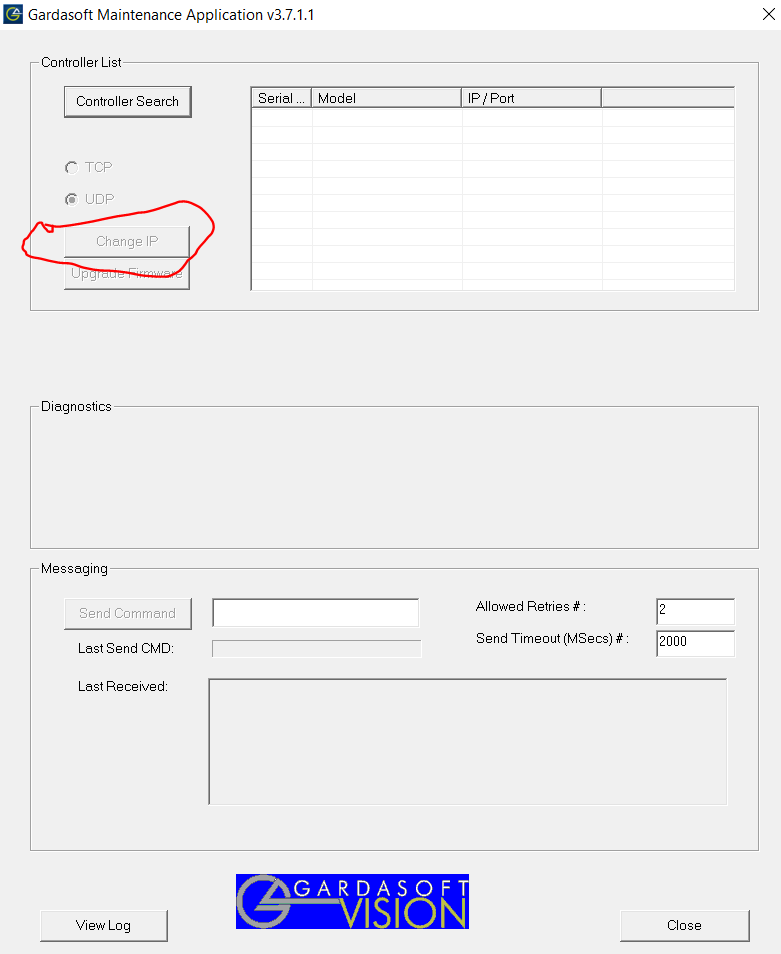
Now, you can start In-Sight Vision Suite and connect to your camera in Spreadsheet mode
Once connected, open a new job, and insert a TCP Client, and set it like in the image below:
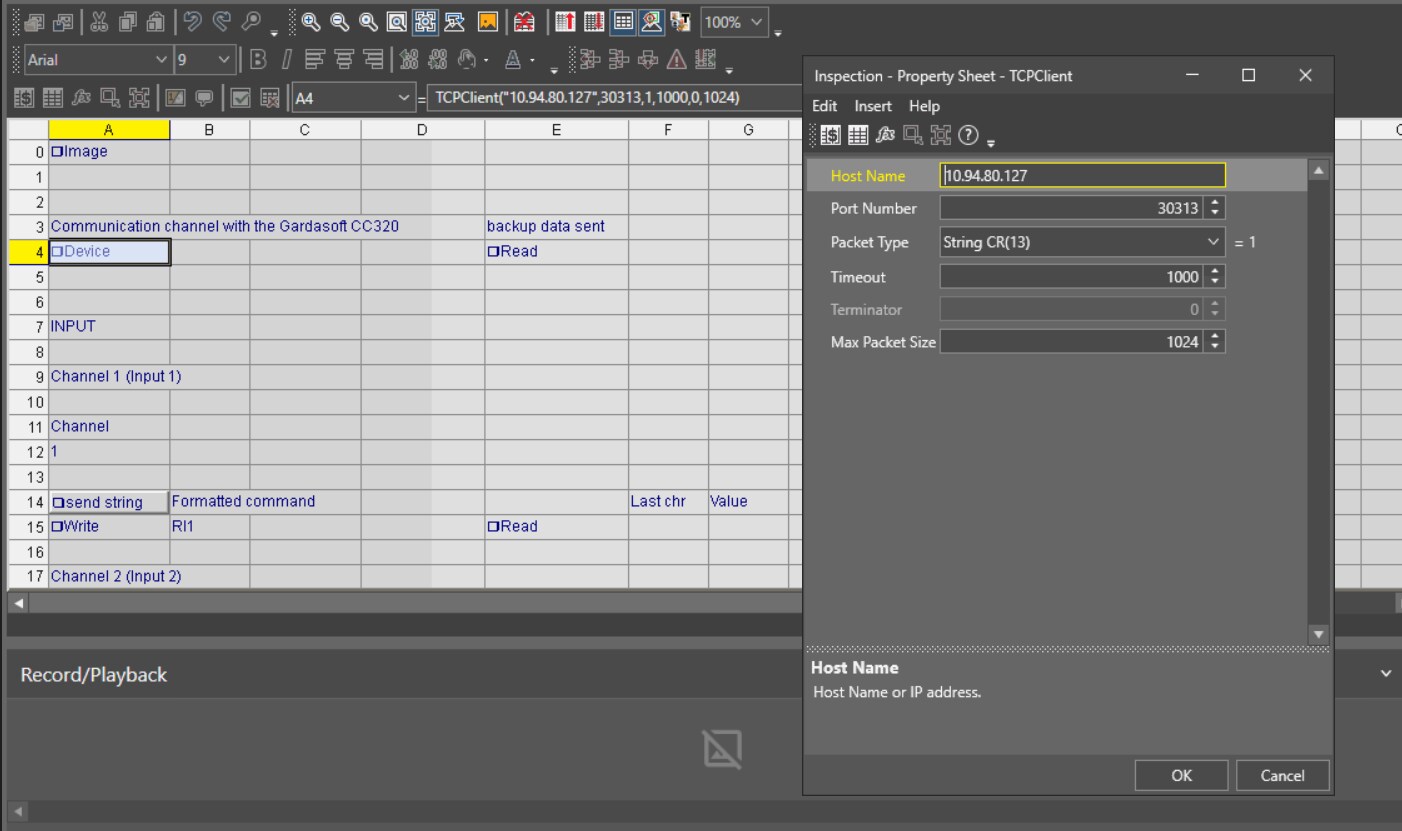
This is needed to establish a connection with the controller.
Now you can read input status or write output status of the controller I/O.
To do this, set a WriteDevice to Read the input:
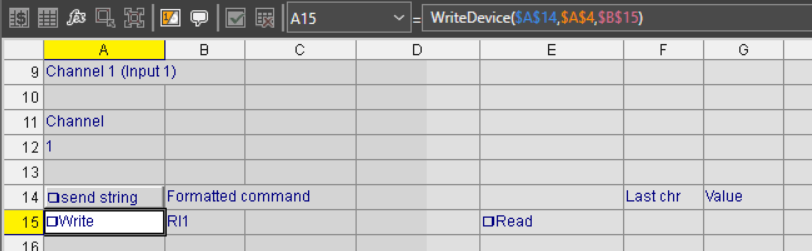
This is an example to read input 1. In this case the command to send is RI1 (B15).
The data will be put in E15 and the the last character of this string is the Input status (G15)
With the same command, you can read the other Inputs (with RI2, RI3 and so on)
Similarly, you can write the output with the command RS:
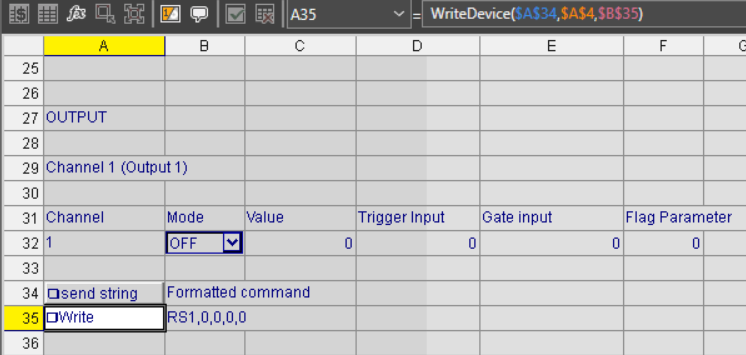
In this case, the command is a little bit different, more parameters are needed. Parameters used for this example are for a fixed output, but you can set a pulse output as well by changing parameters.
Command to be sent is concatenate in B15:
Concatenate("RS",$A$32,",",$C$32,",",$D$32,",",$E$32,",",$F$32)
With the same command, you can write the other outputs (with RS2, RS3 and so on)
