

Question
What is the correct way of triggering a task in a Cognex Designer project over industrial ethernet?
Answer
The sample project can be downloaded from this link.
Here are the steps to prepare a Cognex Designer task for triggering over industrial protocol:
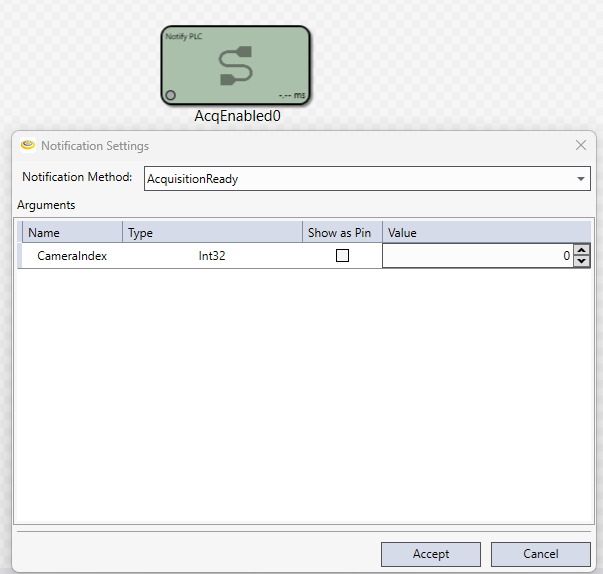
call AcquisitionReady Notify PLC block before the first acquisition (easiest way to do it in the startup script)
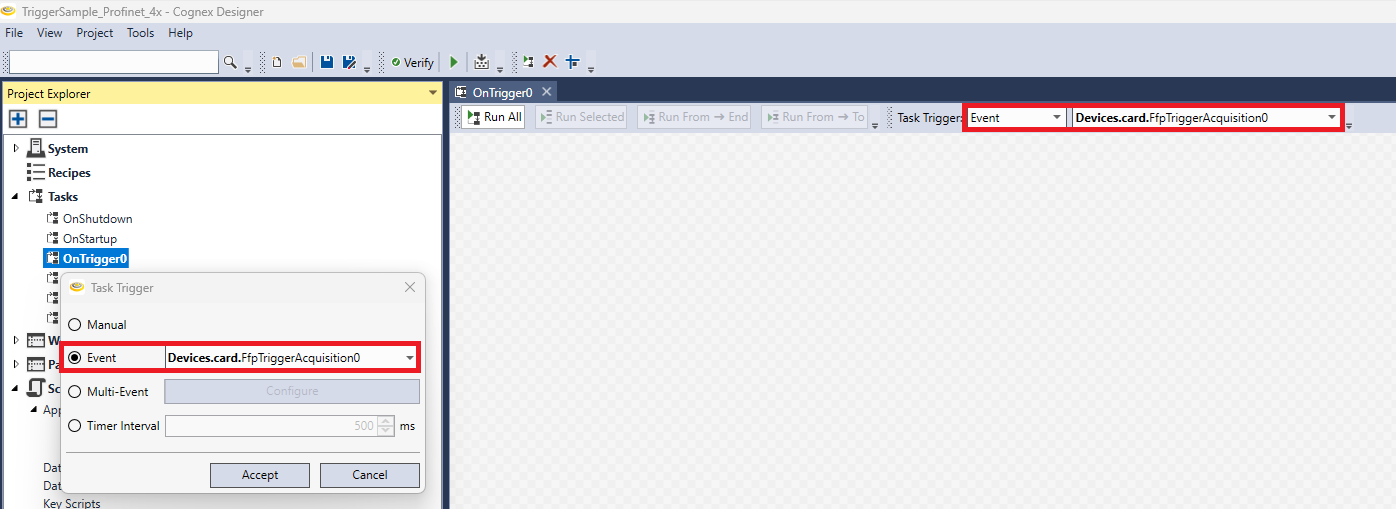
set the Task Trigger mode to FfpTriggerAcquisition event either by right-clicking on the task and selecting Task Trigger or at the top of the task after opening it
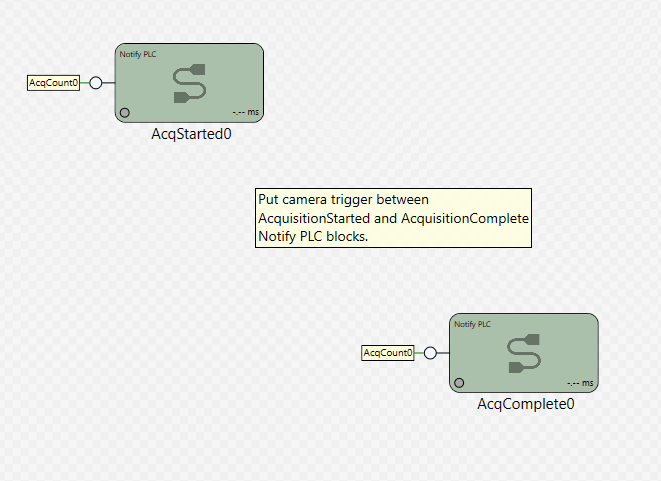
call AcquisitionStarted Notify PLC block at the beginning of the task which is triggered and AcquisitionComplete Notify PLC at the end of that task, call camera trigger between (or any other blocks you need)
- run the Cognex Designer project
Now, if you would like to trigger that task via industrial ethernet, then here are the steps to follow on the PLC:
- set the Trigger Enable bit to 1
- make sure that the vision system responds with Trigger Ready Camera X bit being 1
- set the Trigger Camera X bit to 1 and keep it until the Trigger Ack Camera X arrives back, then clear the Trigger Camera X bit
Note: the Trigger Camera naming can be confusing, because that is not used for triggering a camera directly but for triggering a task within the Cognex Designer project, and if needed, the camera can be triggered from that task.
