

Details
First of all, please download an SFTP Server from here:
https://www.solarwinds.com/free-tools/free-sftp-server/registration
You must fill some registration information for it, it will take 5 min.
Once installed, you can search for it in the Search Bar, like this:
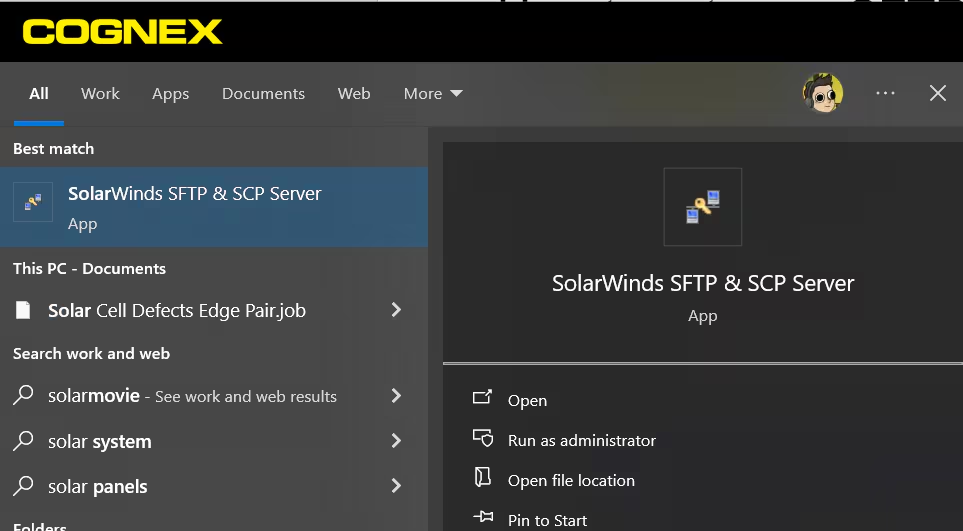
Select Open, the program will start, and you should see this:
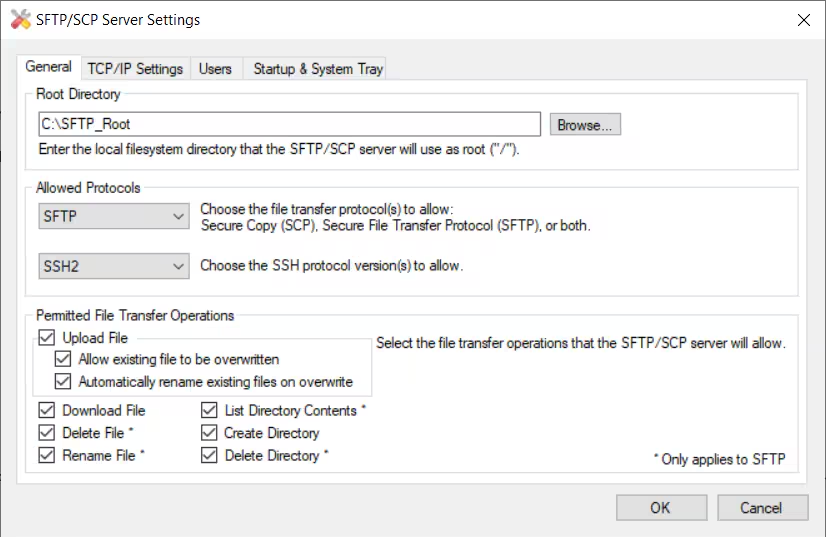
- Where you can select the Root Directory and the Protocols you want to enable, in this case SFTP.
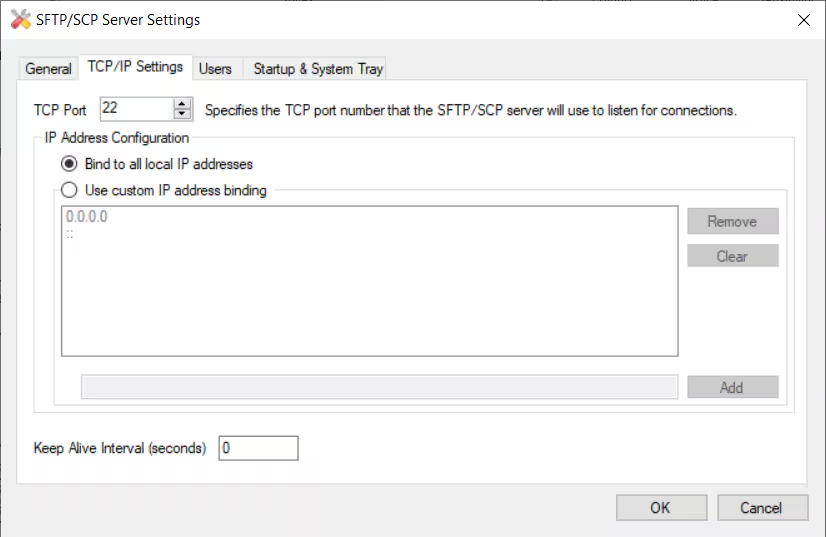
In the second tab, TCP/IP Settings, you can select the TCP port that you’ll use in the In-Sight or DataMan device:
Next tab, Users, you can create a User and Password:
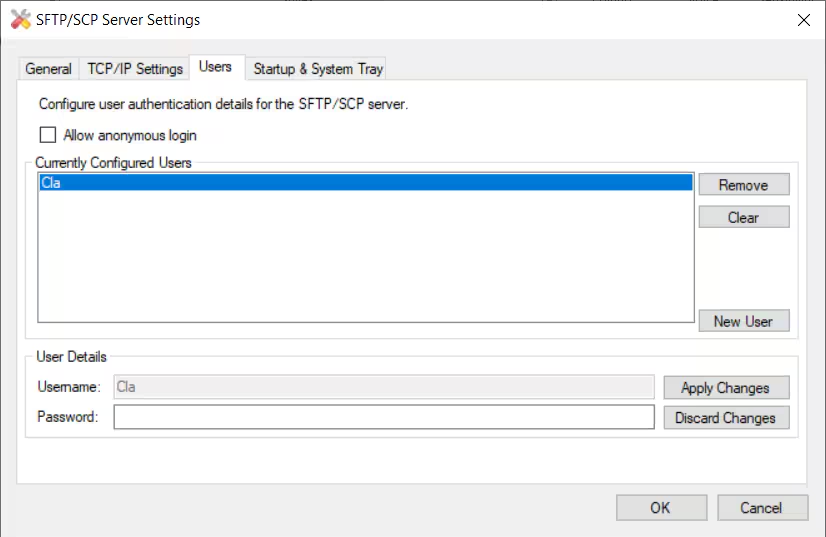
- At this point, once you click OK the SFTP Server is up and running.
- Now you can use the IP Address of the PC where the Server is installed, the User/Password just created and the Port into your In-Sight / DataMan device
