Cognex 支持中心


How To Send Native Commands To In-Sight Cameras Through Modbus TCP Protocol
This article explains how the String Command blocks of the In-Sight camera's Modbus TCP interface can be used to execute Native Commands.
2025/03/23
This article explains how the String Command blocks of the In-Sight camera's Modbus TCP interface can be used to execute Native Commands.
How can I send Native Commands to In-Sight cameras through Modbus TCP protocol?
The String Command related tags can be used for executing Native Commands on In-Sight cameras:
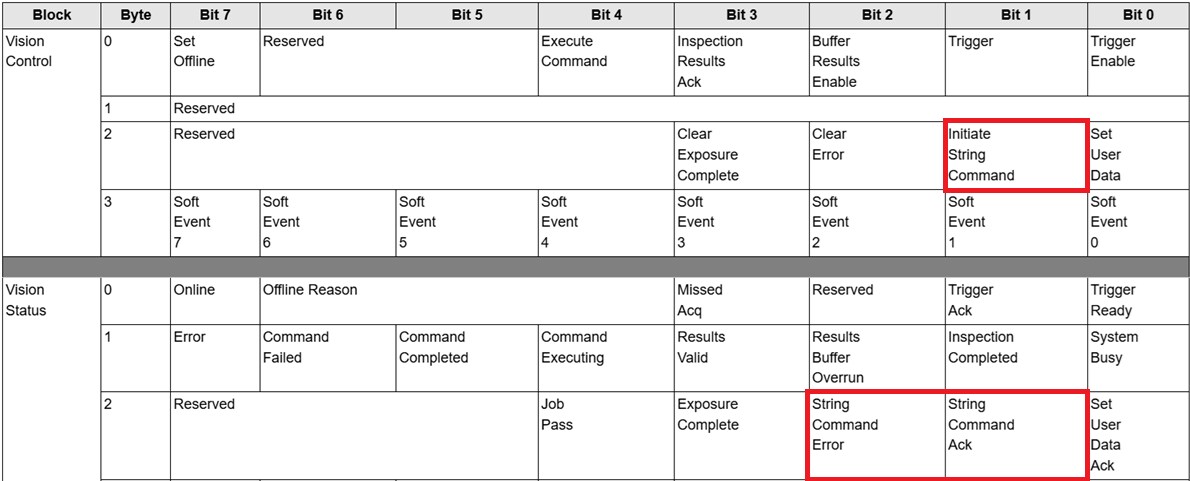
Modbus addresses of the String Command related tags:

| Tag Name | Address | Alternative Holding Register Address |
| Initiate String Command | Coil 17 | Holding Register 0 / Bit 17 |
| String Command Ack | Discrete Input 17 | Holding Register 100 / Bit 17 |
| String Command Error | Discrete Input 18 | Holding Register 100 / Bit 18 |
| String Command Length | Holding Register 1000 | Holding Register 1000 |
| String Command | Holding Register 1001...1999 | Holding Register 1001...1999 |
| Result Code | Input Register 1000 | Holding Register 6000 |
| String Command Result Length | Input Register 1001 | Holding Register 6001 |
| String Command Result | Input Register 1002...1999 | Holding Register 6002...6999 |
Notes:
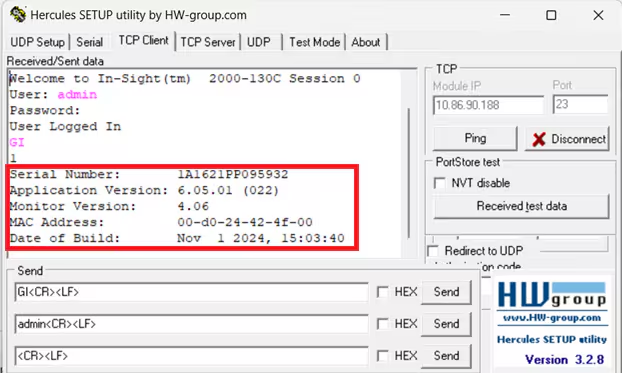
The further example will use the GI (Get Info) Native Command. If this command is sent over Native Mode Protocol, then the camera's response looks like the below one:
Steps to send Native Command over Modbus TCP protocol:
Write the Native Command into the String Command and its length into the String Command Length. Notes:
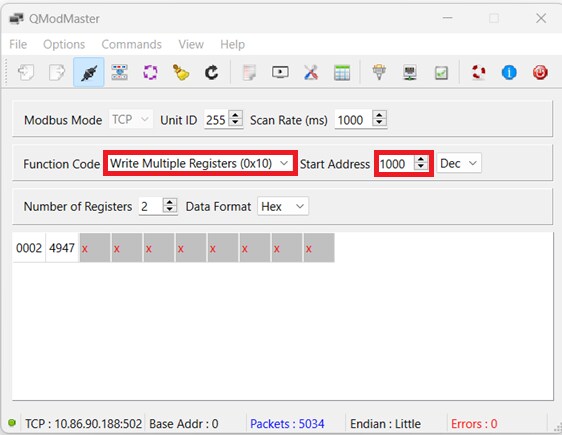
This example uses the free QModMaster application as the Modbus master. Since this application cannot display strings, an ASCII code lookup table is needed to convert characters into hexadecimal ASCII codes and vice versa.
Address 1000: 0002, this is the String Command Length, number of characters of the Native Command, which is 2 in this example because GI contains 2 characters.
Address 1001: 4947, this is the String Command, where 47 is the hexadecimal ASCII code of character "G", and 49 is the hexadecimal ASCII code of character "I".
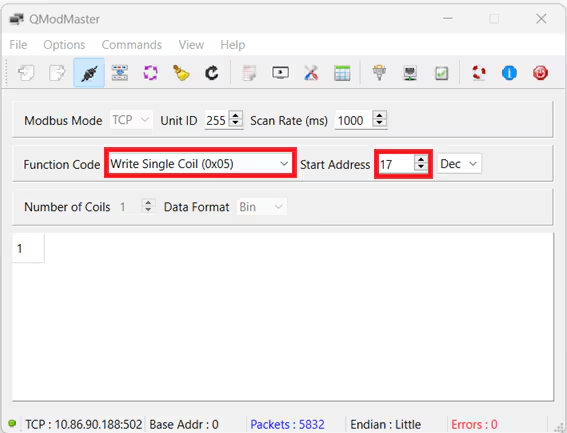
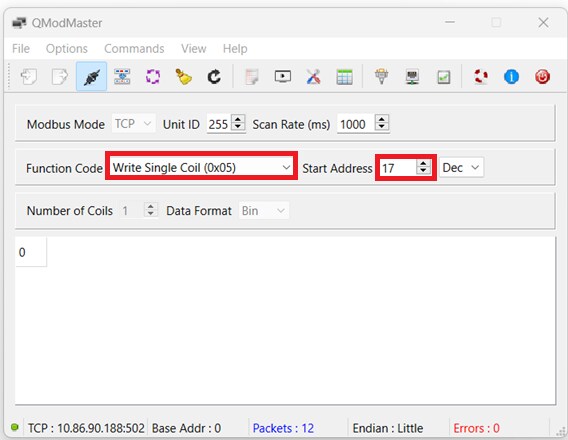
Set the Initiate String Command to 1.
Wait for the String Command Ack bit to become 1.
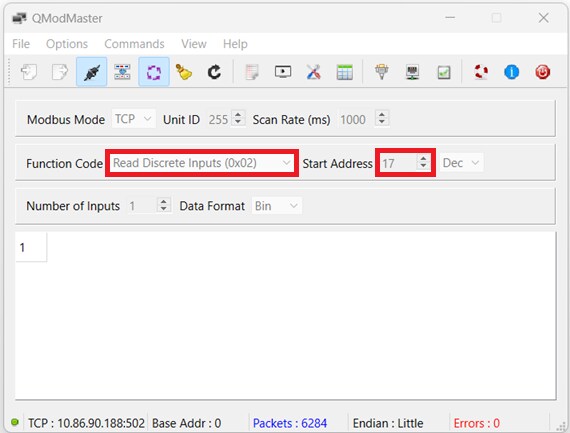
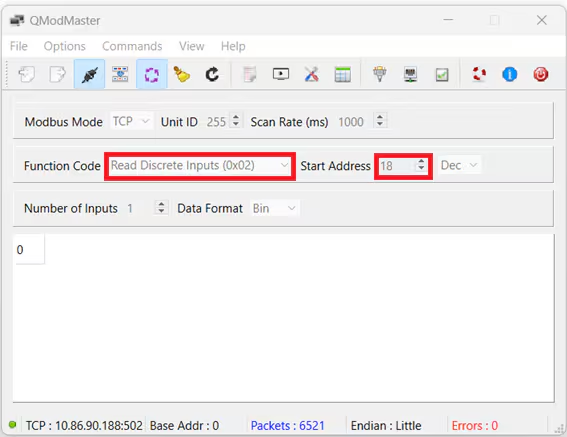
After this step, if the command was successfully interpreted, the String Command Error bit should be 0.
Clear the Initiate String Command.
Read the Result Code, String Command Result Length and String Command Result.
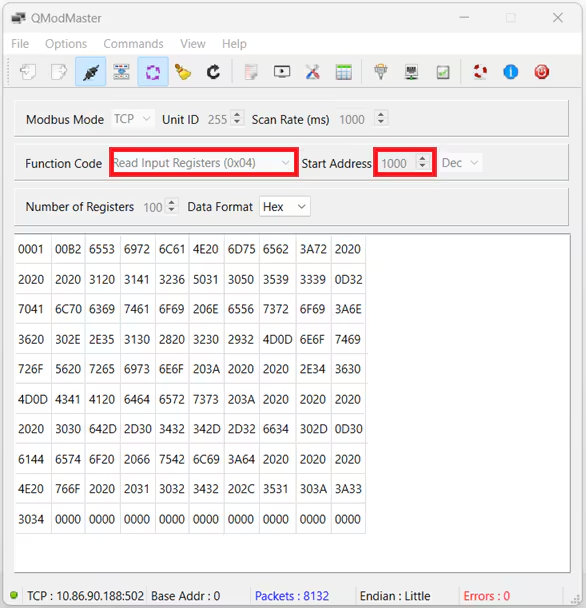
Address 1000: 0001, this is the Result Code, 1 means successful execution.
Address 1001: 00B2, equals to decimal 178, this is the String Command Result Length that means the number of characters in the String Command Result.
Address 1002...: 6553 6972 6C61 4E20 6D75 6562 3A72 ..., these are the characters of the String Command Result, after checking these hexadecimal codes in an ASCII lookup table, it starts as string "Serial Number:".
Note that the characters are swapped within each character-pairs because due to the lower-byte upper-byte order.
