

Details
Issue:
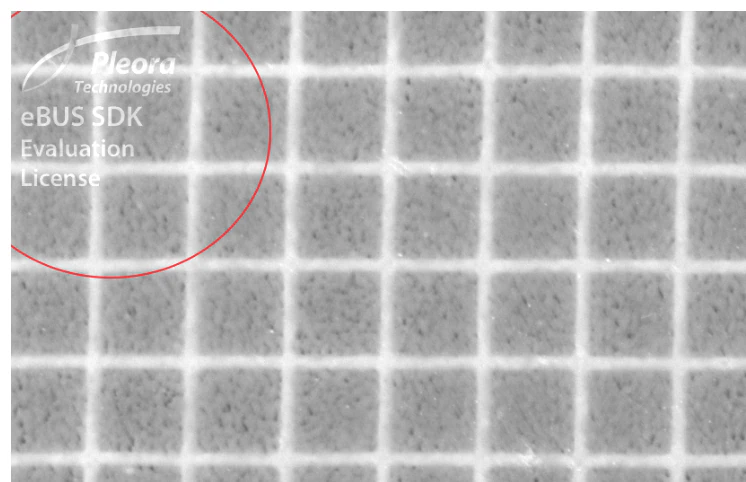
Pleora Watermark appears on the acquired images in VisionPro or Cognex Designer applications:
Cause:
The Pleora eBUS license is integrated into Cognex Drivers and this license became corrupt.
Resolution:
- Close any instance of Cognex Designer/VisionPro
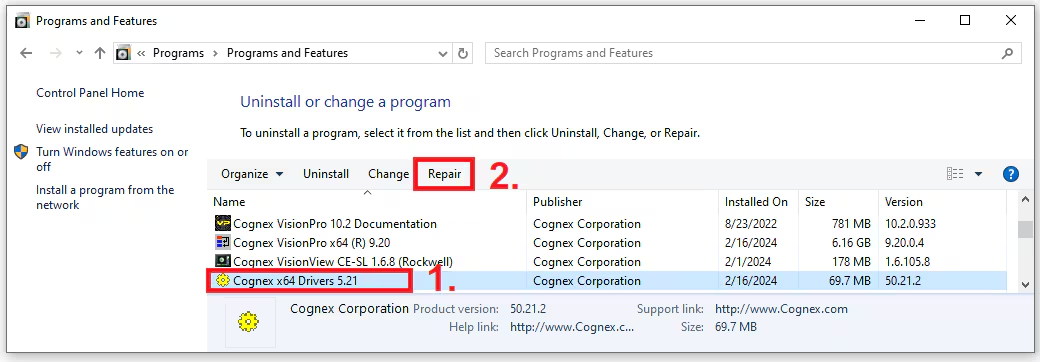
- Open the Control Panel > Uninstall or change a program dialog box
Select the Cognex x64 Drivers and click on Repair
- Run again VisionPro/Cognex Designer as usual
Note: as an alternative, the Cognex x64 Drivers can be uninstalled and reinstalled.
