

Question
How to check a DataMan's System and Device Log.
Answer
Open the DataMan Setup Tool application and go to the System tab. There you will find a button for System Info and Device Log.
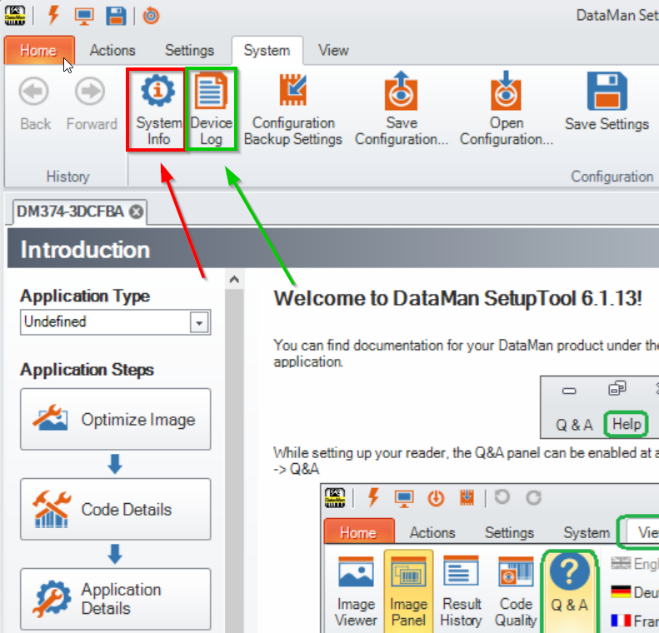
The System info has information on your product, serial number, feature keys and trigger/read statistics like total triggers, total Reads/NoReads and their percentages, missed triggers, and item count amongst other things.
The Device Log has information on the status history of the reader, such as errors/alarms, connections made/lost and other abnormalities and other things of note.
This log is very helpful for trouble shooting AND IS CLEARED ON POWER LOSS / REBOOT. Because of this it is important to capture the log messages as soon as possible if you see an issue. It can then be copied and pasted into a text program just like any other text.