Details
There are two ways to create a backup:
- Automatic name / folder method
- Choose name / folder method
Automatic Name / Folder Method
- This will always be a .dmb file.
- At the Home page click “Backup” on the left, highlight the readers you want to backup by holding down the CTRL button and selecting each camera, and then click the Backup button on the lower right.
You can see the destination folder by clicking “Open Backup Folder” in the lower right. This will take you to the default location backups are stored here: …\Documents\Cognex\DataMan\Backups.
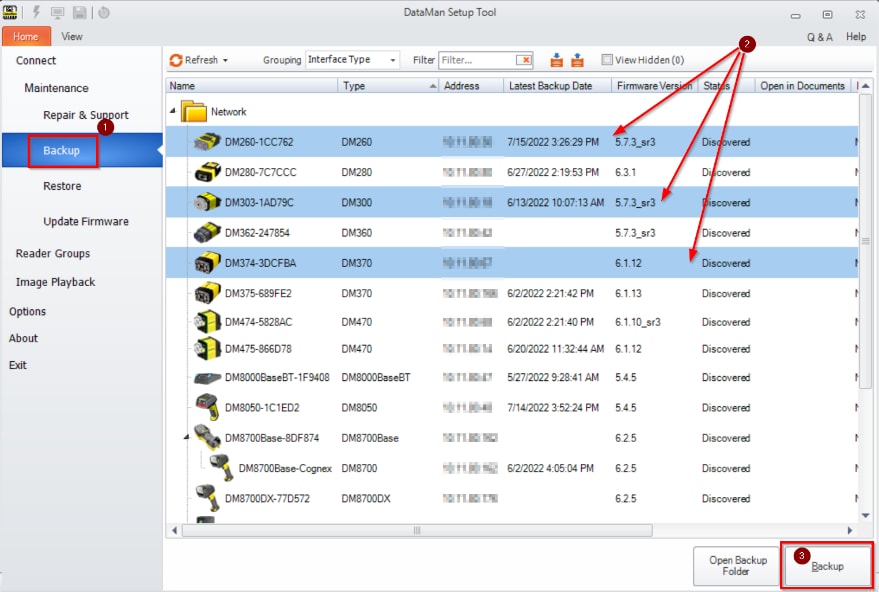
- Graphical user interface, applicationDescription automatically generatedThis process will automatically create a subfolder for each reader and make an automated name (reader name and time stamp).
Choose Name / Folder Method
- This way allows you to choose the folder each time, a custom name and the file type for the file.
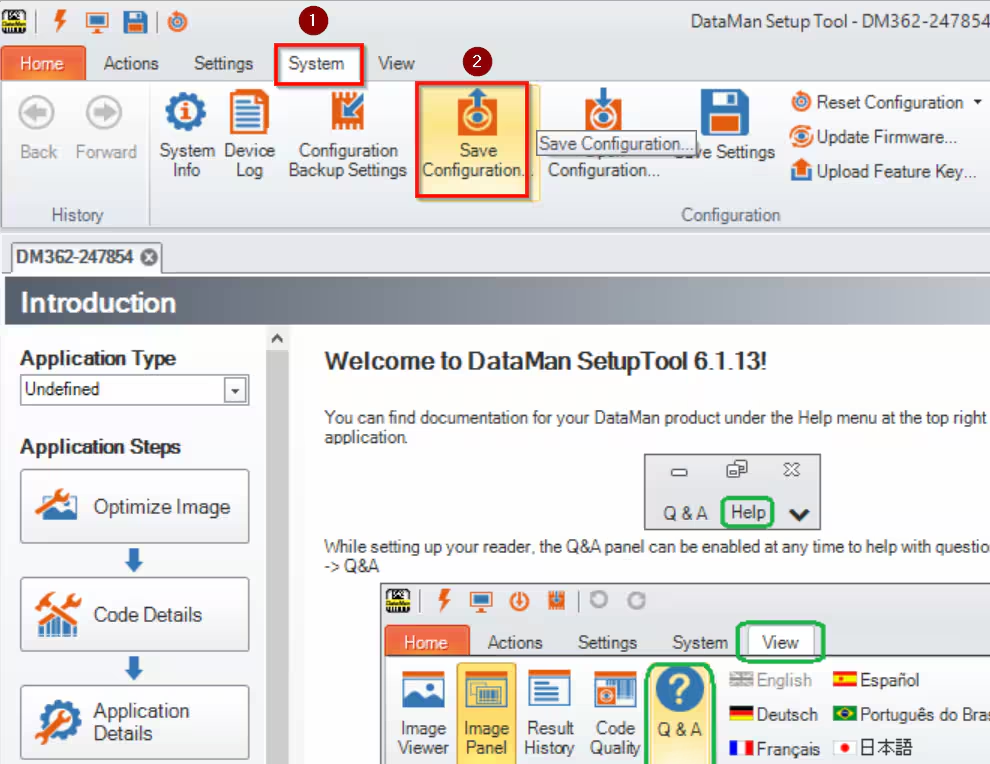
Open the reader, click the system tab at the top, then “save configuration”. Once you have clicked “save configuration” you will get a new window where you must choose a name, folder, file type (some readers can have .dmb (DataMan backup) or .cfg (config) files. The only difference is the configuration files (.cfg) store the networking info.