Question
How to add In-Sight Emulator manually?
Answer
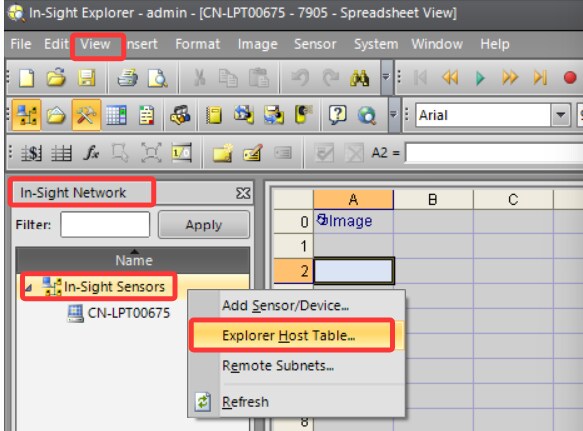
1, Right click In-Sight Sensors and select Explorer Host Table.
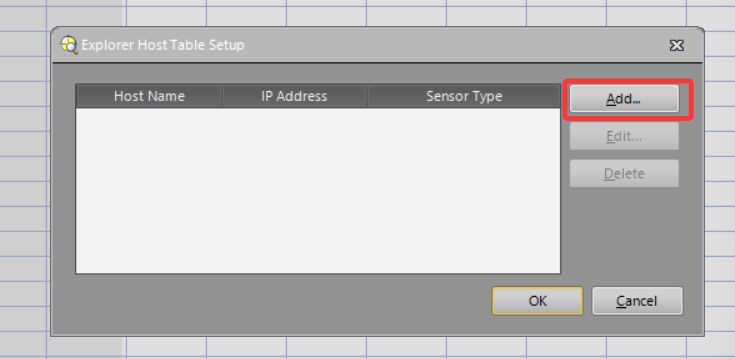
2, Click Add.
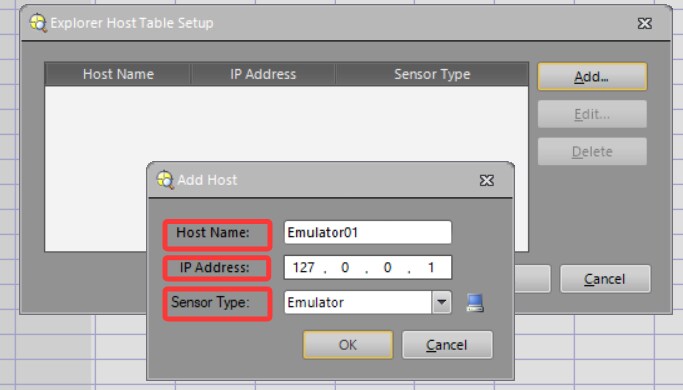
3, Please set the IP address and sensor type as shown in the screenshot below. Host Name can be customized.
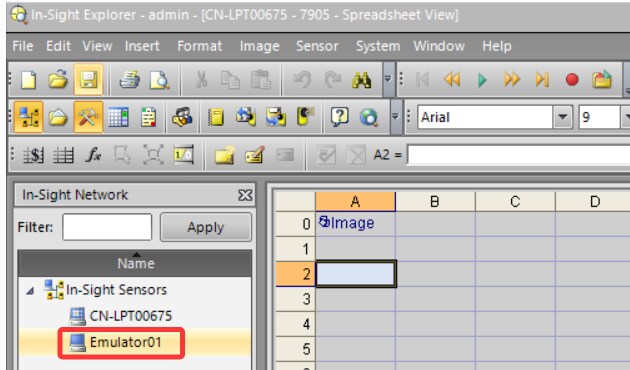
4, After above steps, the Emulator will display. It can be used like a regular Emulator.
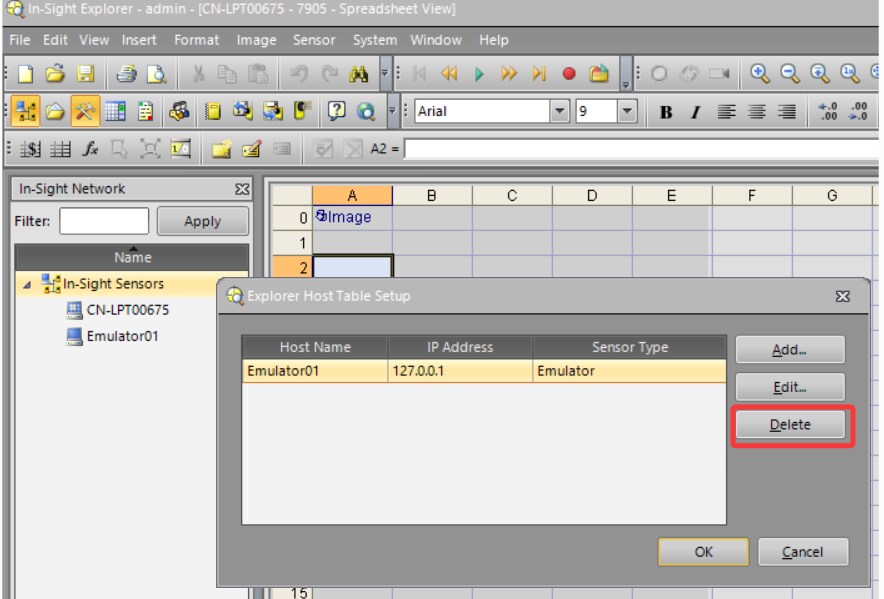
5, The Emulator can be removed when it is not needed. Select the Emulator and click Delete can remove it.