

Details
Issue:
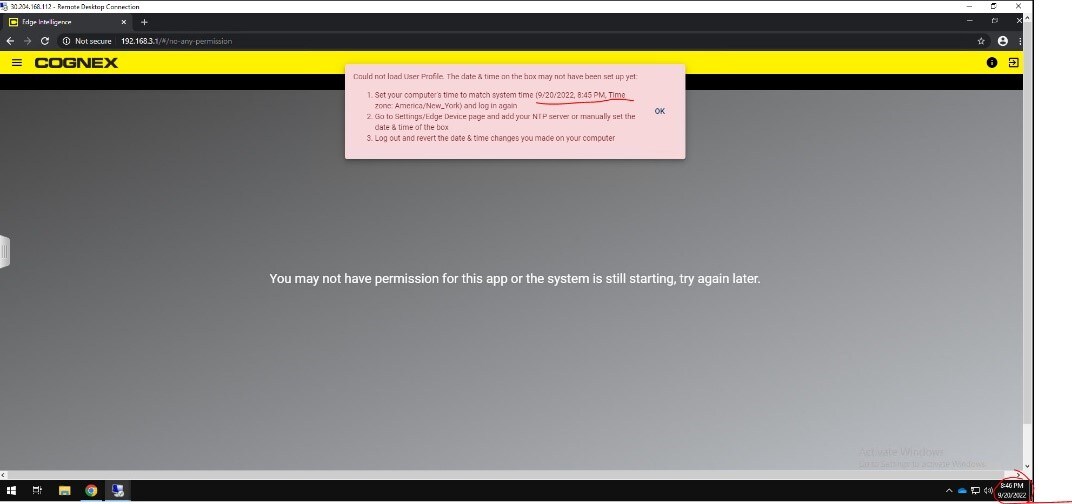
You see a window that suggests that the day and time has not been set up.
Cause:
Several possible causes.
Resolution:
First, follow the steps in the instructions. This includes:
- Validating the time zone and DST settings of your local machine to match Edge Intelligence in the dialog.
- Logging out of your Edge Intelligence session (button in upper right)
- Log in to Edge Intelligence and update the time and time zone on Edge Intelligence and if possible, point Edge Intelligence to your local NTP server
- If the Edge Intelligence date/time settings don't save properly for you (bug prior to EI 1.4 on some units), then you may need Edge Intelligence support’s intervention to update the time through the back-end.
- Reset the local machine date/time. Make sure Day Light Saving Time is set to turn on automatically.
- Now, Clear the browser cookies, log out from Edge Intelligence, and start a new browser session.
