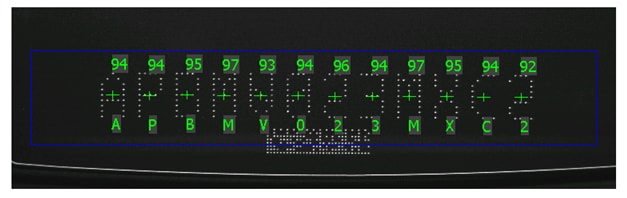
Details
Question
I'm trying to read OCR, what should I specify for the checksum?
Answer
- SEMI or SEMI with Virtual in the Checksum field only works for OCR that are appended with SEMI checksum characters. SEMI checksum character is usually two characters appended to the end of OCR character.
- Although not complete, by looking at the last two characters, you can determine if OCR has a SEMI checksum appended to it:
- ・The first of the two characters is one of the alphabetic characters "ABCDEFGH".
- ・The last of the two characters is one of the digits "01234567".
For OCR characters that do not satisfy the above rule, specify "Virtual" because SEMI checksum is not added. If it is satisfied, specify "SEMI" or "SEMI with Virtual".
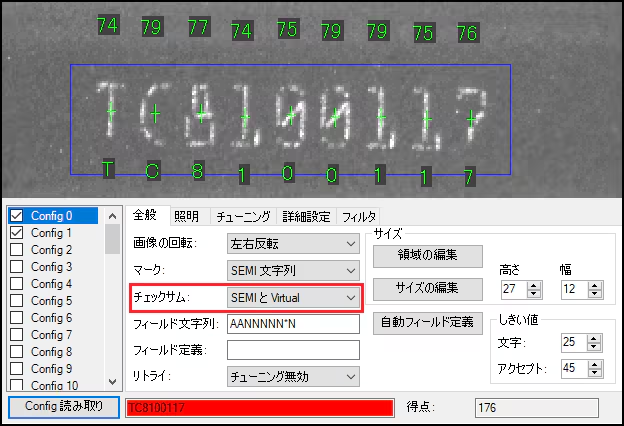
- When "SEMI" or "SEMI with Virtual" is specified as the checksum, be sure to specify "C" and "S" in the "Field String" field.
- For example, the "fieldstring" in the 12-character OCR with SEMI checksum appended specifies "C" and "S" as follows:
- 「**********CS�