

Details
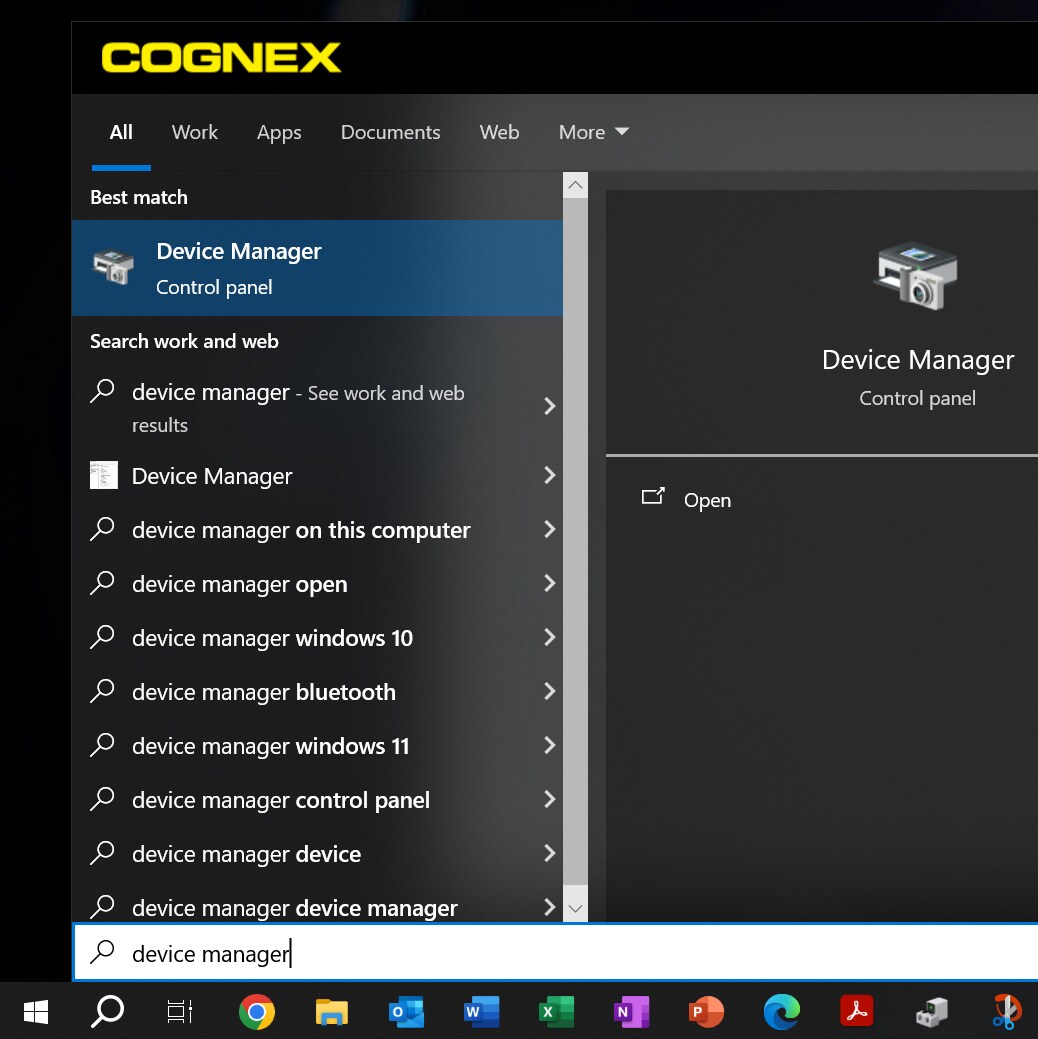
Open the device manager on your laptop. To do this click home and search “Device Manager”.
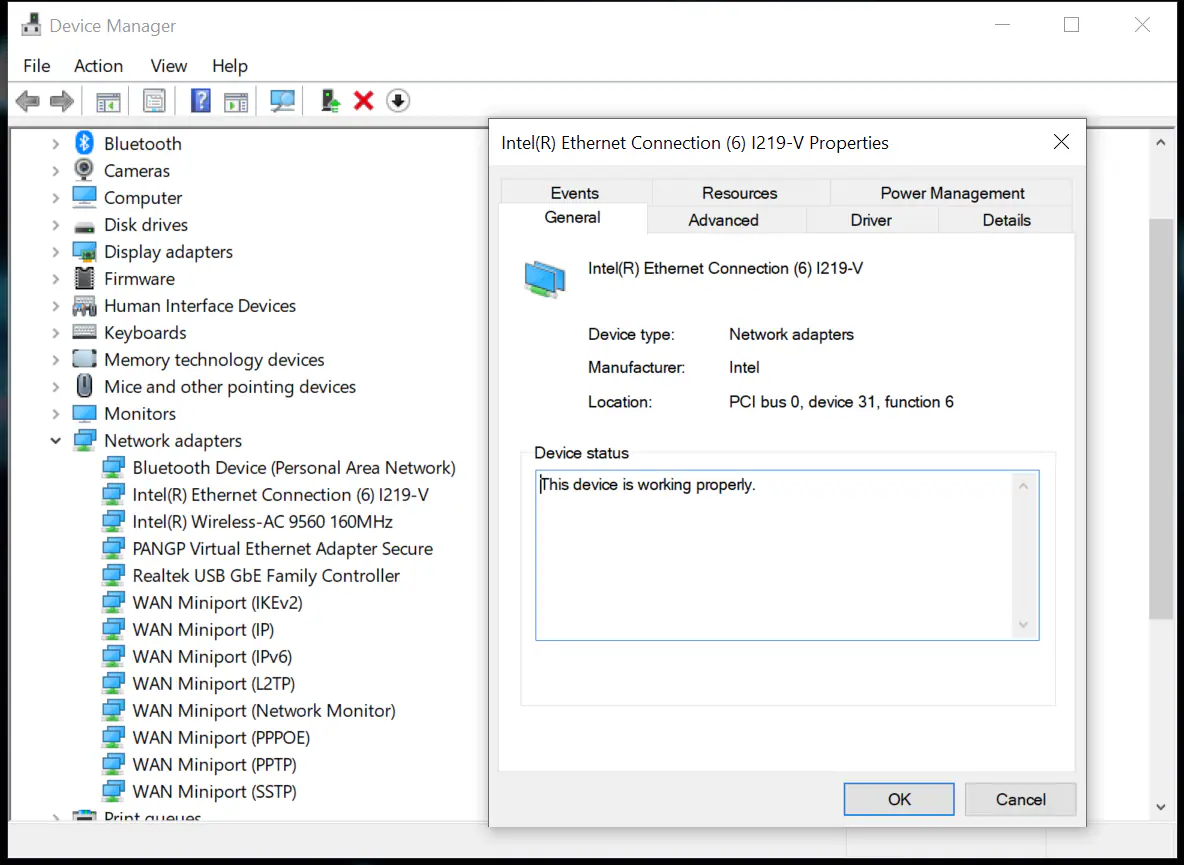
Open Device Manager and go to Network Adapters drop-down. Find Intel(R) Ethernet Connection and double click which will open the properties window.
Go to the Power Management Tab in the Properties Window and make sure the “Allow the computer to turn off this device to save power” is not checked
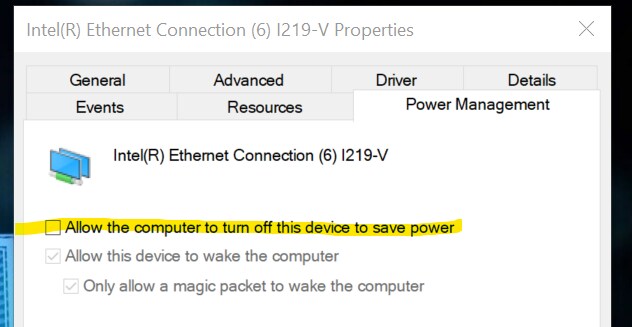
This should keep the laptop from cutting power to the Cognex device.
