Question
How to adjust debounce for trigger signal on dataman readers.
Answer
The Dataman has a debounce option for it's inputs. Typically this is done for trigger signals on Input0. You can set these via SetupTool by going to the Inputs / Outputs section and pressing the Inputs Tab.
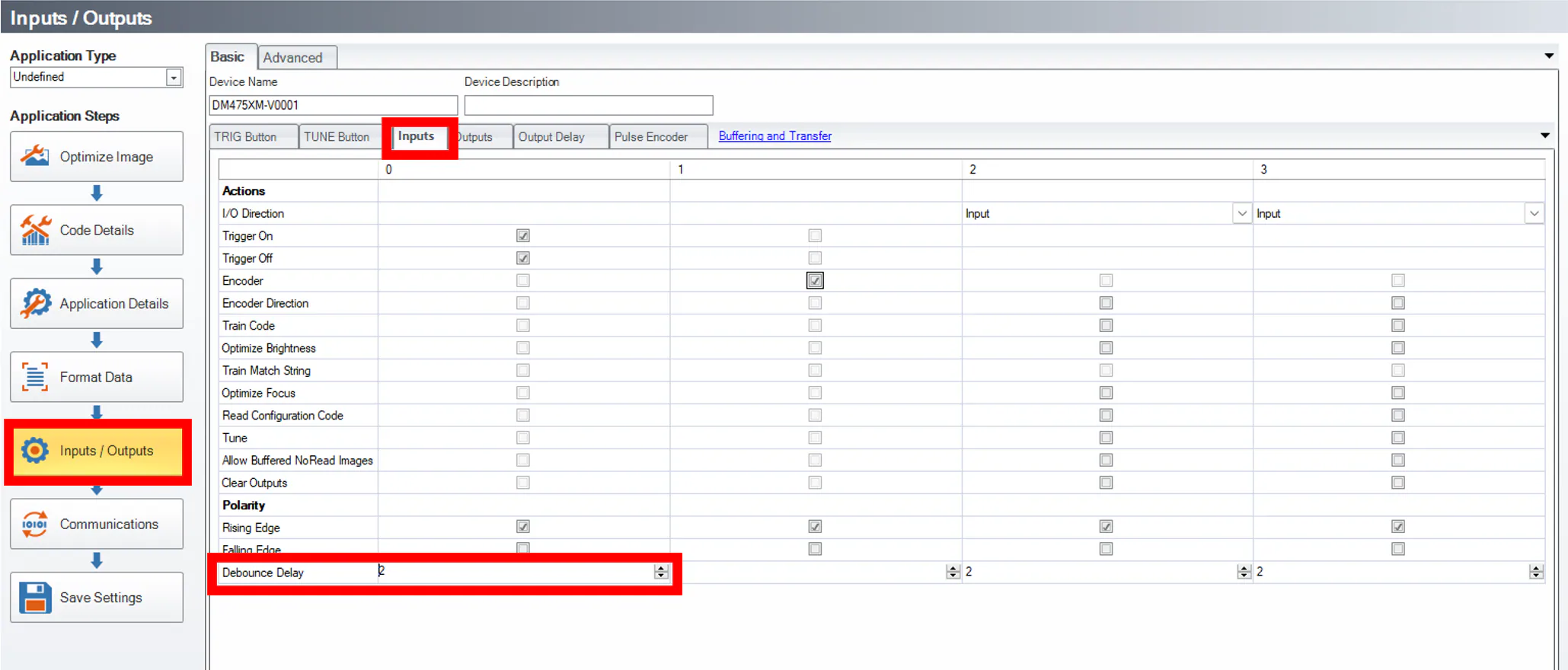
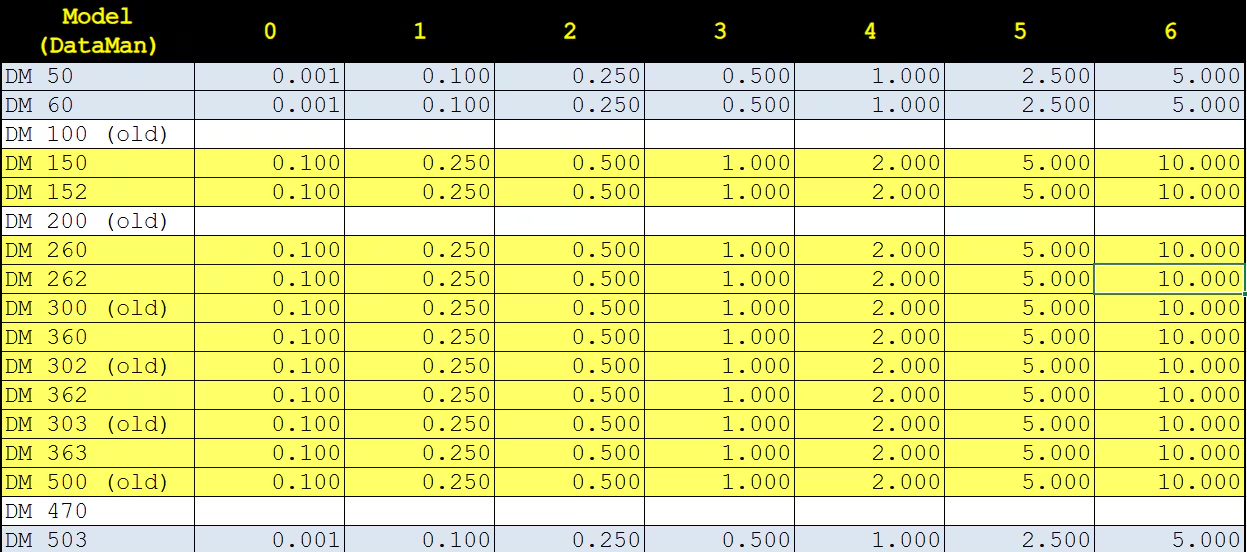
The default setting is 2 (0.5ms). If trigger overruns are being experienced and you suspect that debounce is needed, start by increasing your debounce value to see if this help. Note, that the min value is 0 and the max value is 6. These values do not scale linearly. A table below shows the mapping based on the DM Device. Most newer devices will use the same values as those highlighted in yellow. Times shown in the table cells are in millisecond and the columns are for the inputs 0-6.