

Question
How can I connect to my DataMan 280 through USB?
Answer
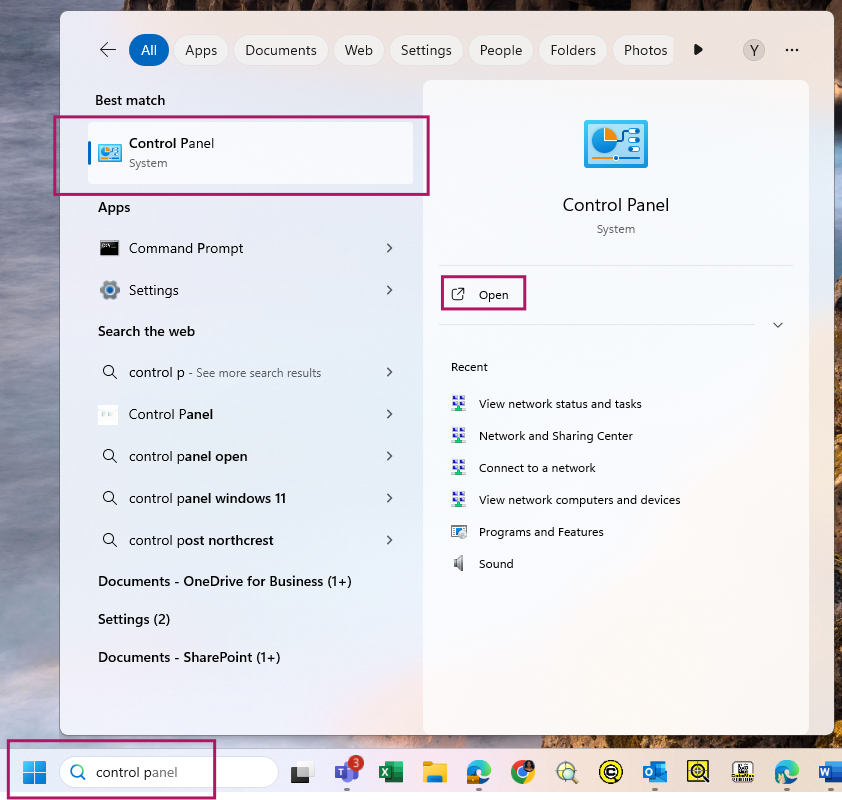
On your PC, open Control Panel.
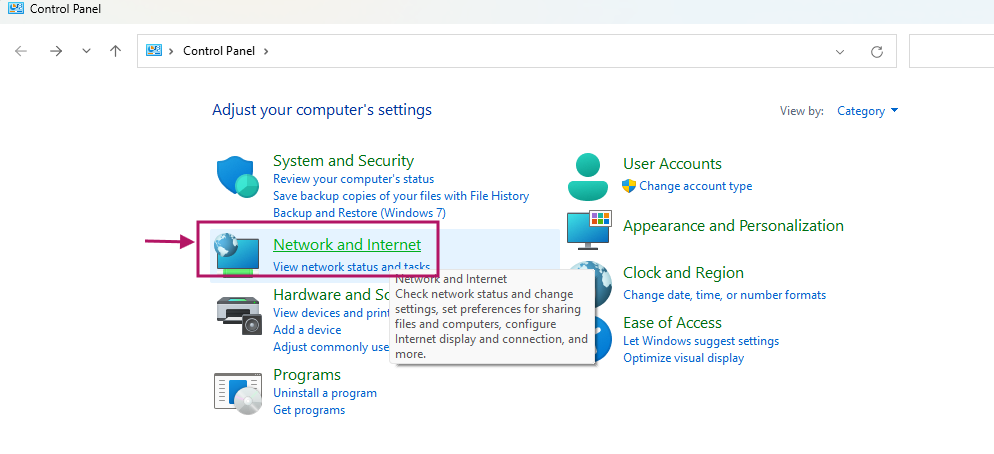
Click Network and Internet.
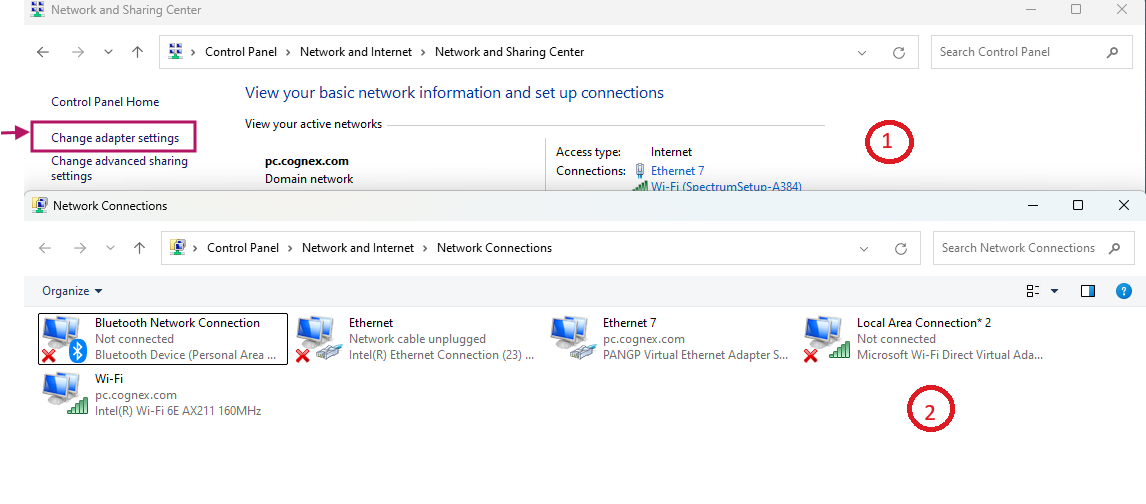
Click Change adapter settings.
With a USB-C to USB-A cable in hand, connect the USB-C side of the cable to the USB-C port of your DataMan 280 and the USB-A side to your PC.
This may take a few seconds as the DataMan also need to power up. Make note of the Ethernet connection that pops up when you do.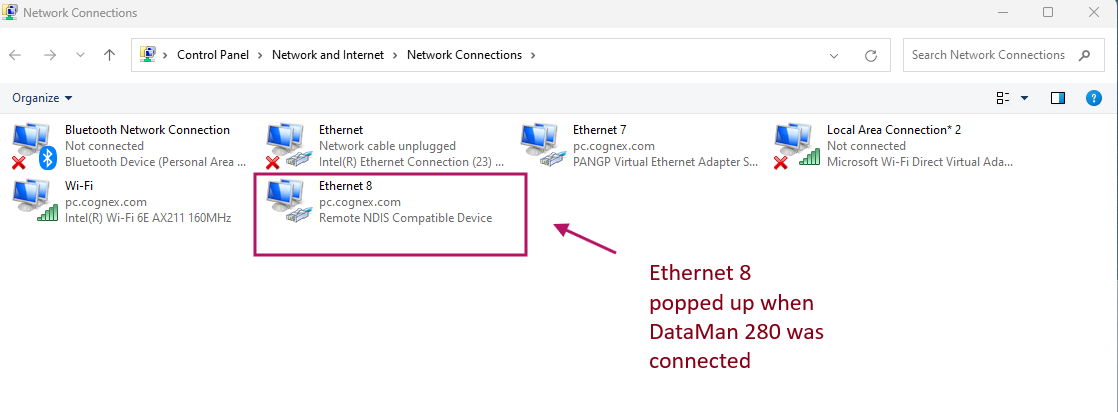
- Open Ethernet 8 or whichever ethernet option popped up for you.
From the new window, click Properties, then double-click on Internet Protocol Version 4(IPv4).
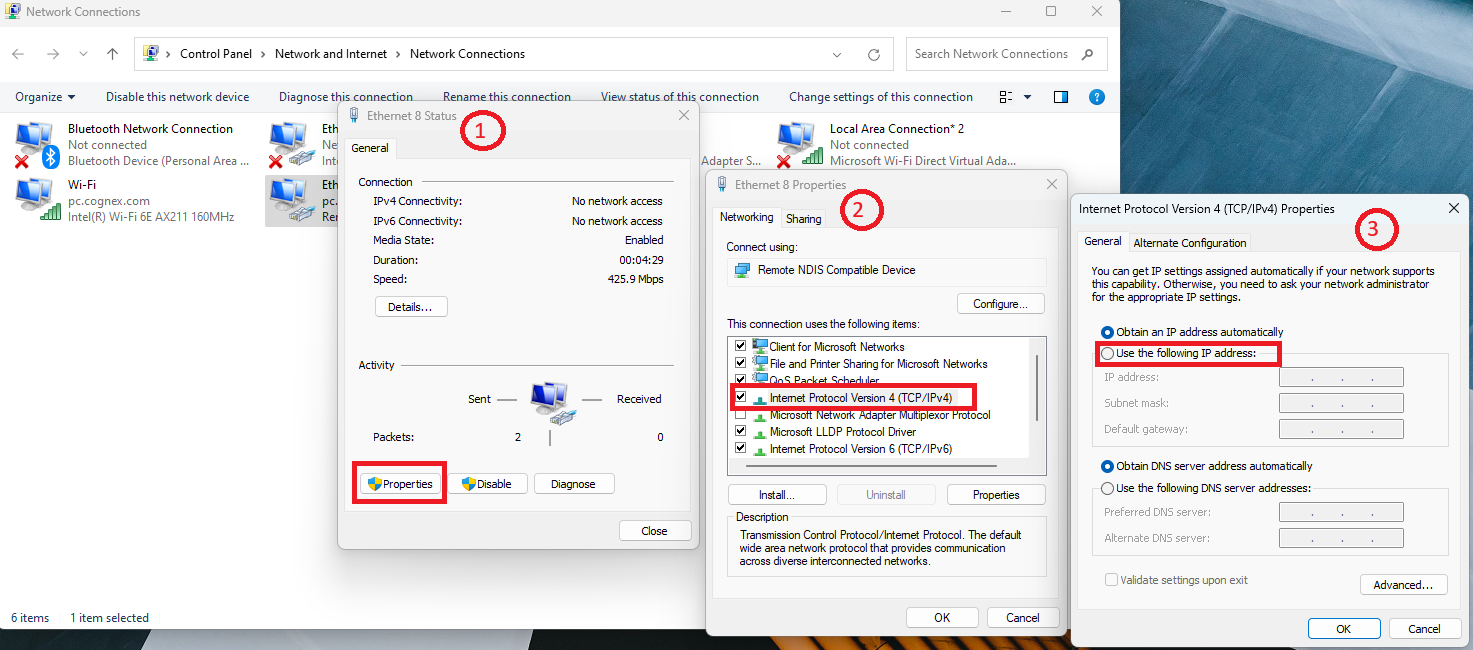
- Select Use the following IP address.
- Change the IP Address to the format 192.168.111.x (x represents a number between 1 and 255).
- Set the subnet mask to 255.255.255.0.
Click OK for this window, the previous one, and finally close the Properties window.
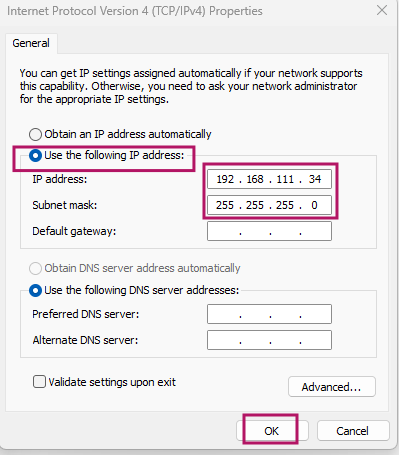
- Once your USB port is on a 192.168.111.x address, you can connect to your device at http://192.168.111.2
Open your browser window, type in 192.168.111.2 and press Enter.
Wait for the WebHMI to load.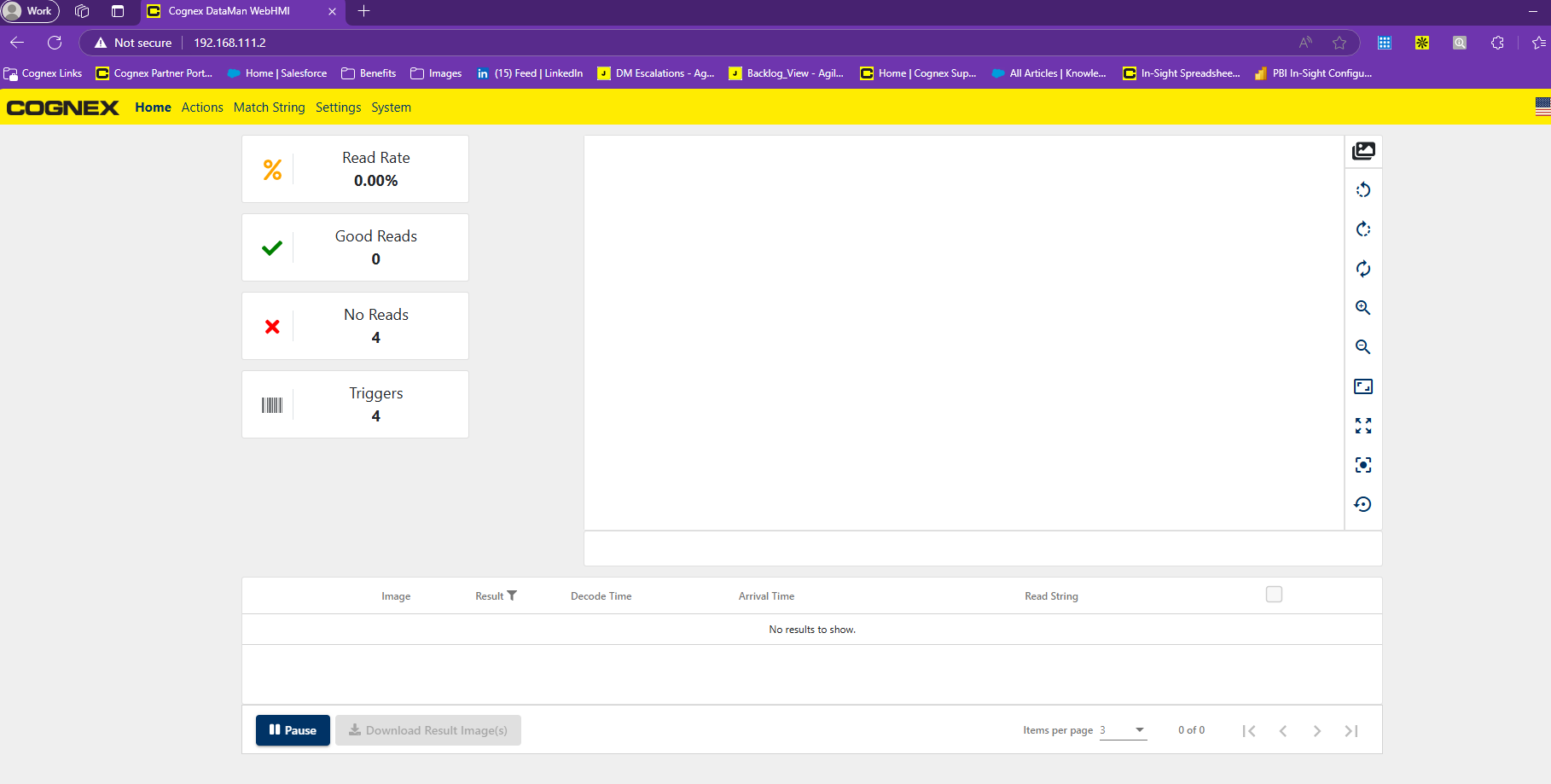
- You have successfully connected to your DataMan 280 via USB.
Note: This address is not user-configurable. Given fixed IP 192.168.111.2 no simultaneous operation of multiple DataMan 280s is possible using this method.
