

Details
[Issue]
While using the Red Tool AI labeling tool to label defects, the software prompted an error during AI tool preparation. The error screenshot is shown below:
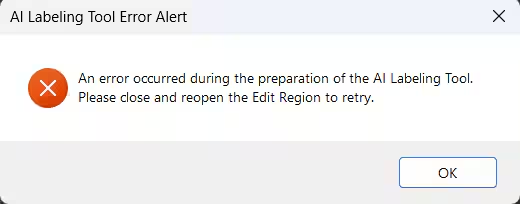
[Workaround]
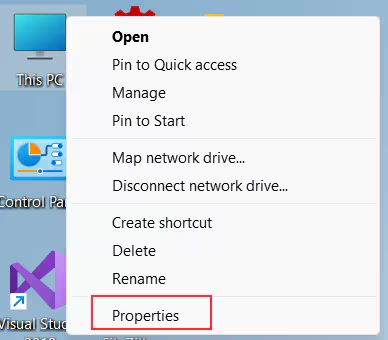
Right-click on 'This PC' and select 'Properties'.
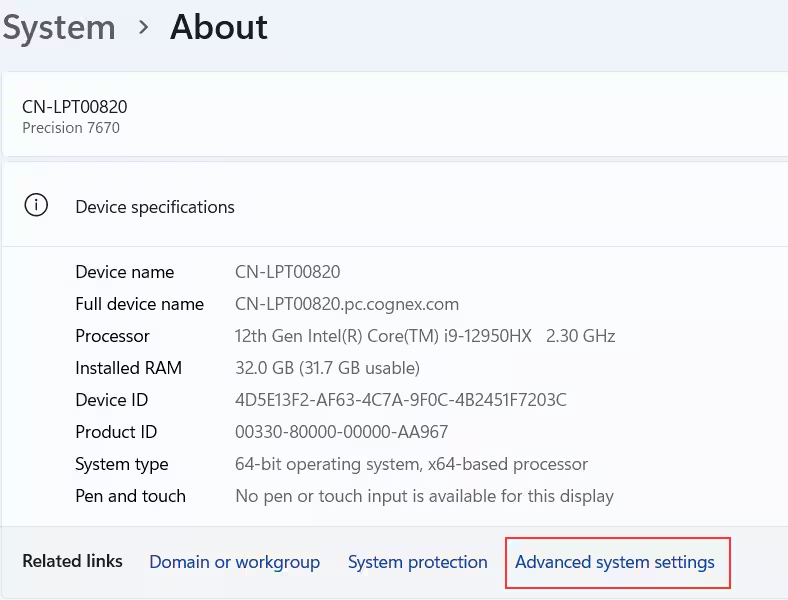
Click "Advanced system settings" on the "System>About" panel.
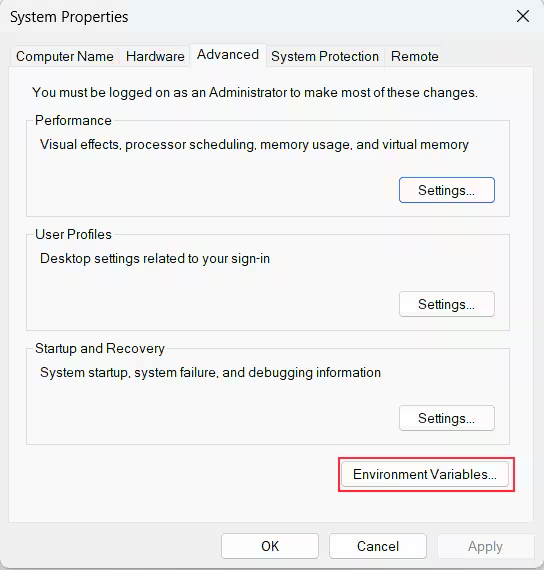
Click on "Environment Variables" button on "System Properties" Dialog.
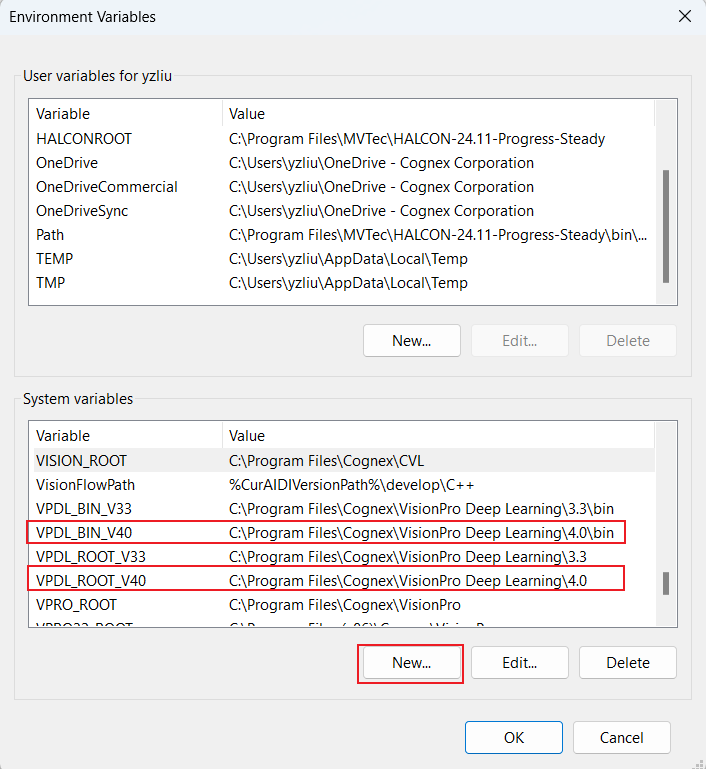
Add two system variables through the 'New' button on "Environment Variables" Dialog. If VisionPro Deep Learning 4.0 is used and the installation path is set to default, the first variable is "VPDL_BIN_v40" and value is "C:\Program Files\Cognex\VisionPro Deep Learning\4.0\bin", the second variable is "VPDL_Root_V40" and value is "C:\Program Files\Cognex\VisionPro Deep Learning\4.0".
- Restart PC.
