How do I read binary inputs and how to read binary inputs in In-Sight spreadsheet?
Answer
The Cognex In-Sight systems give us capabilities to read and write binary signals directly from the spreadsheet.
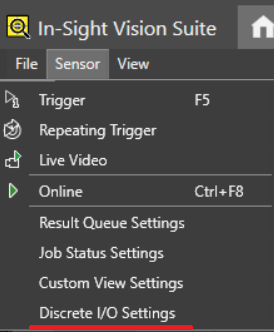
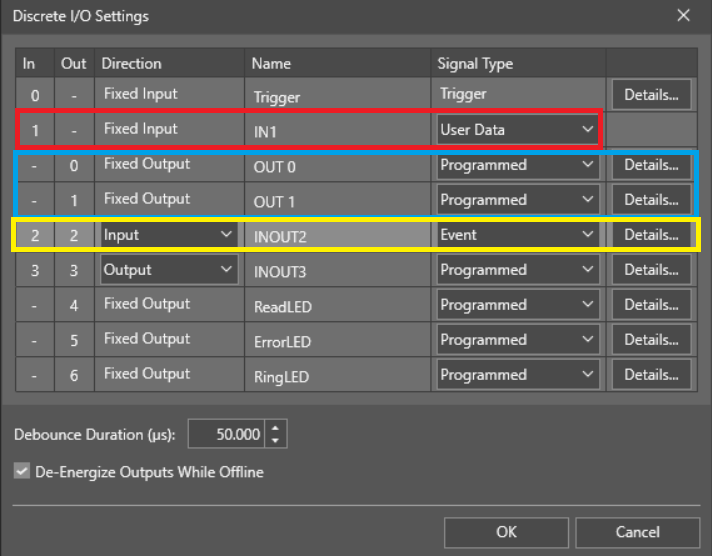
1. Configuring the Discrete I/O Settings First, we need to configure the discrete I/O settings. These parameters allow us to fine-tune how the system interacts with the binary signals.
Moving forward:
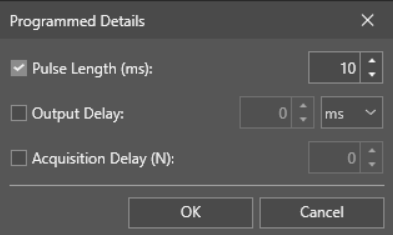
As you can see, we have a couple parameters for the outputs that can be changed in details.
Pulse Length (ms): This defines how long the signal should be raised after triggering from the spreadsheet. The pulse duration is in milliseconds, ensuring precise control over signal timing.
Output Delay: This specifies how long the system should wait before setting up the outputs. This delay can help in synchronizing the system's actions.
Acquisition Delay (N): This parameter defines how many images the system should wait before setting up the outputs. This is critical for ensuring outputs are only triggered after a specific number of image acquisitions.
Now, let's move to the spreadsheet and focus on inputs and outputs.
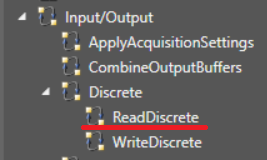
2. Reading Binary Inputs Now, let's focus on the binary inputs.
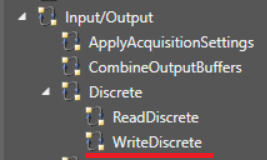
Adding functions and setting up:
Adding functions and setting up:
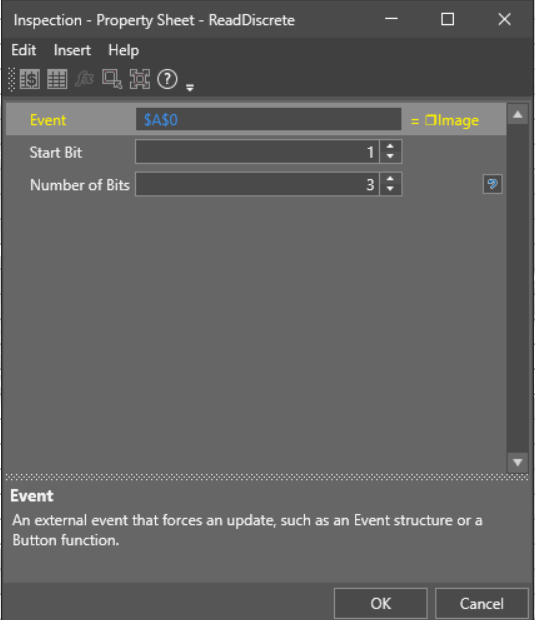
After adding the necessary function, we can set up the following parameters:
Event: Defines after which binary inputs the system will start reading. This could be an event such as a specific trigger or action from the spreadsheet.
Start Bit: Specifies from which input (bit) the system should begin reading. This allows for flexibility in choosing where the input sequence starts.
Number of Bits: Defines how many binary inputs the system will read starting from the Start Bit. This is helpful if you want to read multiple bits at once for a range of inputs.
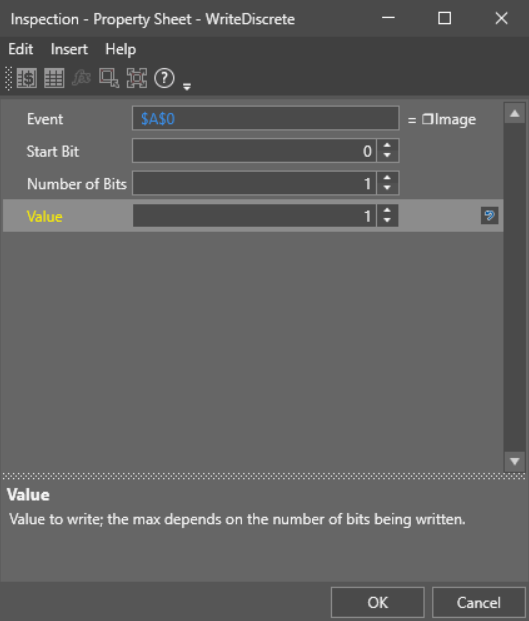
After adding this function, the system can be configured with the following settings:
Event: Defines after which binary outputs the system will set. The event can be triggered from the spreadsheet to change the output signals accordingly.
Start Bit: Specifies from which output (bit) the system should start setting. This parameter allows for specific output bit control, depending on the use case.
Number of Bits: Defines how many binary outputs should be set starting from the Start Bit. This can be useful if you need to control a group of outputs simultaneously.
Value: This defines the binary value (0 or 1) that you want to set on the specified number of outputs. This allows precise control over the output state directly from the spreadsheet.
This gives you a detailed overview of how to work with the Cognex In-Sight system for reading and writing binary signals with the configuration options laid out clearly.