Question
There are 4 Engines available in the Network Data Model for Status and Control signals of the CC24 communication card, but there are single Results and User Data modules. How can I split the Results and User Data modules to use with multiple Engines?
Answer
The sample project can be downloaded from this link.
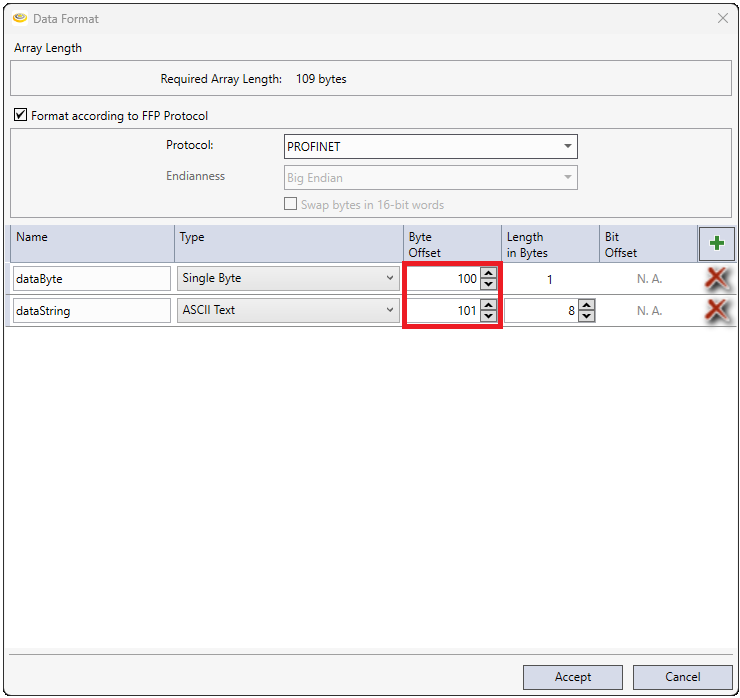
The data location within the Results and User Data modules can be defined using offset values.
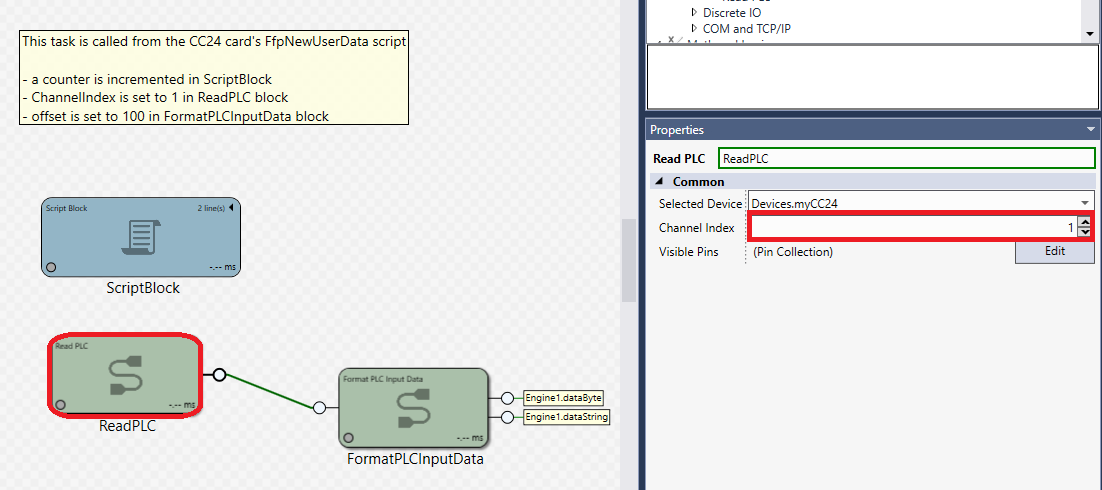
Setting up the Engine number and offset value for the User Data
- set the Engine number (0...3) for the Channel Index of the Read PLC block
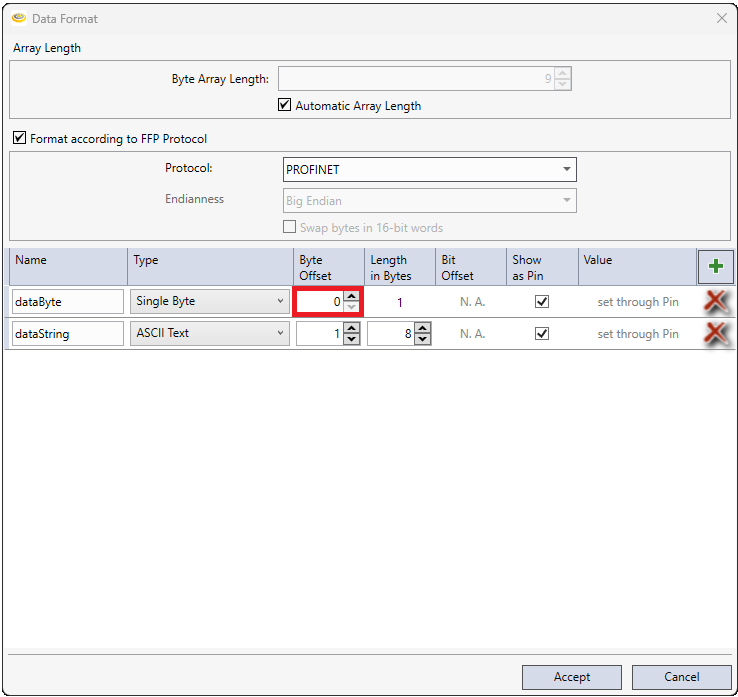
- set the data Offset in Byte Offset parameters of the Format PLC Input Data block
Setting up the Engine number and offset value for the Results
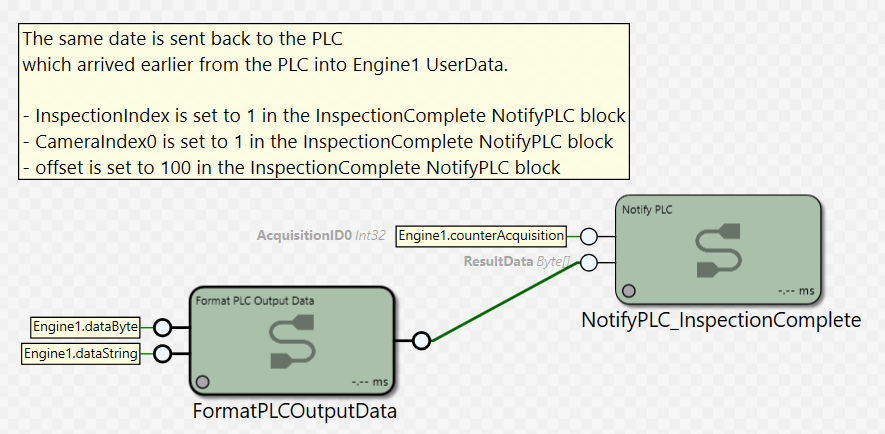
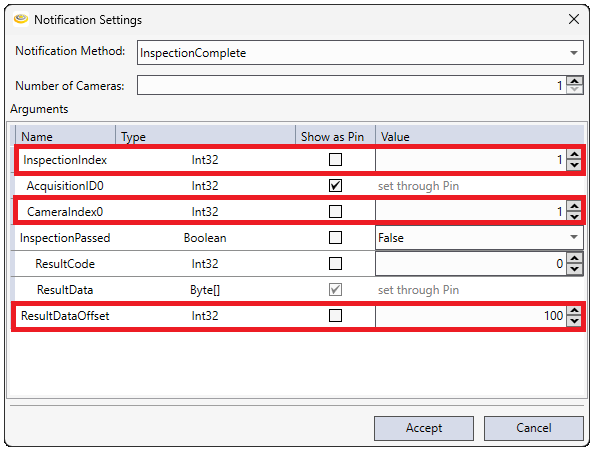
- set the Engine number (0...3) for the InspectionIndex and CameraIndex0 of the InspectionComplete Notify PLC block
- set the data Offset in ResultDataOffset parameter of the InspectionComplete Notify PLC block
- start the data in the Format PLC Output Data block with Byte Offset value 0