Question
How To Send An INPUT-STRING To DataMan Over Profinet
Answer
Notes:
- INPUT-STRING can be read in a DataMan script:
readerProperties.inputstr - INPUT-STRING is cleared after each triggering cycle, so it is necessary to send it before each trigger, or store it in another variable in the script if future use of the same INPUT-STRING value is needed
- INPUT-STRING needs to be set a header and footer and it has to be enabled once before the first INPUT-STRING value is sent
- when sending the INPUT-STRING, it is not necessary to include the header and footer
The below commands need to be sent before the first INPUT-STRING value:
||>SET INPUT-STRING.ENABLE ON
||>SET INPUT-STRING.HEADER "["
||>SET INPUT-STRING.FOOTER "]"
Then setting for example "TEST" as the INPUT-STRING value:
||>SET INPUT-STRING.VALUE "TEST"
Sending each of the above commands over Profinet:
- write each character of a command into the User Data field
- count the characters of the command, and write that value into the User Data Length field
- set the Execute DMCC bit to TRUE
wait for the Execute DMCC Ack bit to become TRUE
clear the Execute DMCC bit to FALSE
repeat steps 1-5 for each DMCC command
Sending ||>SET INPUT-STRING.ENABLE ON command
User Data Length = 29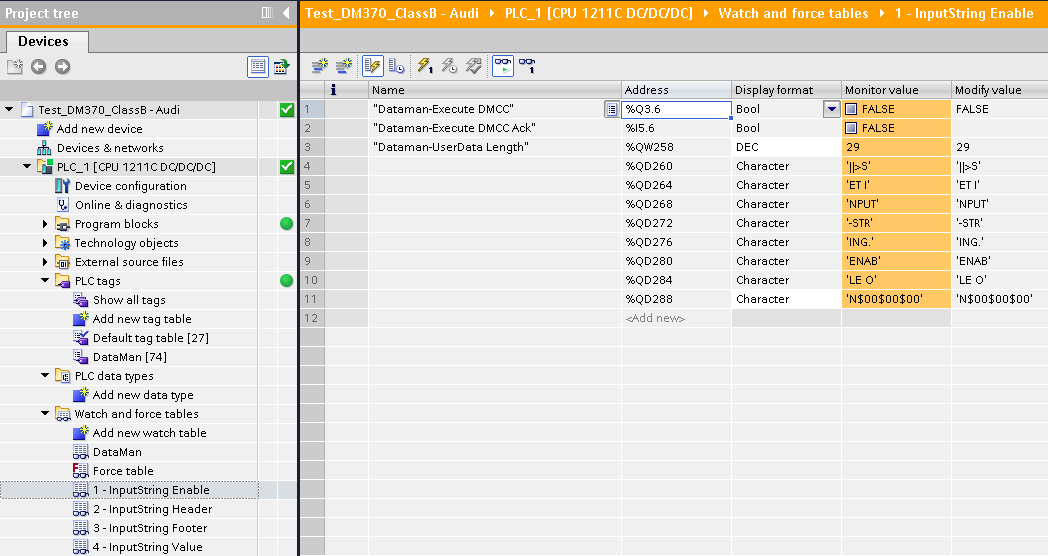
Sending ||>SET INPUT-STRING.HEADER "[" command
User Data Length = 30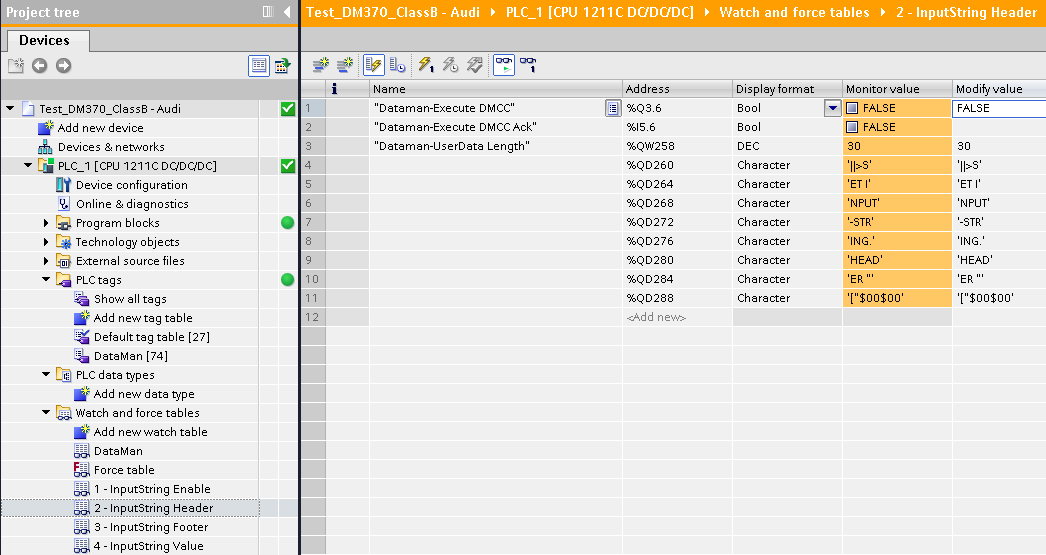
Sending ||>SET INPUT-STRING.FOOTER "[" command
User Data Length = 30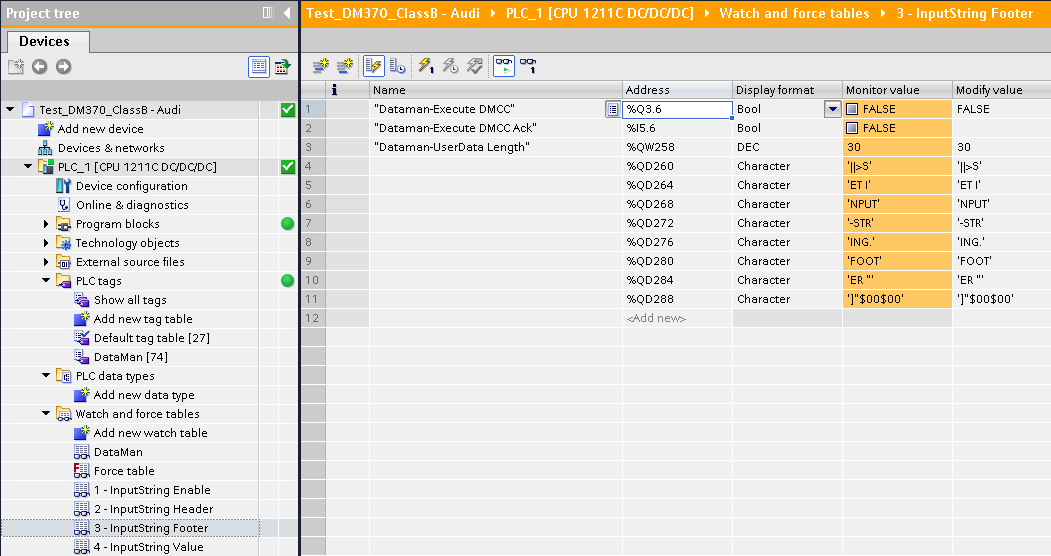
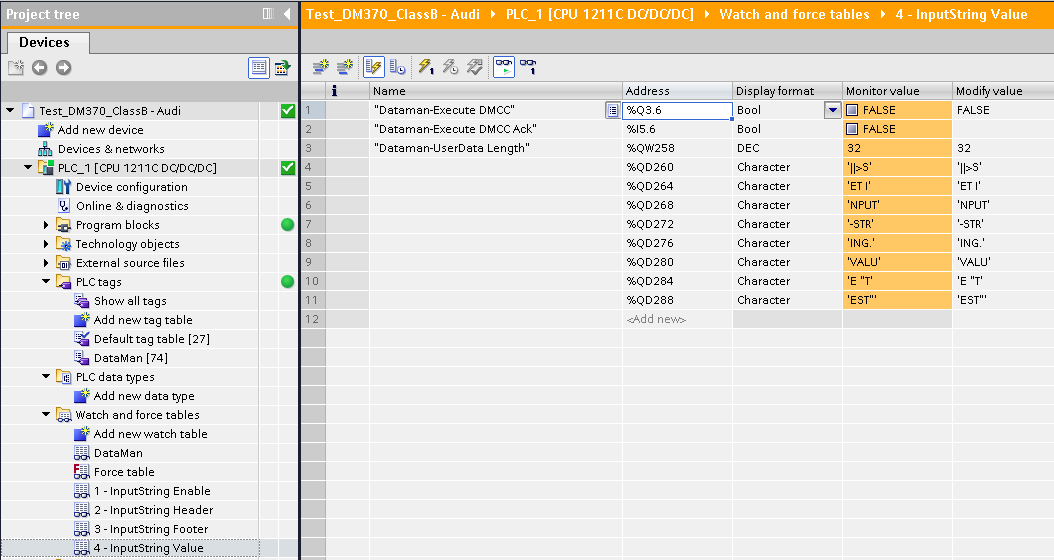
Sending ||>SET INPUT-STRING.VALUE "TEST" command
User Data Length = 32