Details
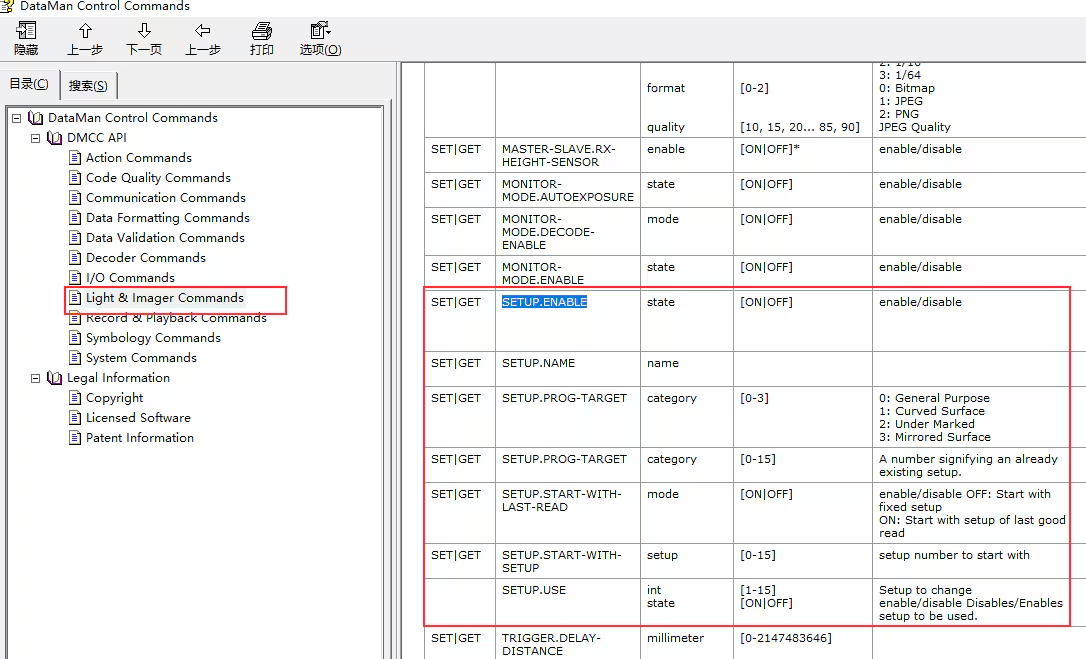
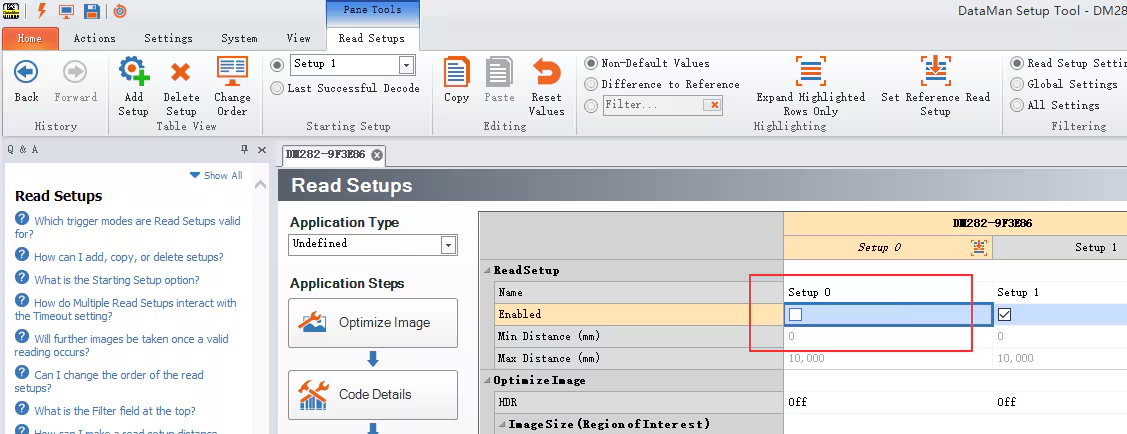
You will need to use the following two commands to enable/disable the specific setup, for example, please follow the steps as below to disable/enable Setup 0.
||>SET SETUP.PROG-TARGET 0
||>SETUP.ENABLE OFF or ||>SETUP.ENABLE ON
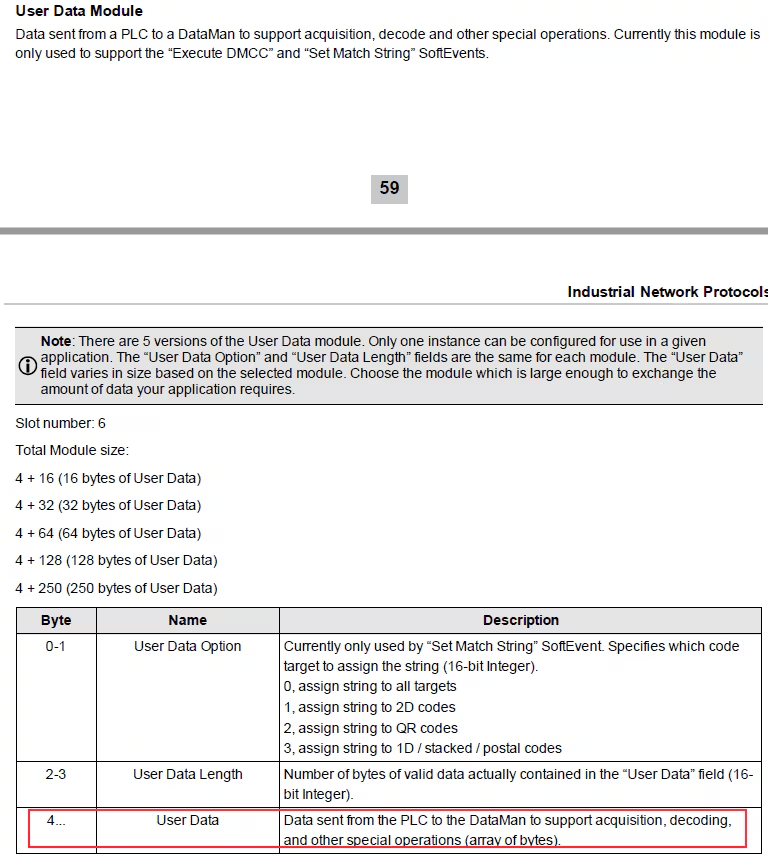
Put ‘||>SET SETUP.PROG-TARGET 0$R$L’ in “User Data”. DataMan Control Command(DMCC) command string must first be placed in “User Data” before invoking this event, and we need put $R$L instead of \r\n when using Siemens software.
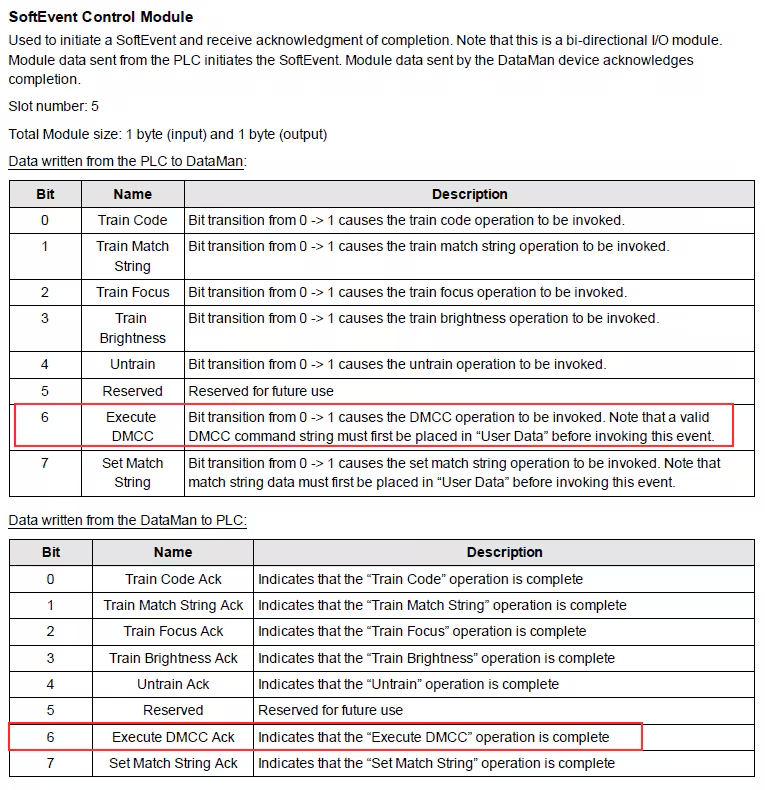
Set “Execute DMCC” bit to “True” to invoke the DataMan Control Command (DMCC) operation, and then “Execute DMCC Ack” also will be set to “True” once the “Execute DMCC” operation is complete.
Reset “Execute DMCC” bit, and then “Execute DMCC Ack” will be set to “False” as well.
Put ‘||>SETUP.ENABLE OFF$R$L’ in “User Data”.
Set “Execute DMCC” bit to “True”, then the Setup 0 will be disabled.
More related setup DataMan Control Commands (DMCC) are listed below: