

Details
To automatically connect to a specific DataMan reader when the DataMan Setup Tool application is opened, do the following:
- Create a copy of the DataMan Setup Tool application shortcut that is on the desktop.
- Right-click the copied shortcut and choose Properties.
- Go to the Target field and navigate to the end of the line. Outside the parenthesis add a space, then “-connect”, followed by another space and the IP address of the DataMan Reader to be automatically connected to.
For the below example, we wanted to connect to a DataMan Reader with an IP Address of 10.11.80.17. The Target line should be as follows:
"C:\Program Files (x86)\Cognex\DataMan\DataMan Software v23.1.0\SetupTool.exe" -connect 10.11.80.17
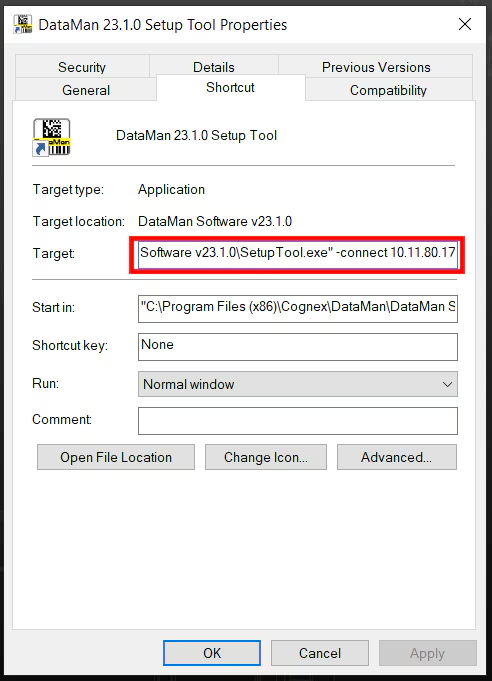
- Double-clicking the new DataMan Setup Tool shortcut will automatically connect to the DataMan Reader with the specified IP Address.
