Skip to Main Content
Cognex 지원 허브
LogoLogo

Web UI having Timeout Issues When Direct Connected To A Laptop (DataMan 290 and DataMan 390)

A quick guide on how to update power management settings if timeouts are occurring when a system is directly connected through ethernet to a laptop 

2025. 01. 09.

Details

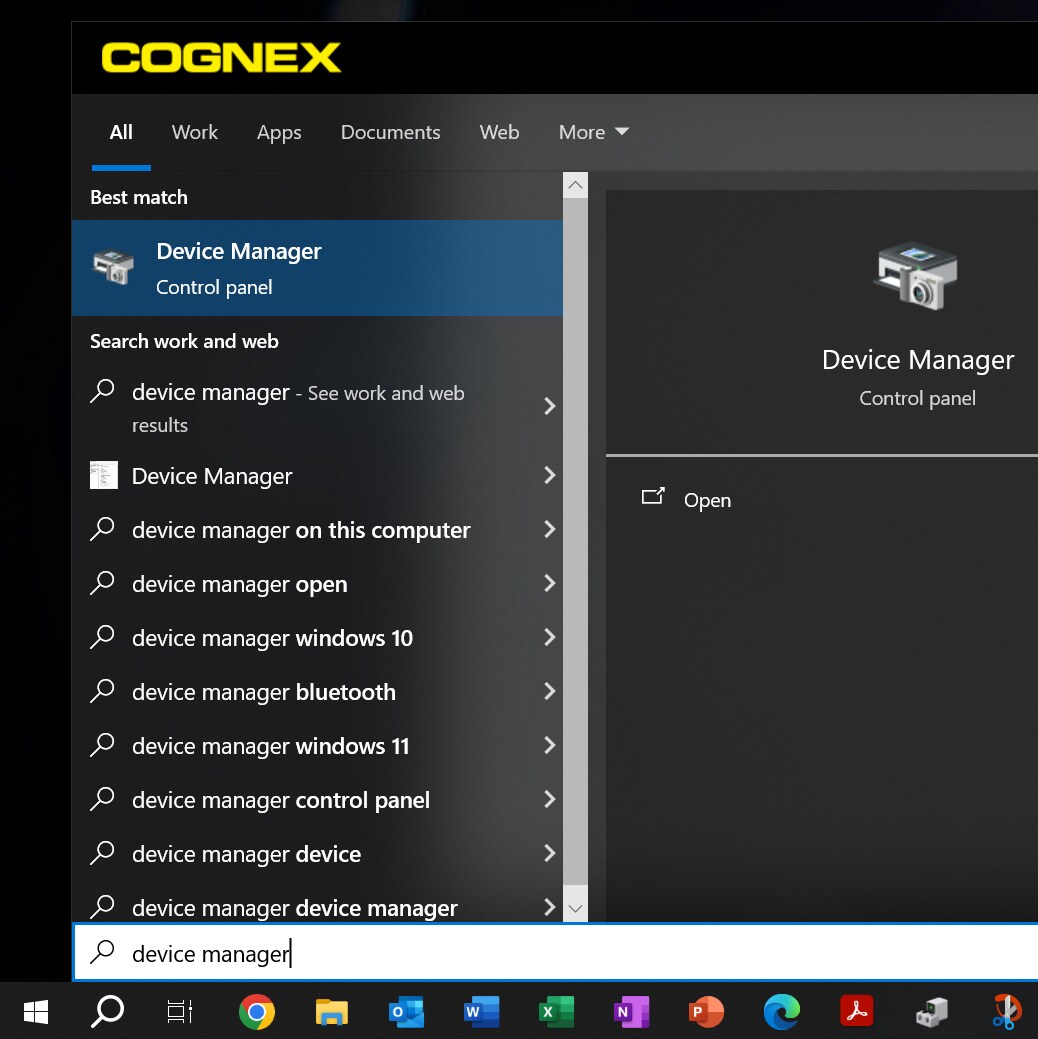
Open the device manager on your laptop. To do this click home and search “Device Manager”.
dataman-web-ui-having-timeout-issues-when-direct-connected-to-a-laptop-img1

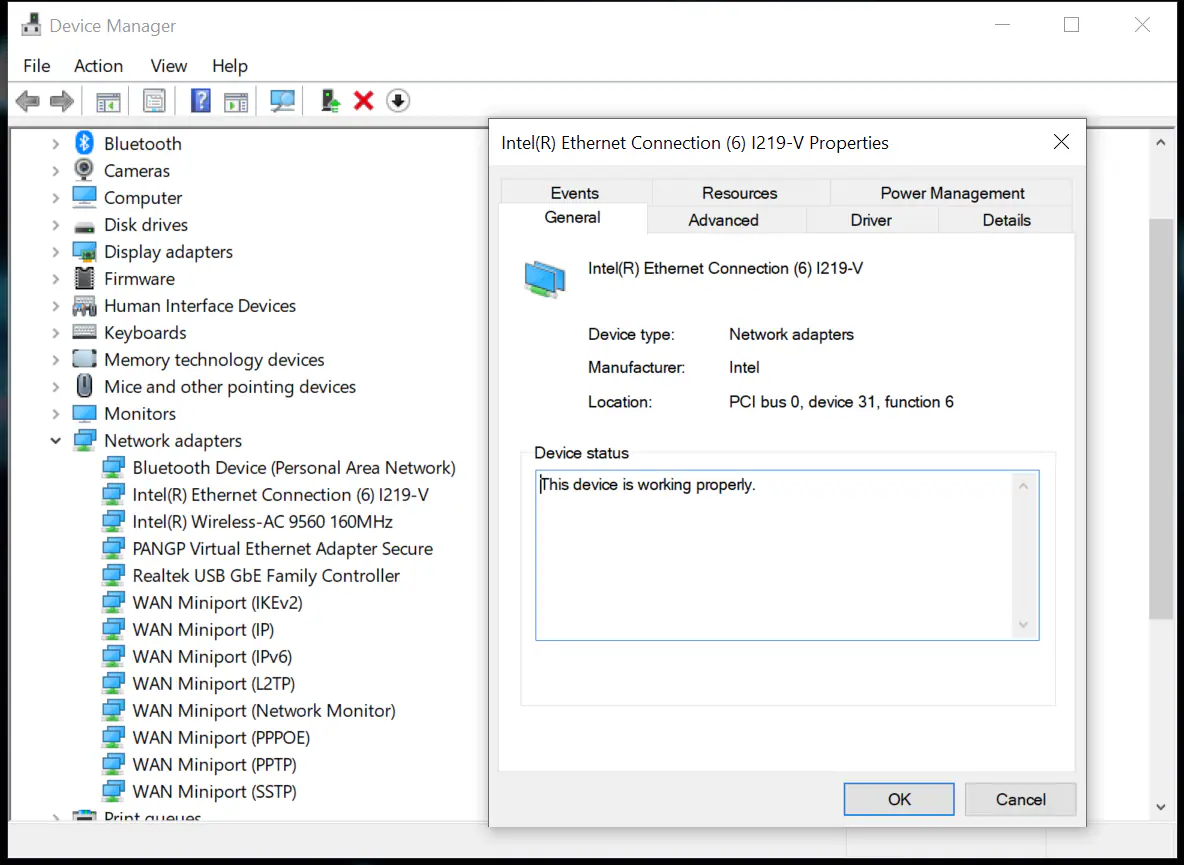
Open Device Manager and go to Network Adapters drop-down. Find Intel(R) Ethernet Connection and double click which will open the properties window.
dataman-web-ui-having-timeout-issues-when-direct-connected-to-a-laptop-img2

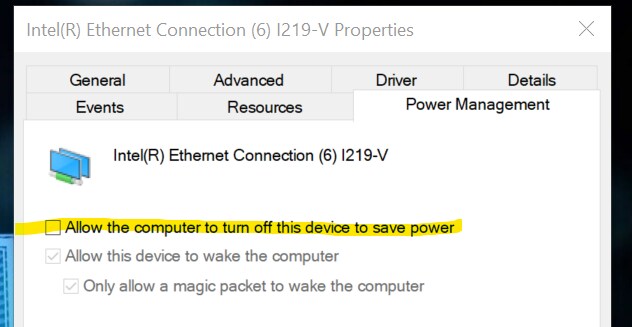
Go to the Power Management Tab in the Properties Window and make sure the “Allow the computer to turn off this device to save power” is not checked
dataman-web-ui-having-timeout-issues-when-direct-connected-to-a-laptop-img3

This should keep the laptop from cutting power to the Cognex device. 

관련 자원