Question
How to set the DataMan output string with STX ETX ?
Answer
In order to receive the output string from the DataMan readers, with STX and ETX, please follow this procedure:
- Connect to the reader from the DataMan Setup Tool,
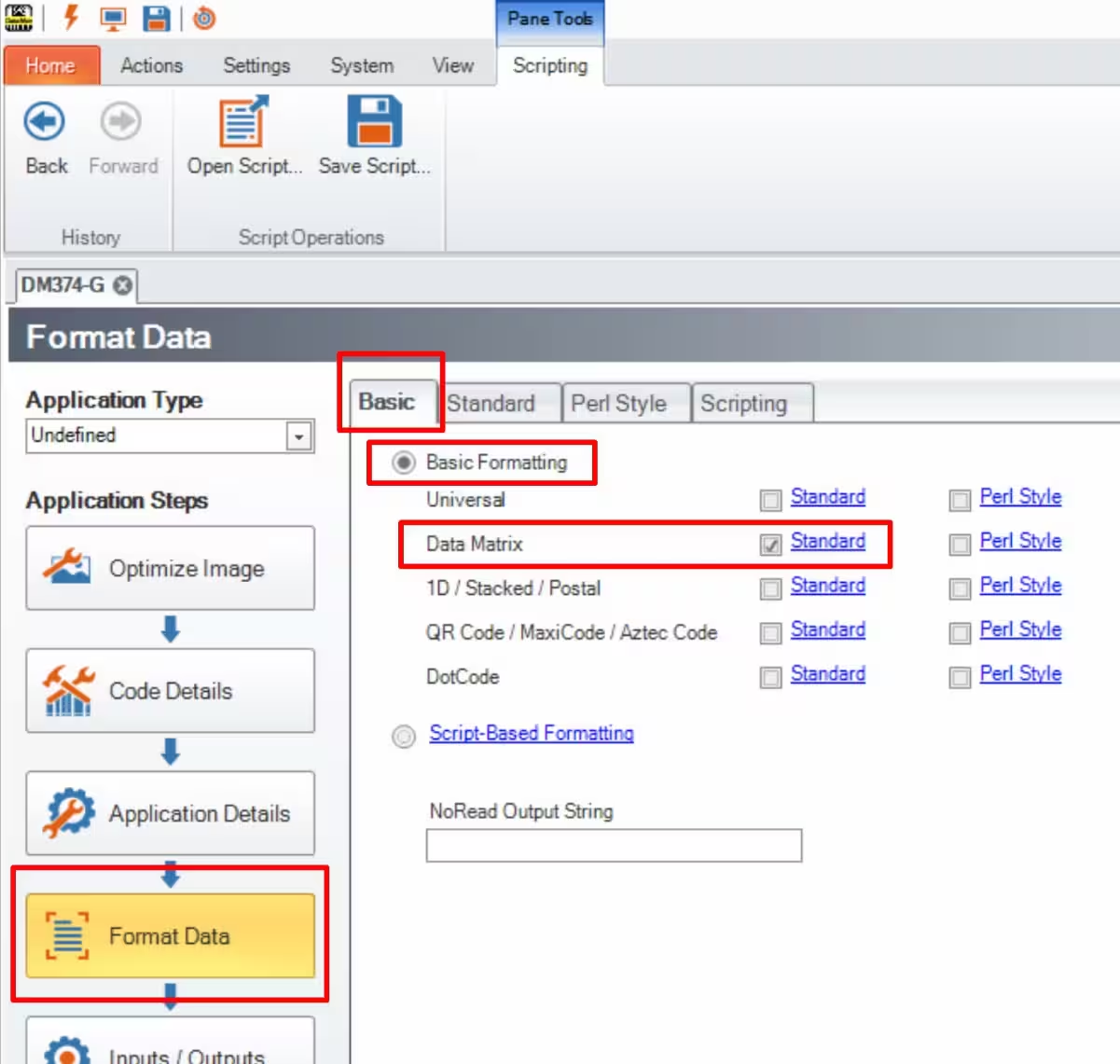
- Go to "Format Data", then to the first tab "Basic",
- Check the "Basic Formatting" box,
- For instance, for a DataMatrix code, check the "Standard" box,
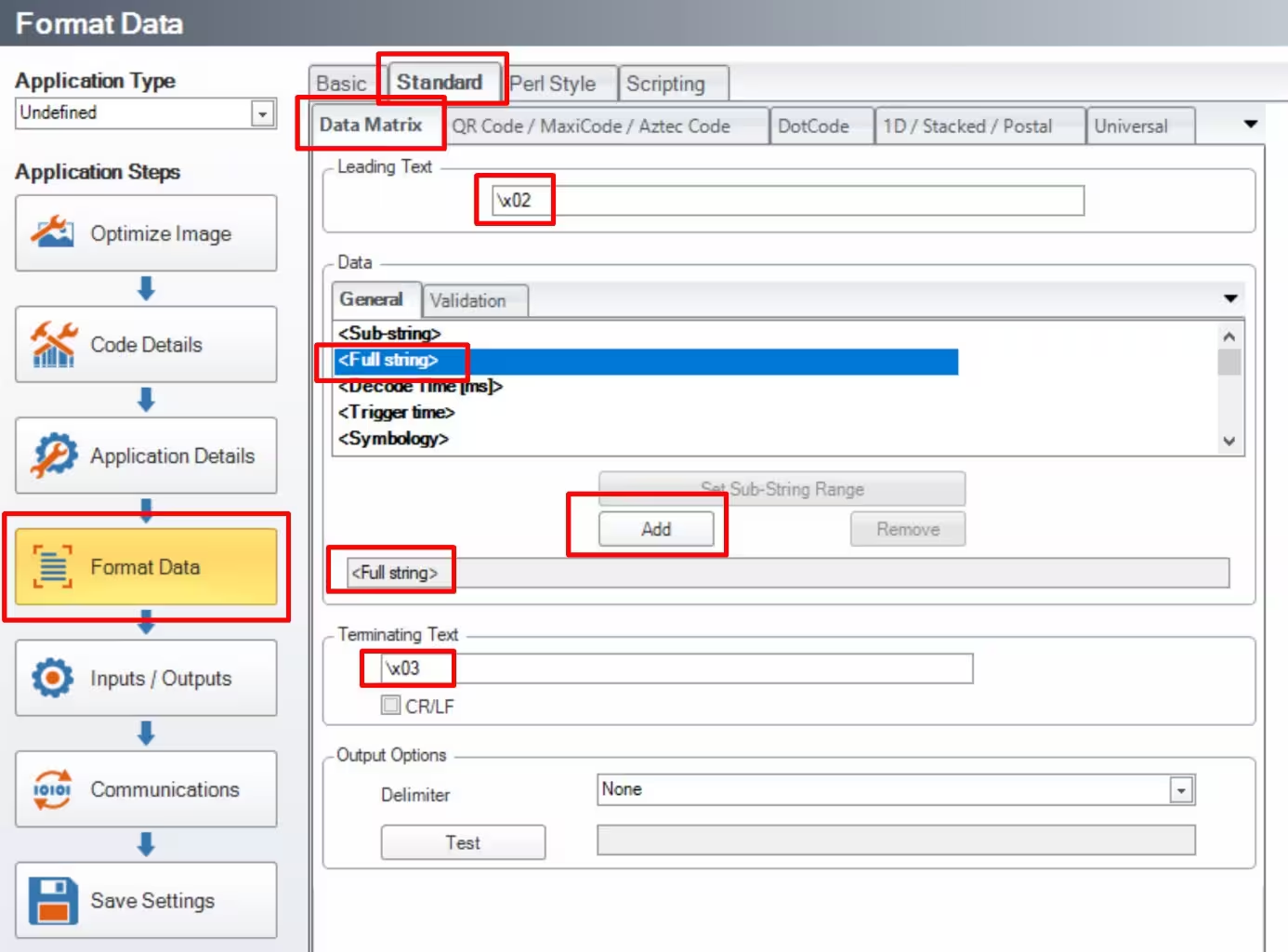
Click on the blue text "Standard" to open the "Standard DataMatrix" window :
- Use \x02 as a Leading Text
- Select "Full String" from the "Data General" tab,
- Click on "Add",
Use \x03 as a Terminating Text
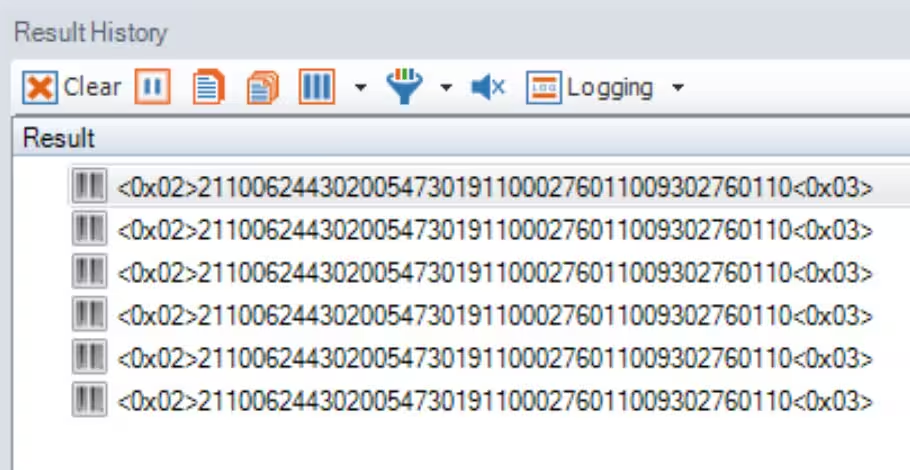
Here is the result: