

Details
Issue:
"ViDi License Missing" Error showing up when running the deployed ViDi in Designer application with a Designer + ViDi Runtime license
Cause:
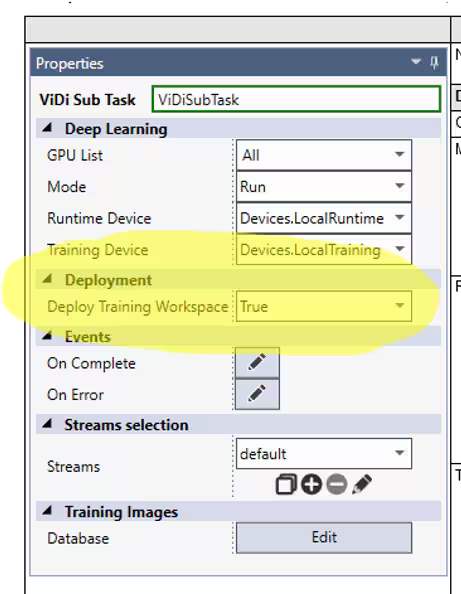
Project deployed keeping the Deploy Training Workspace property of one/more SubTask to True (default)
Resolution:
Set the Deploy Training Workspace property of all the ViDi subTasks in the project to False
See Also:
The deploy Training Workspace Property defines whether or not the training workspace associated with the ViDi Sub Task block can be retrained from a Page HMI, using the ViDi Tool Editor.
Set this parameter to True if you have a training license for the deployment system. When set to True, this also automatically exports the Runtime Workspace to the Deployment folder.
Set this parameter to False if you only have a runtime license for the deployment system.
