Question
How to reset CodeMeter when you are troubleshooting your In-Sight Cloud Dongle with Emulator.
Answer
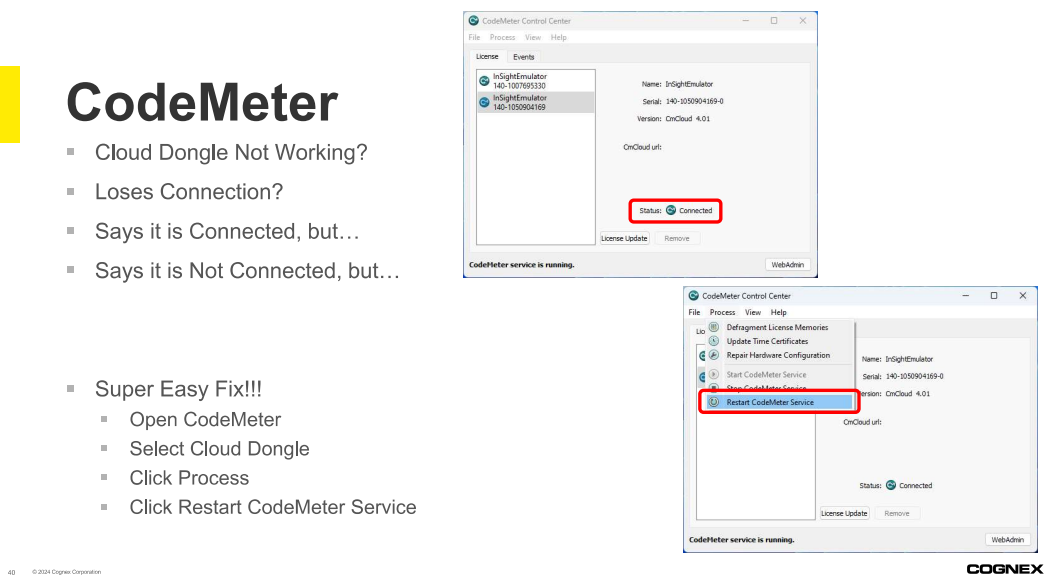
Sometimes CodeMeter says it is connected, but In-Sight Vision Suite Emulator doesn't seem to recognize it. To fix this, you need to:
- Open CodeMeter Control Center
- Select the License Tab
- Select your Security Device
- Confirm the Status is "Connected"
If you still cannot Connect:
- Select the "Process" menu
- Select "Restart CodeMeter Service"
- Wait for CodeMeter to restart
Emulator should now work!