

Detalis
Step 1: Install In-Sight Vision Suite on your PC.
Step 2: Download Credential File below.
Step 3: Open CodeMeter Control Center (this SW was installed with the ISVS installation package).
Step 4: Import License into CodeMeter Control Center.
- Click File > Import License
- Select the downloaded credential file
- Click Import
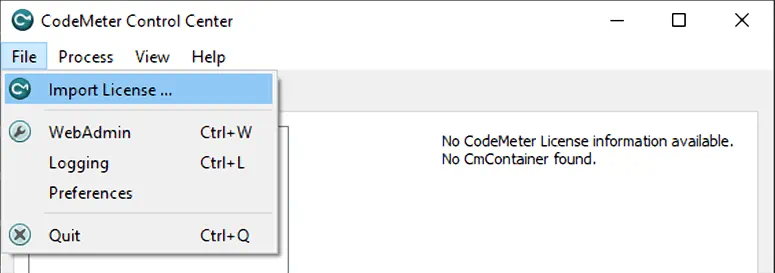
A cloud credential file may be imported by the CodeMeter Control Center. This credential file will provide the necessary Edge Learning feature keys required for tool execution by authorizing a connection to a cloud hosted container - or cloud dongle.
Do not share this file. If you need to install on more than one PC please download another file. Each file has limited seats and this download page is designed to evenly distribute credential files.
Important Note: The PC must be connected to the internet for the In-Sight Emulator License File to work. If need to used advanced tools and cannot get on the internet, contact you local Cognex Sales Representative to inquite about purchasing an offline license dongle.
In-Sight Vision Suite ソフトウェア
柔軟なアプリケーション開発と柔軟なな自動化のための統合ソフトウェアプラットフォーム。
