Question
How to change cell value via Websocket (CogSocket) with In-Sight Vision Suite IS2800/IS3800 cameras in Spreadsheet?
Answer
To be able to change cell value via HTTP Post request at first we have to openSession and login with admin privilidges described in
000001844 [In-Sight] How To Open a Session Via Websocket (CogSocket) With In-sight Vision Suite Cameras (https://community.cognex.com/s/article/web-sdk-how-to-open-session-via-websocket)
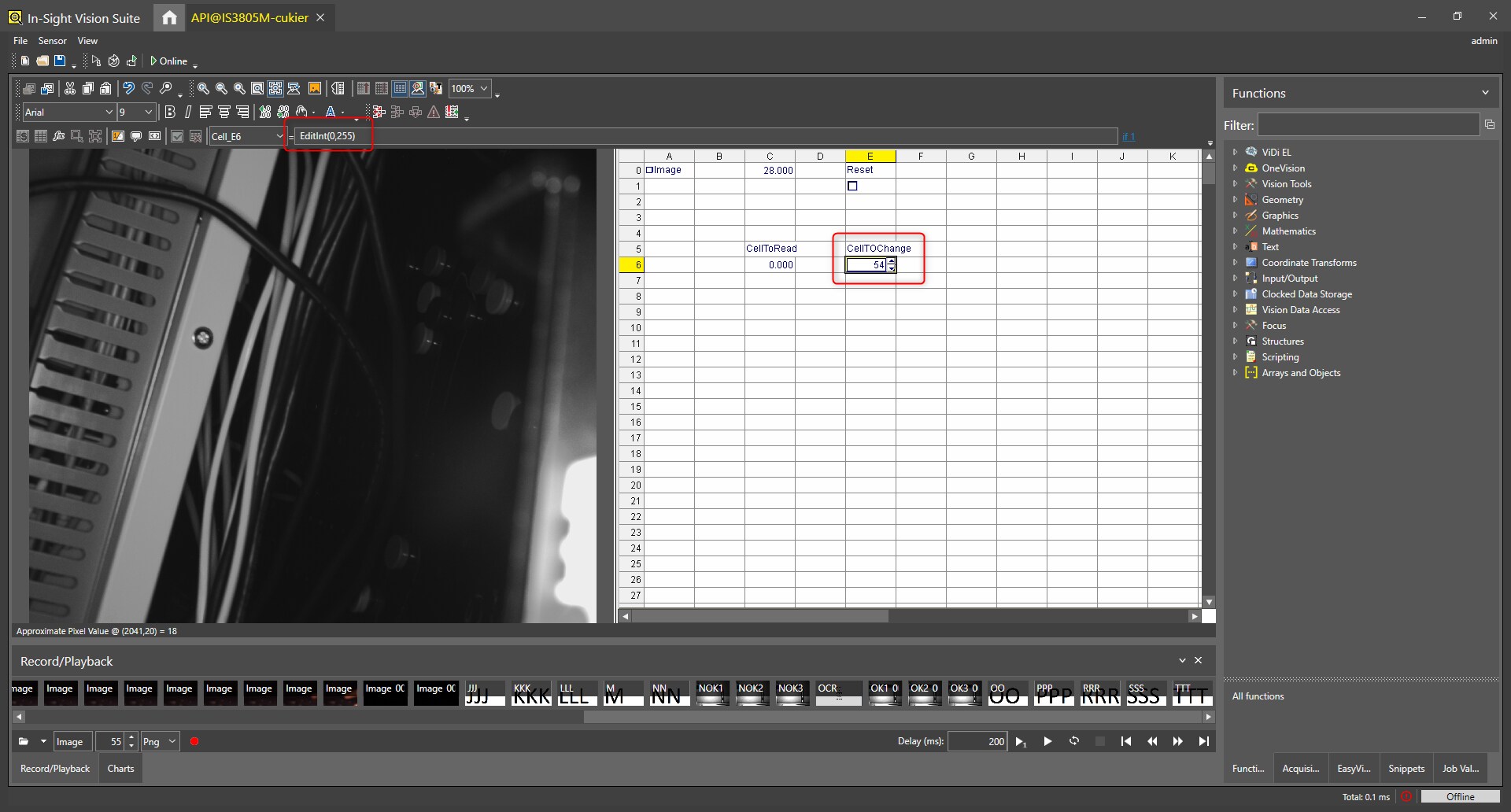
Also cell in spreadsheet has to be created. It can be any Edit cell (EditInt(),EditString() etc). In our example we created EditInt() in Cell E6
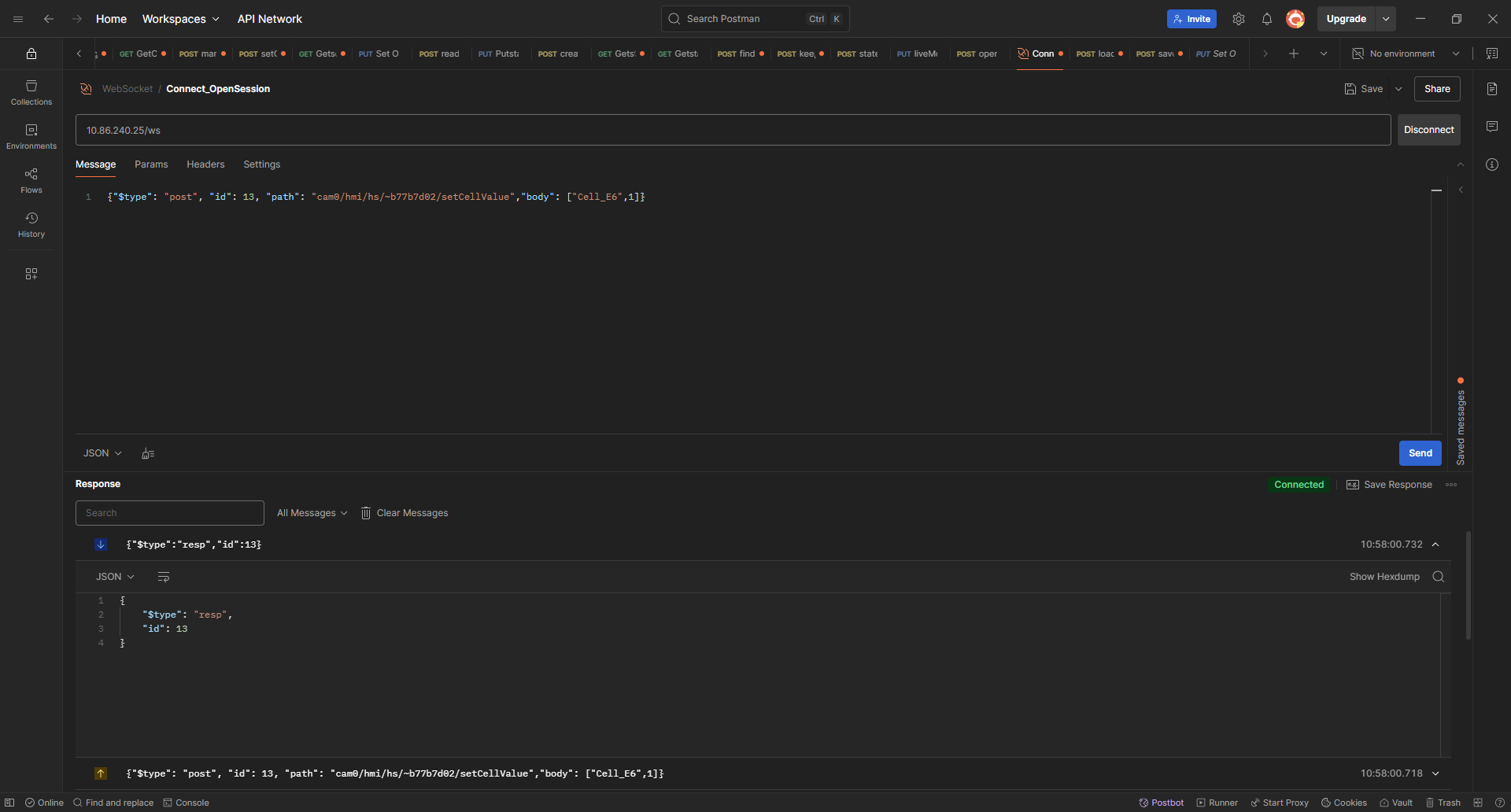
After creating session and loggin to camera we have to send following JSON request
{"$type": "post", "id": 13, "path": "<SessionID>/setCellValue","body": ["<cellNO>",<cellValue>]} where
- <cellNO> - is EditInt() cell - in our example Cell_E6
- <cellValue> - value which we want to store in cell