Question
How do I turn the beeper on or off on a DataMan fixed mount barcode reader?
Answer
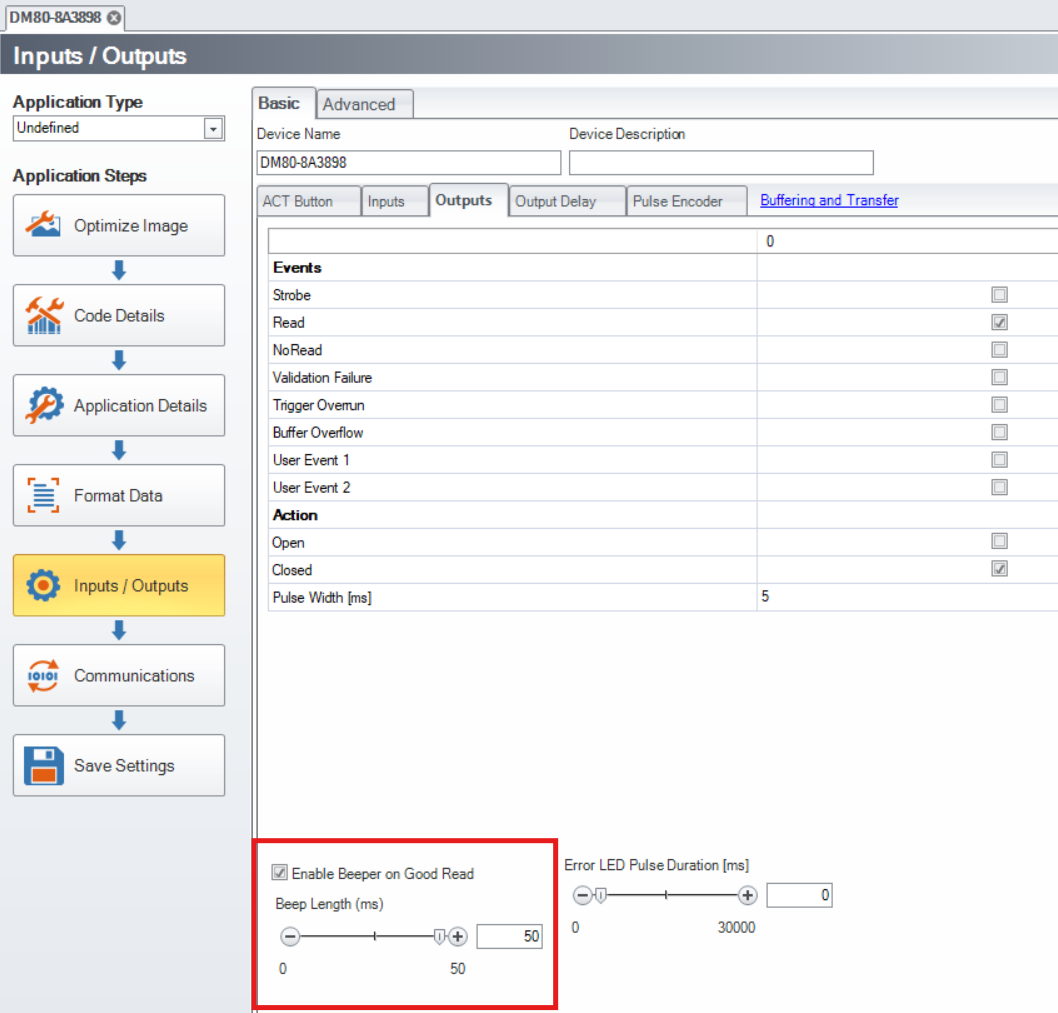
- Connect to your DataMan fixed mount barcode reader through the DataMan Setup Tool.
- Once connected, navigate to the Inputs/Outputs step
- Click the checkbox for "Enable Beeper on Good Read"
- Set your Beep Length if desired
Check the Enable Beeper on Good Read option on the Outputs tab. Then set the Beep Length to a value between 0 and 50 ms.
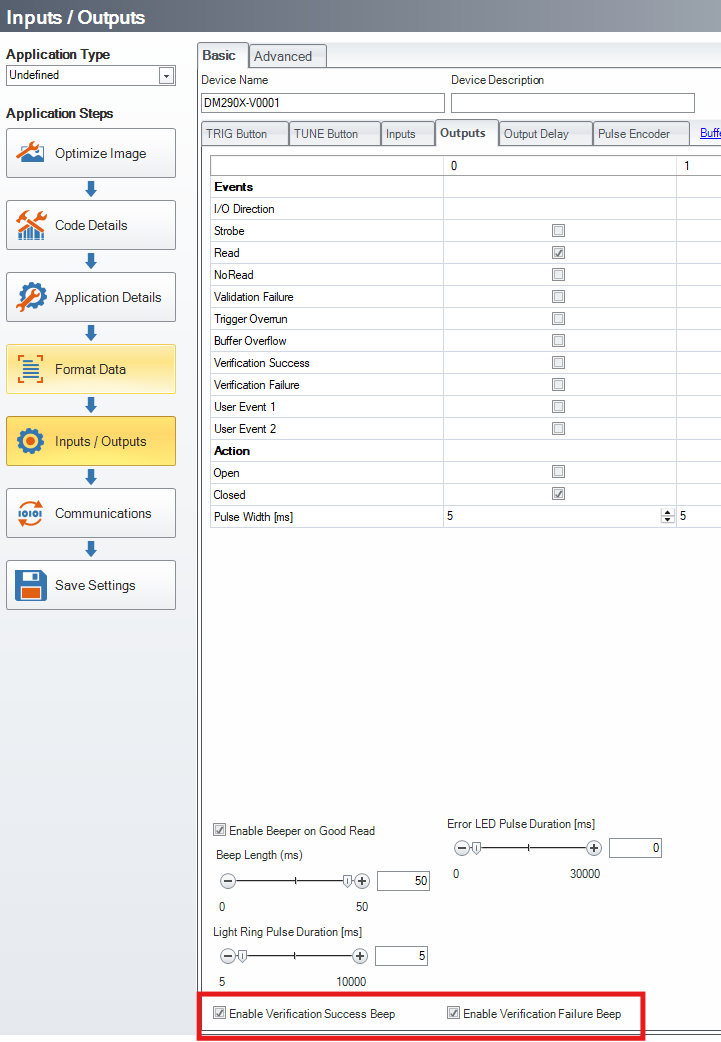
- For fixed mount barcode readers with verification included, the following check boxes are also available:
- Enable Verification Success Beep
- Enable Verification Failure Beep