

Answer

There have been a couple of versions of the UI for DataMan Setup tool (DMST) throughout the versions, Method 1 is only available on the newer versions of the UI while Method 2 is available on newer and older versions.
Method 1: Homepage (newer)
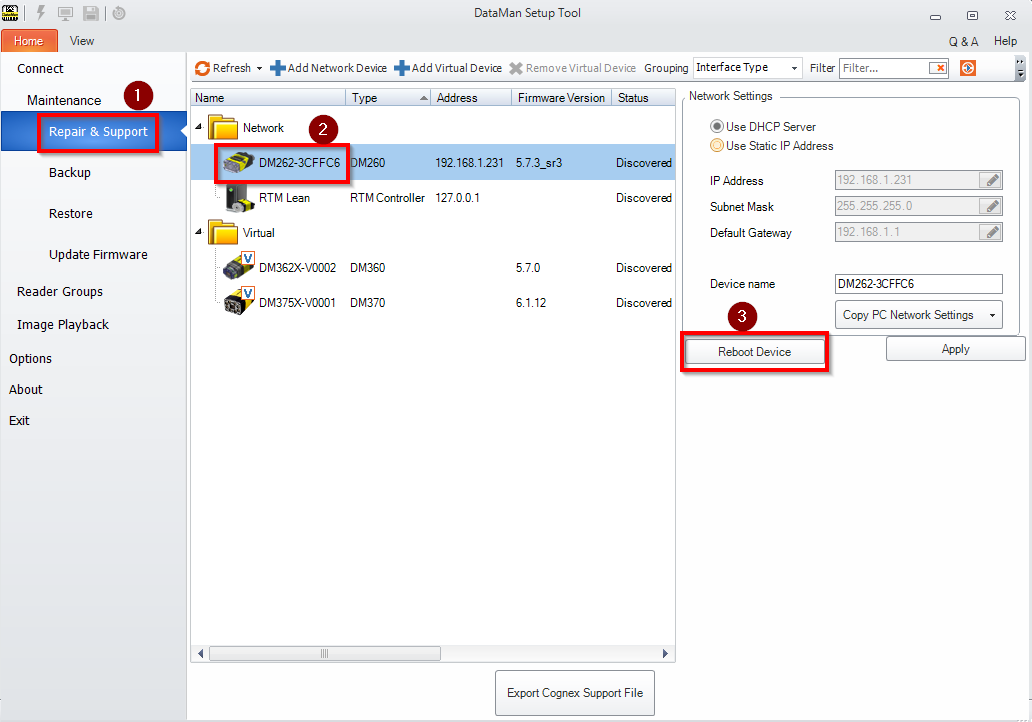
On the left-hand side of the home screen, go to the Repair and Support section and then highlight the reader you would like to reboot. Next, click on the Reboot Device button on the right.
Method 2: In Reader System Tab (newer/older)
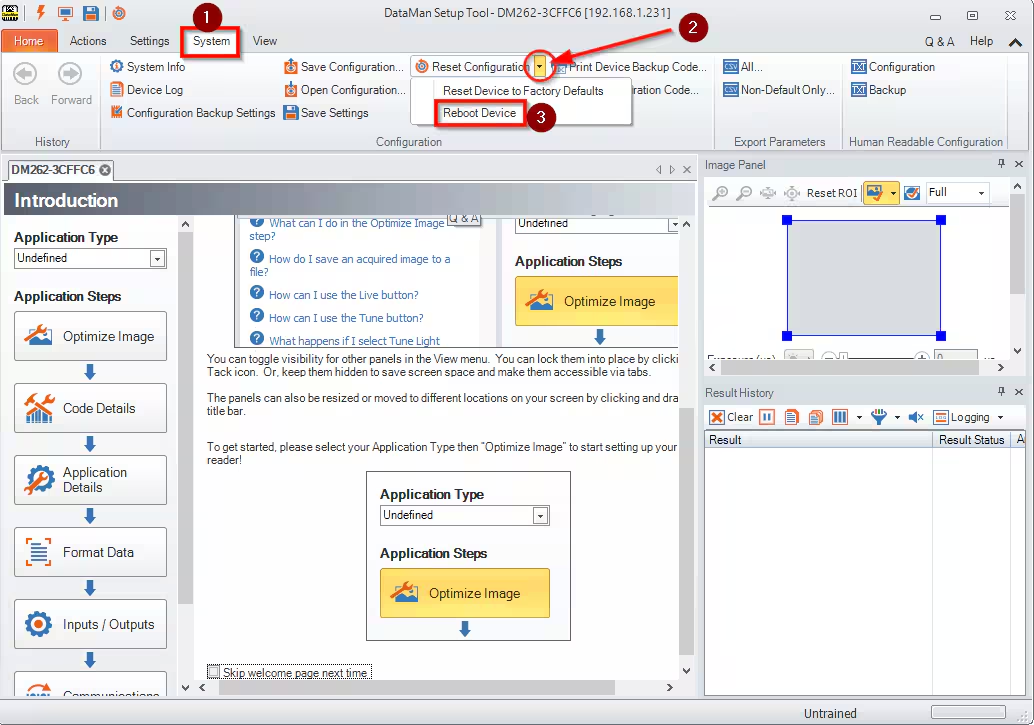
Connect to the reader, go to the System tab. Next, use the pull-down menu for Reset Configuration and select Reboot Device.
Method 3: Hard Power Cycle

Cutting the power to the reader will reboot the reader, this could be unplugging individual readers or power cycling entire power boxes they are connected to (good for mass reboots). The readers should come right back up to their last saved settings with no user input once power is restored.
