

Question
I want to export the license key from my In-Sight D900 camera in order to update it, how do I do that?
Answer
- Connect the In-Sight D900 camera to your PC and start In-Sight Vision Suite software
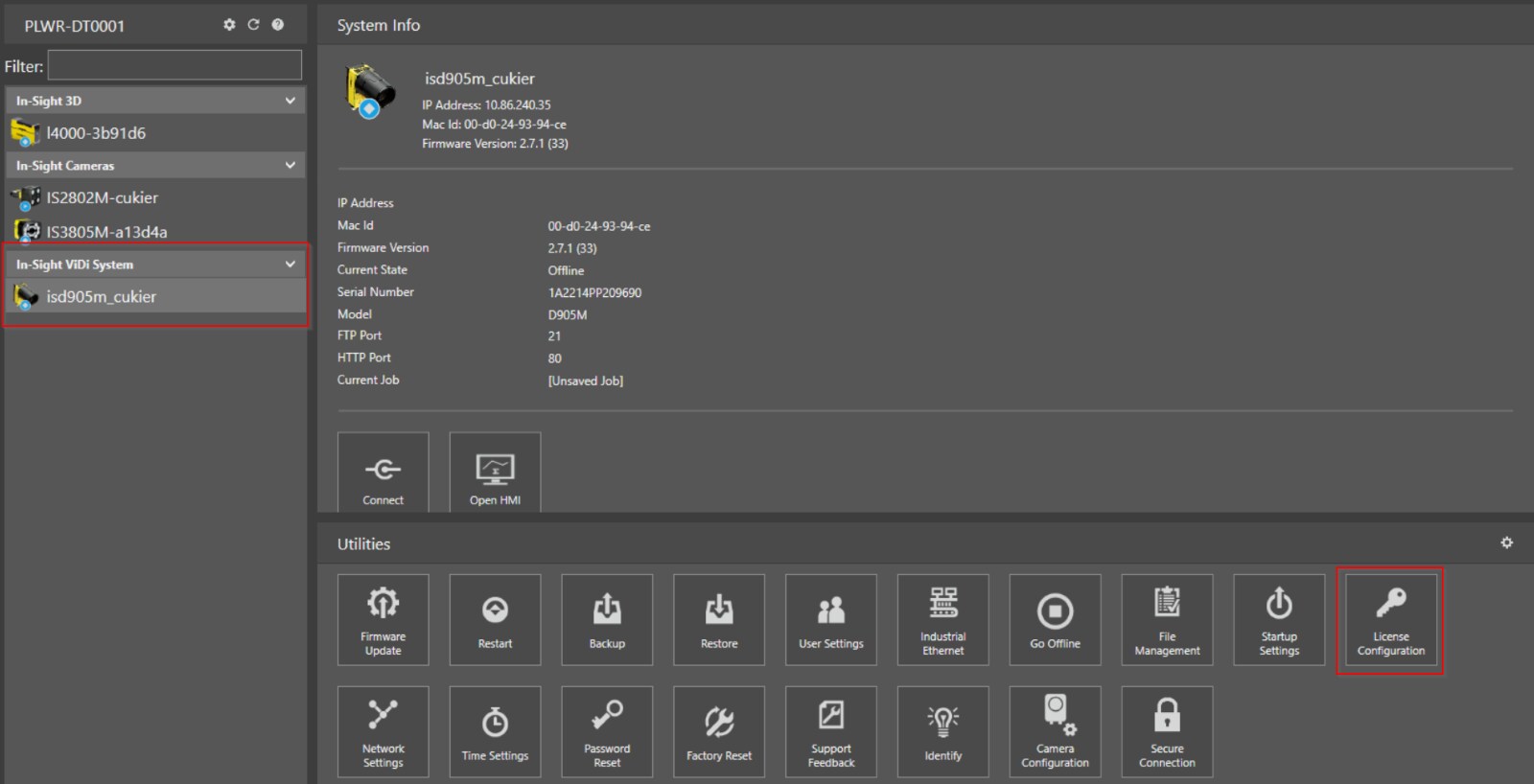
Click on Discovered Camera and go to Utilities → License Configuration
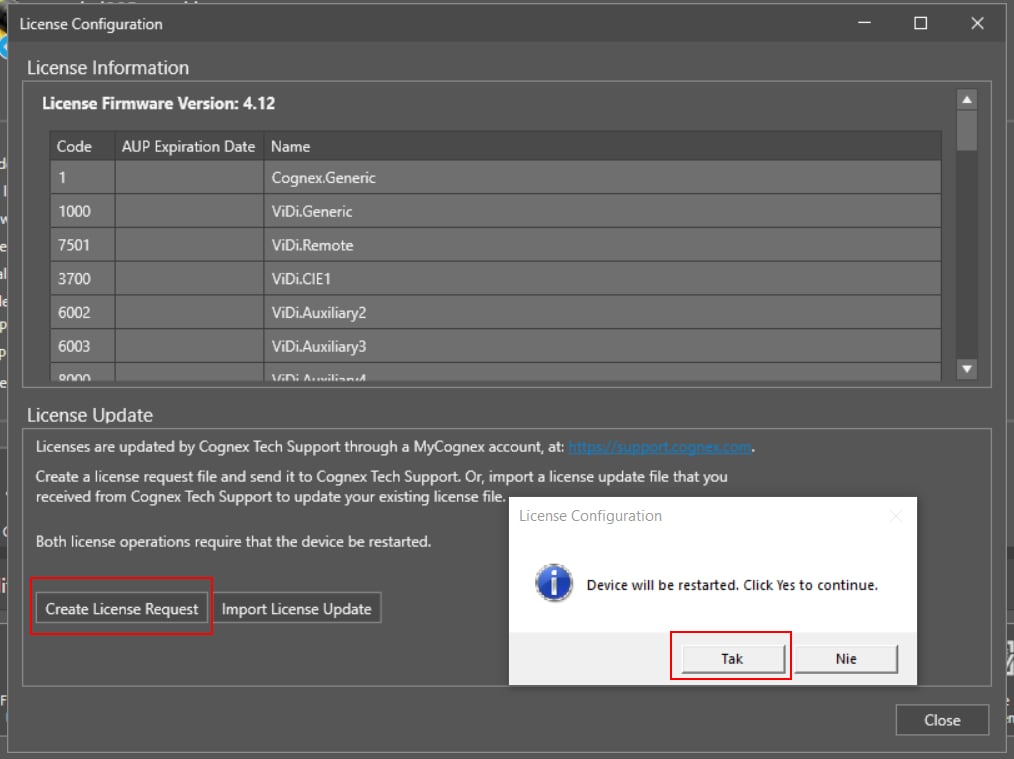
Click on Create License Request and then confirm to reset device by clicking YES
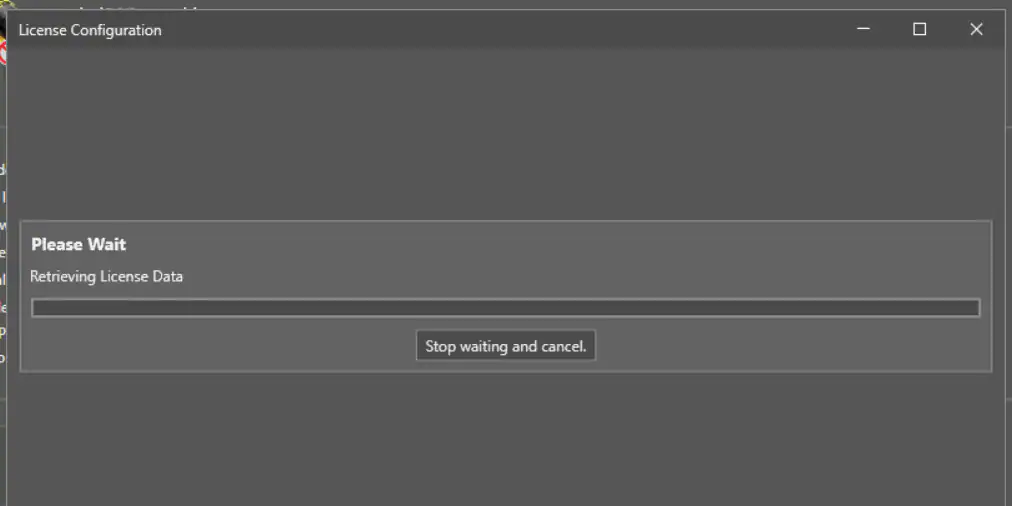
Device will reboot and perform Retrieve License Data
After couple of minutes, we will get option to save RAC file
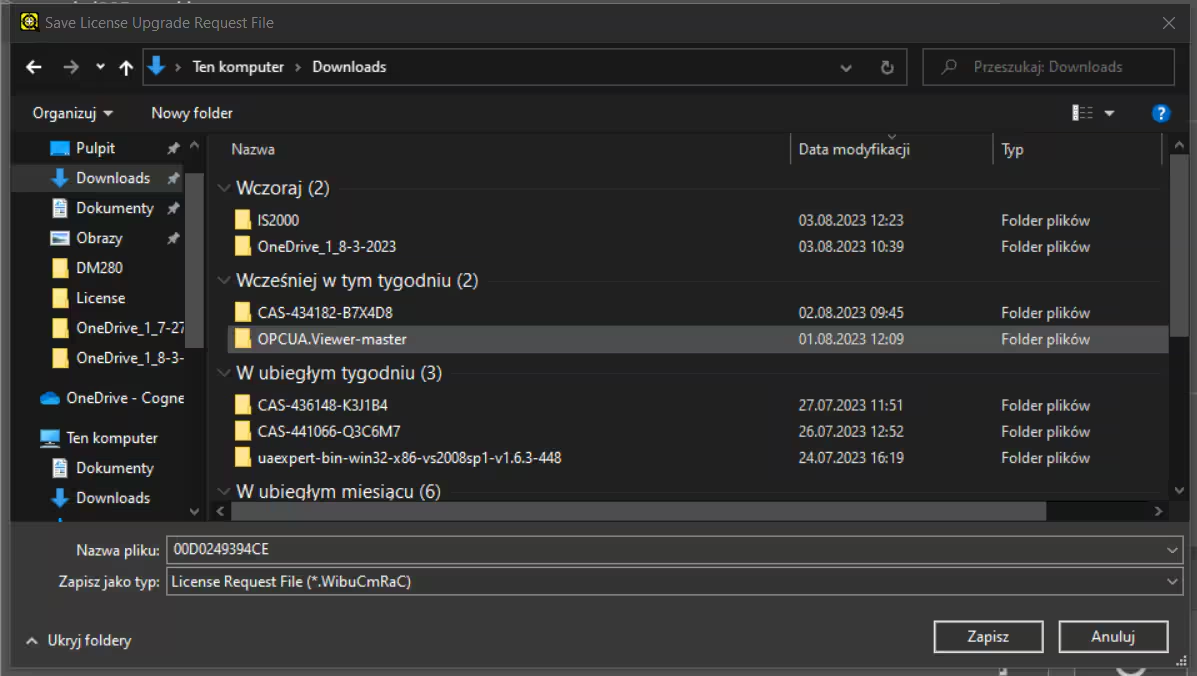
- RAC file need to be delivered to perform key update
