Question
What settings do I need to apply in Cognex Designer to automatically trigger a light from CIC camera's digital output line when the camera acquires an image?
Answer
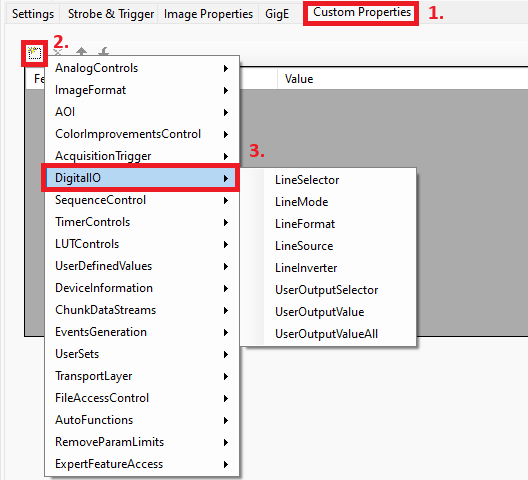
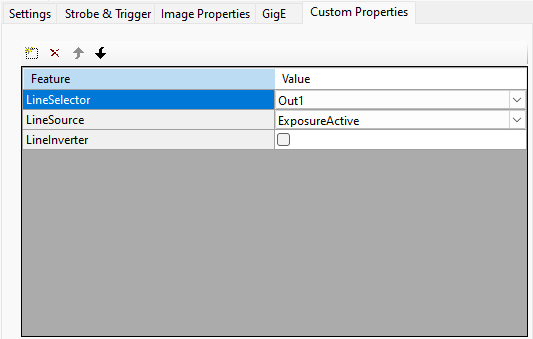
Double-click on the camera device in the project tree to open the camera settings and select the Custom Properties tab, then click on the (Add New) icon and add the below features from the DigitalIO group:
- LineSelector, set its value to the output signal that should trigger the light
- LineSource, set its value to ExposureActive
- LineInverter, enable it if the output signal should be inverted