

Details
The InputString sent through DMCC is stored in myInputString variable in the following Data Formatting Script. The value of this variable can be changed with the below DMCC command:
||>SET INPUT-STRING.VALUE "TEST"<CR><LF>
(TEST is the new string value in this example, and <CR><LF> are the CarriageReturn and LineFeed control characters).
Data Formatting Script
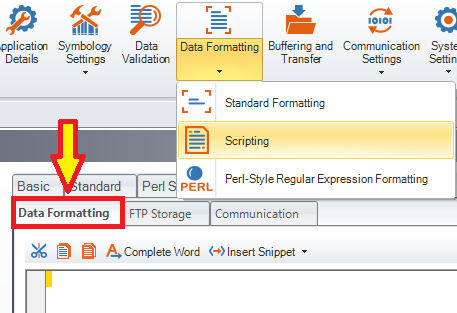
Reset Configuration of the device and enable Script-Based Formatting, then copy and paste the below code into the Data Formatting Script, overwriting any existing code there:
var myStartup = 0;
var myInputString = "";
function onResult (decodeResults, readerProperties, output) {
if (myStartup == 0) {
dmccSet("INPUT-STRING.ENABLE", 1);
dmccSet("INPUT-STRING.HEADER", "[");
dmccSet("INPUT-STRING.FOOTER", "]");
dmccSet("INPUT-STRING.MODE", 0);
myStartup = 1;
}
if (readerProperties.inputstr.length > 0) {
myInputString = readerProperties.inputstr;
}
if (decodeResults[0].decoded) {
output.content = "Trigger Index: " + readerProperties.trigger.index + "; myInputString: " + myInputString + "; Decoded String: " + decodeResults[0].content + "\r\n";
}
}
