Question
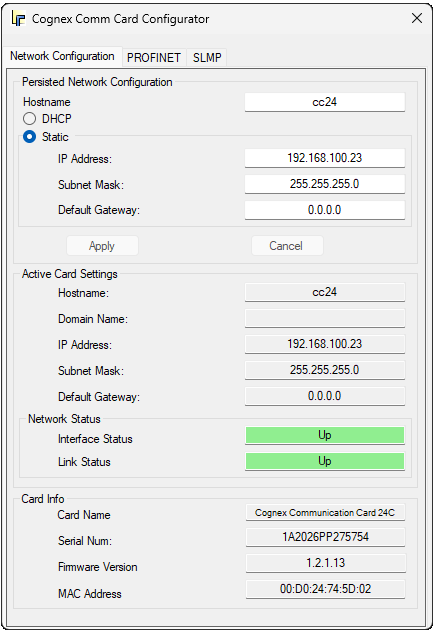
I would like to configure the IP settings of the CC24 communication card, but I cannot see it in the Network Connections in Windows. I cannot see this device under Network Adapters in Device Manager either. Why? And how can I configure the card's IP settings?
Answer
The CC24 card has its own Cognex driver that shows up under Cognex Hardware in Device Manager of Windows. This driver is part of the VisionPro installation package, and it is installed when the Cognex Drivers installation runs during VisionPro installation.
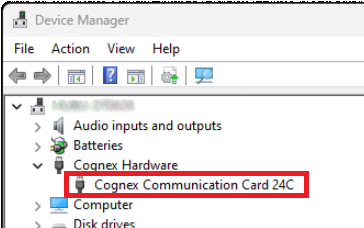
This card is managed by this Cognex driver, and it does not act as a Windows network adapter. Configuring the card can be done in the Cognex Comm Card Configurator utility, which is also installed together with VisionPro: