This is a troubleshooting procedure of liquid lens mounted on DataMan30x or DataMan 36x series has focusing issue such that images are blur or the image cannot be properly focused
There are two revisions of the liquid lenses, and it is difficult to tell the two apart visually. Using the newer revision liquid lens on a DataMan 30x/DataMan 36x whose firmware version is earlier than 5.6.3_sr4 will cause it improperly operate. Old revision lenses will operates in all firmware versions.
If a newer revision liquid lens mounted on a DataMan 30x/DataMan 36x has its reader's firmware downgraded below 5.6.3_sr4 in the field , it will cease functioning properly, and the image will become blurry.
Answer
This focus issue can be solved by upgrading the firmware to the latest version in the following steps:
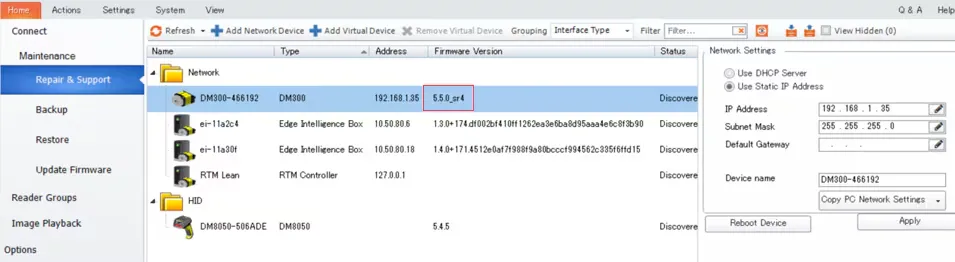
Install DataMan SetupTool5.7. 0_sr2 to check the reader’s firmware version. Please be aware that the latest Setup Tool will not detect readers with particularly old firmware versions such as 5.2.1.
If the firmware-version is 5.5.x or higher, proceed to step 4. If it is older than 5.5.x (e.g. 5.2.1), the FUP LICENSE must be installed on PC to enable its upgrade. Download and install the DATAMAN FUP LICENSE from the following link:
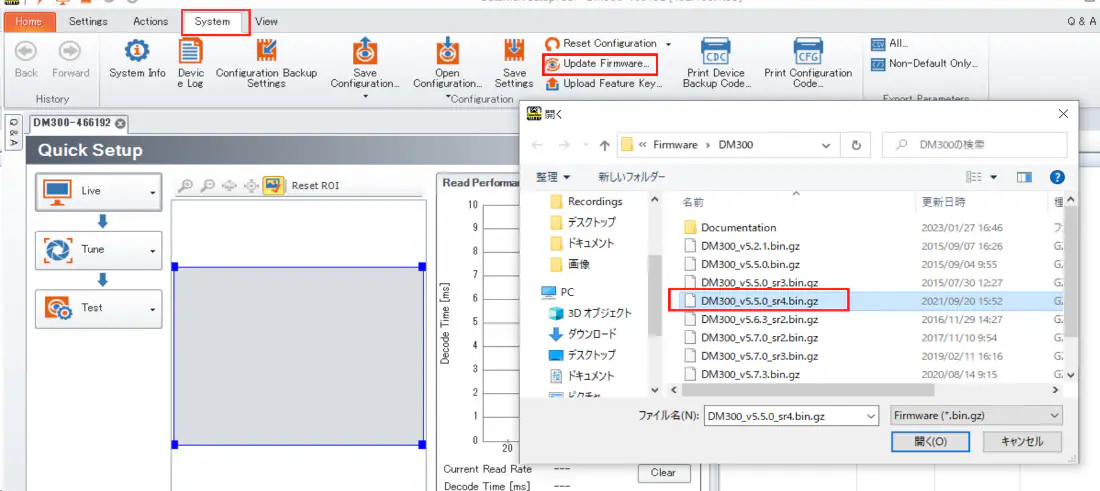
To update firmware on the reader to 5.5.0_sr4, first select Update Firmware from System tab and select DM300_v5.5.0_sr4 from the shown Explorer window.
Please note that the power and network connection must be stable during the firmware upgrade process. Instability or a sudden halt in the process can cause the reader to be inoperable and irrecoverable. Never turn off the power or remove the cables until the process is complete and shows the "Close" button.
*If any error message shows or you are unable to upgrade, please contact Cognex Technical Support with the following information. - Setup Tool Version - Firmware version of the reader - Serial number - Displayed error messages, screen shots of the step before, etc.
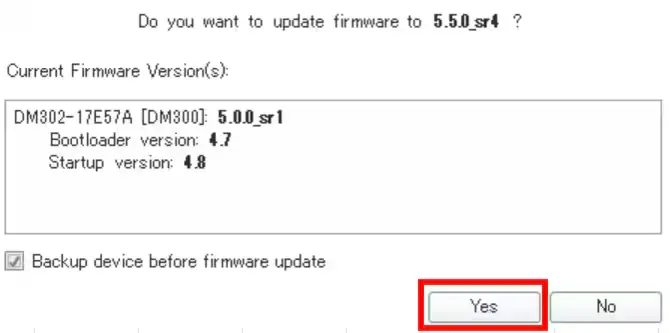
When the following Setup Tool message is displayed, click "Yes" to complete.
Download and install DataMan Setup Tool from the following link, and connect the reader to upgrade to the latest version compatible with the 30x/36x series, 5.7.3_sr3 DATAMAN 23.2.2 SOFTWARE (ALL DM) & NEW FIRMWARE (DM8072V VERIFIERS) https://support.cognex.com/en/downloads/detail/dataman/4629/1033
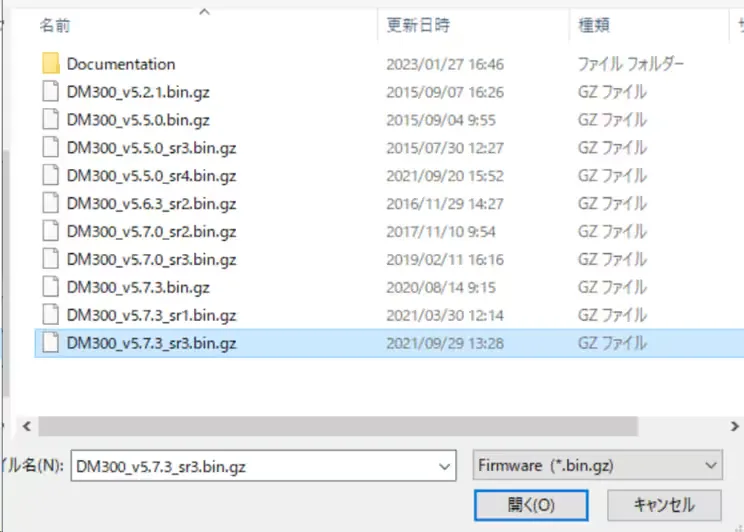
Follow the Setup Tool Menu as System > update Firmware and when the following Explorer window opens select DM300_v5.7.3_sr3.bin.gz > Open > Yes
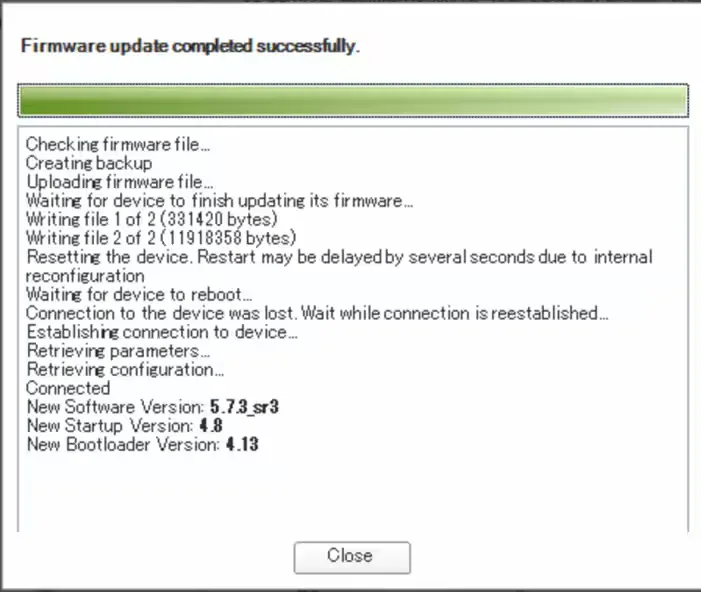
When the firmware version update is completed, the following screen is displayed.
Once the firmware is updated, attempt to perform “Optimize Focus" to ensure that it now focuses.
If you do not see any improvement after updating firmware, replace the lens and check the focus status. If changing the lens does not improve the condition, there may be a hardware issue with the lens or the reader . Contact Cognex Technical Support for the version of your Setup Tool, the firmware version of the reader, and the serial number, even if you do not have the replacement lens.