

Question
How do I launch events using binary inputs in the In-System vision system?
Answer
The Cognex In-Sight systems can launch events based on binary inputs, which is helpful for running additional functionalities inside the spreadsheet. This allows for greater automation and synchronization between the system and external events.
Configuring Binary Inputs as Triggers for Events
First, we need to configure the inputs as triggers for the event. This step ensures that the system will respond to changes in the binary inputs and can trigger specific actions within the system or the spreadsheet.
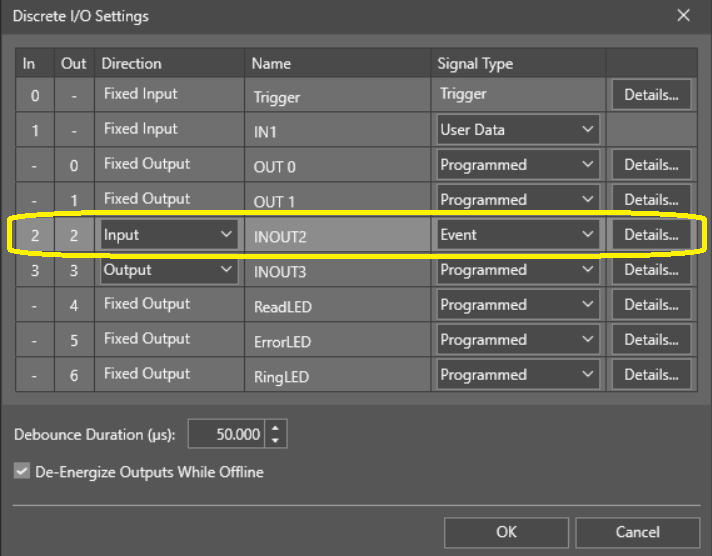
Reacting to Edge Changes (Falling or Rising)
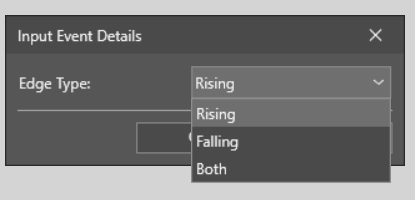
Once we configure the inputs as event triggers, we can choose to react to either the falling edge or rising edge of the input signal:
- Rising Edge: Reacts when the binary input changes from 0 to 1.
- Falling Edge: Reacts when the binary input changes from 1 to 0.
- Both: Reacts on whatever change of state.
This gives you the flexibility to control actions based on the direction of the signal change.
Working Example: Event-Driven Counter
Let’s now look at a working example of a counter that is triggered by an external event (a change in binary input):
Event: The specific event that will trigger the counter.
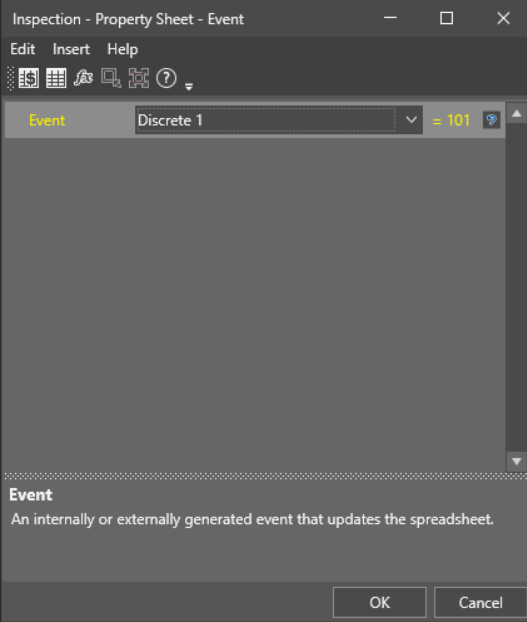
Set Event: Once the event is triggered, the system will perform the defined action.
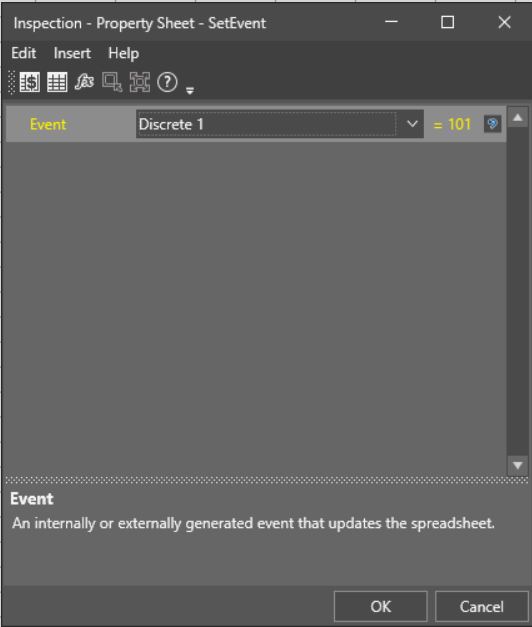
Counter: The counter will begin counting based on the event trigger, enabling tracking or cycle-based actions.
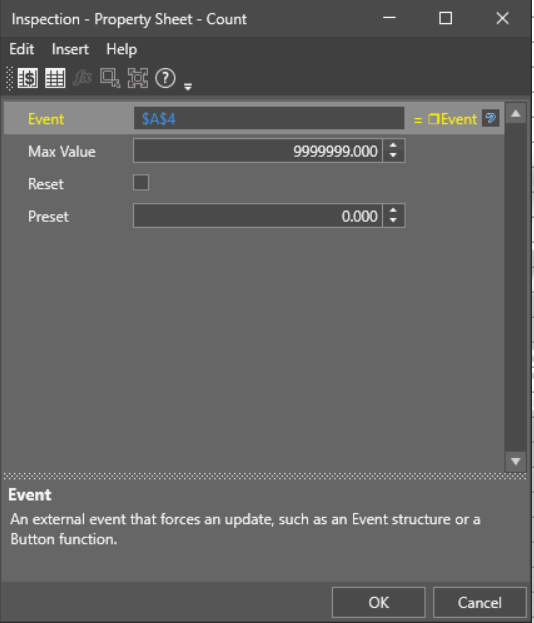
Sample View
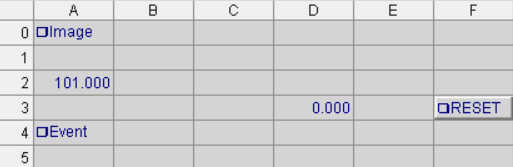
In a sample view, you could see how the system reacts when the binary input triggers the event, causing the counter to start. This can be used in various ways:
- Send Data at a Specific Moment: The counter can be used to trigger the sending of data at precise intervals or after a certain number of events.
- Change Parameters: Use the event to change system parameters dynamically based on the external input.
- Cycle Through Results: The counter can cycle through a predefined set of actions or results each time the event is triggered.
This event-driven approach provides a high level of flexibility, allowing the system to interact with external inputs, automate processes, and adjust parameters in real time.
I hope this explanation helps clarify the process of using binary inputs as triggers to launch events in the Cognex In-Sight systems.
