

Details
For the In-Sight L38, except for the ISL38-33, you can choose between red or blue laser colors. If the measured object is red, the red laser line will be stronger, and if the object is blue, the blue laser line will be stronger. This is based on the same principle that light of the same color reflects more strongly off objects of the same color.
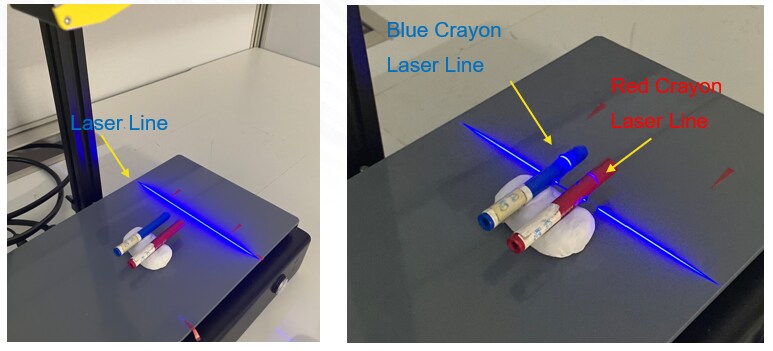
Even when the same intensity of laser is applied, the laser line formed on a red object is weaker, while that on a blue object is stronger, as shown in the above photo.
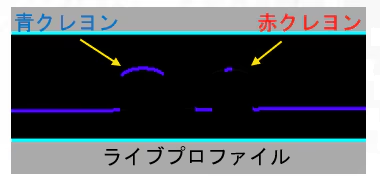
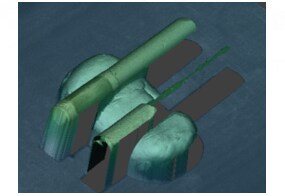
The above example shows blue laser applied to blue and red crayons. The blue crayon exhibits a strong laser line, while the red crayon fails to form 3D data due to insufficient exposure time. If a red laser is used, the results will be reversed. By selecting the laser color to match the color of the target object, it is possible to shorten the required exposure time and potentially reduce inspection cycle time.
