

Details
Issue:
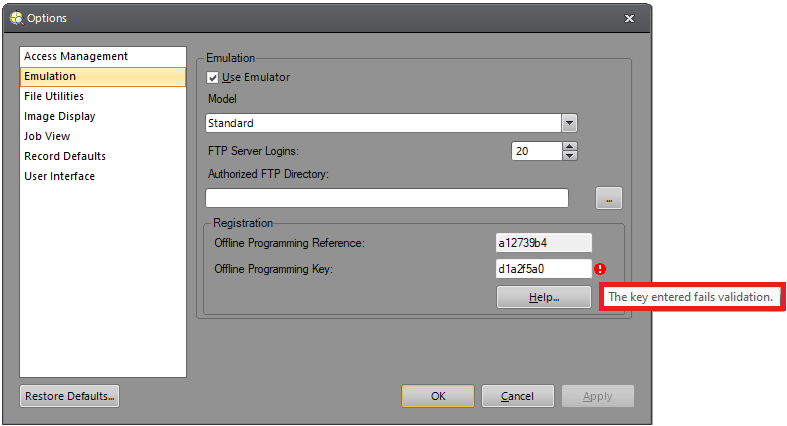
When entering the Offline Programming Key in In-Sight Explorer for registering the Emulator, it may give the error "The key entered fails validation":
Causes:
The Offline Programming Reference changed and it is not compatible with the Offline Programming Key.
Resolution:
Launch In-SIght Explorer and if no In-Sight camera can be discovered on the network, then wait for the below message to pop up within a minute:
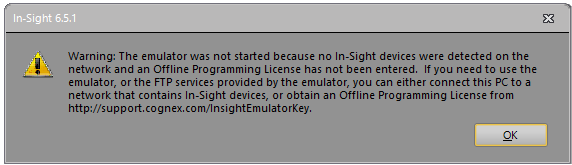
Click on OK, then open the Options dialog from the System menu, select Emulation, then copy the Offline Programming Reference:
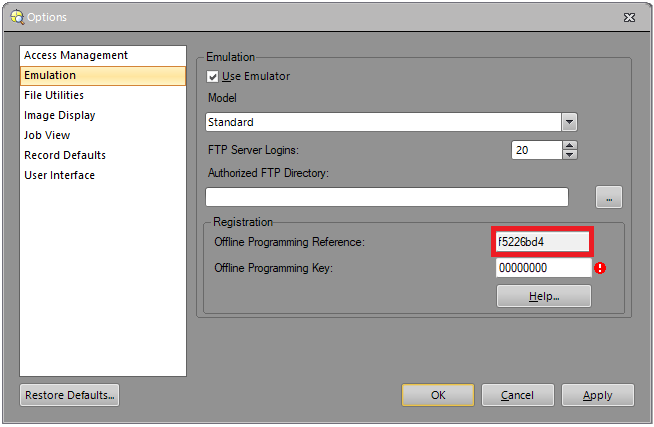
Keep that dialog open, and go to the In-Sight Key Generator web page, log in with your MyCognex account, enter your company name and paste the previously copied Offline Programming Reference, then click on the Generate Key button:
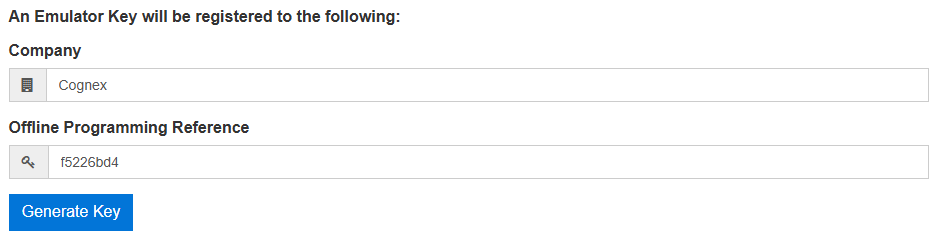

Copy the In-Sight Emulator Key that you get, paste it into the Offline Programming Key field in In-Sight Explorer's dialog, and click on Apply:
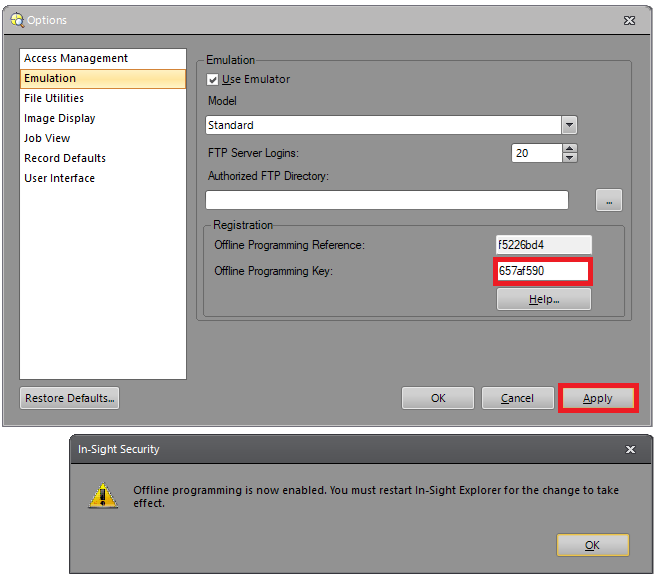
- Close the dialog and restart In-Sight Explorer. The Emulator should be registered correctly.
