

Question
Answer
First, make sure Telnet is enabled on a machine using the Windows OS.
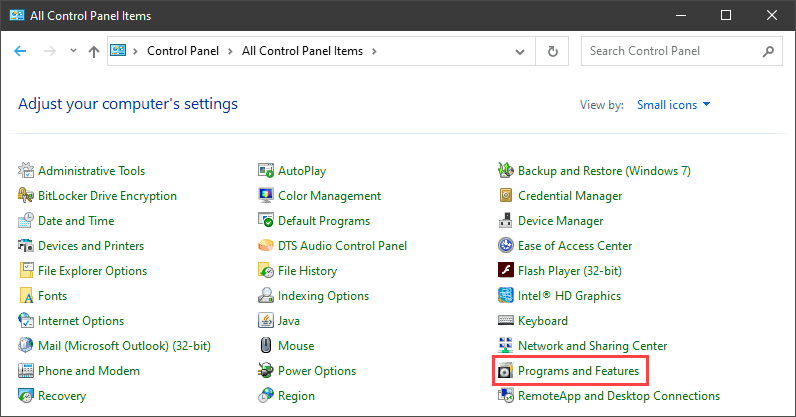
Open the Programs and Features options in Control Panel
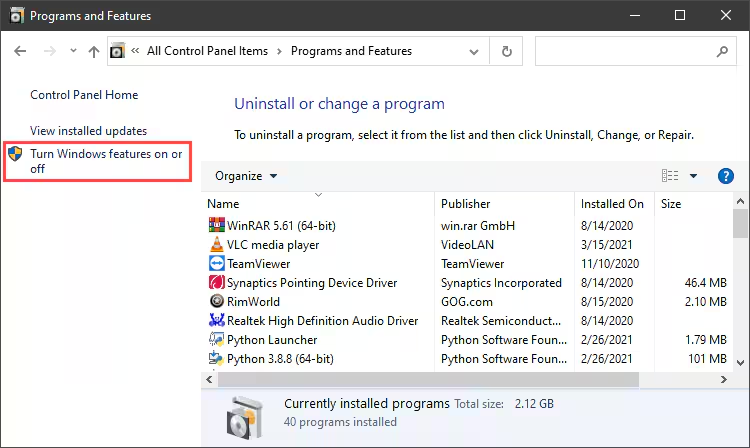
Click the Turn Windows features on or off setting:
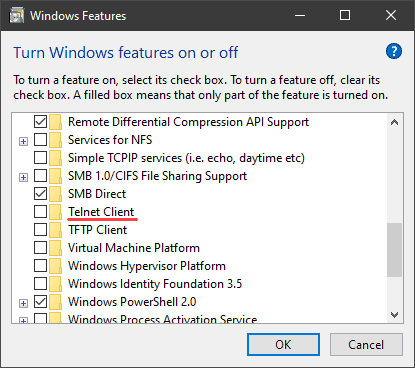
Locate the Telnet Client option on the list, select it and click OK to install the feature:
- When Windows completes the requested change, click Close.
Next, open a Telnet session to connect to the DataMan:
- Open a Command Prompt and run Telnet including the IP address of the DataMan connecting to:
telnet 192.168.1.101 - A blank terminal should appear with a flashing input cursor. Press the keyboard combination ‘CTRL + ]’. The Tenet welcome screen should appear.
- Press ENTER
- Again, a blank terminal should appear with a flashing input curser. DataMan Control Command commands can now be sent to the DataMan.
To test type the following command in the terminal:
||>TRIGGER ON
