Skip to Main Content
Centro Assistenza Cognex
LogoLogo

How to Add In-Sight Emulator Manually

This article will guide user to add Emulator manually if the Emulator didn't display or failed to connect after registered successfully.

23/10/2025

Question

How to add In-Sight Emulator manually?

Answer

1, Right click In-Sight Sensors and select Explorer Host Table.
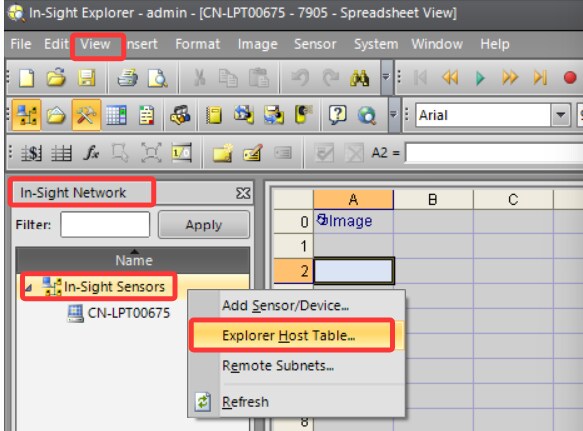
How to Add In-Sight Emulator Manually_Image-1

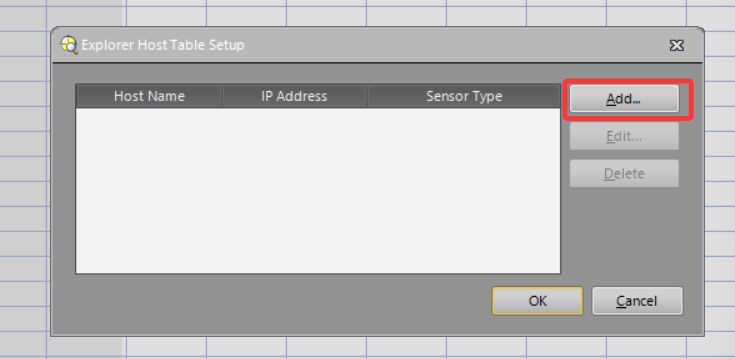
2, Click Add.

How to Add In-Sight Emulator Manually_Image-2

3, Please set the IP address and sensor type as shown in the screenshot below. Host Name can be customized.
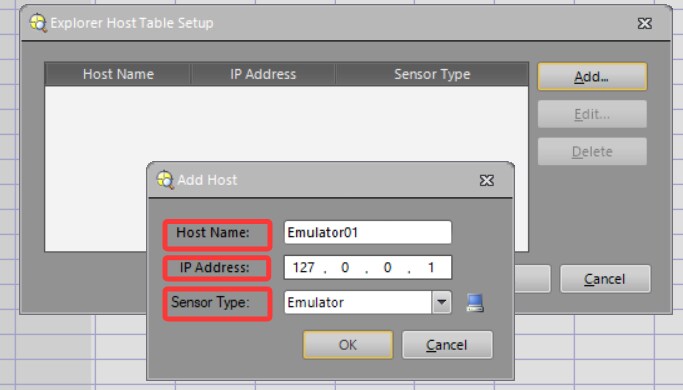
How to Add In-Sight Emulator Manually_Image-3

4, After above steps, the Emulator will display. It can be used like a regular Emulator.
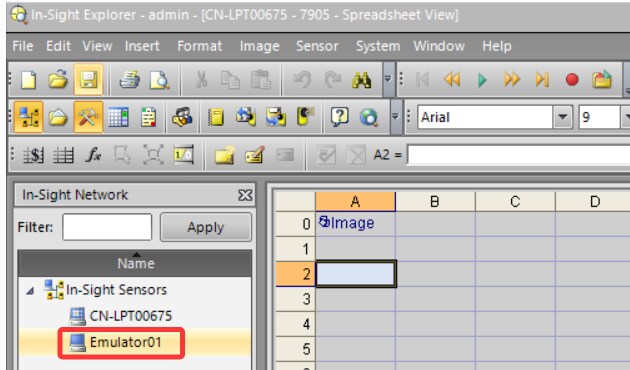
How to Add In-Sight Emulator Manually_Image-4

5, The Emulator can be removed when it is not needed. Select the Emulator and click Delete can remove it.
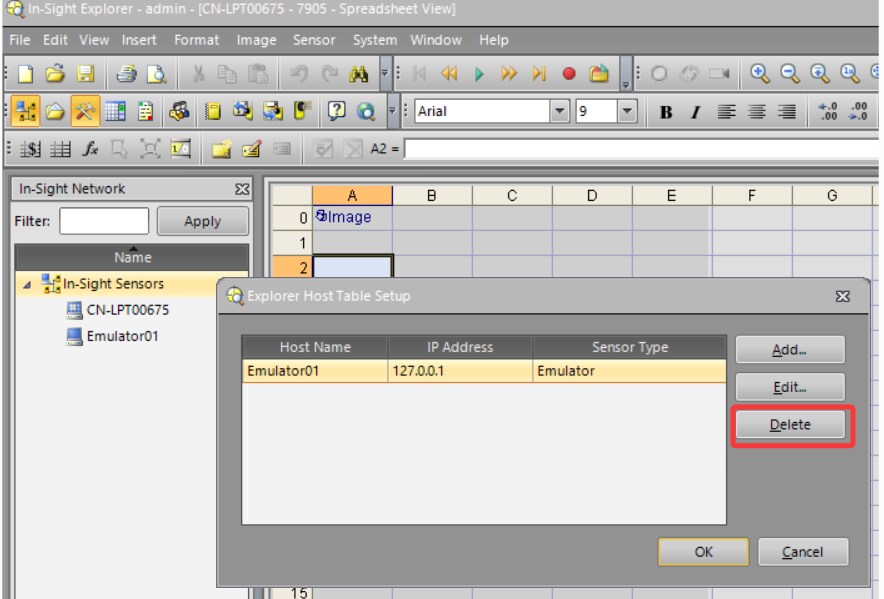
How to Add In-Sight Emulator Manually_Image-5

Risorse correlate

Loading component...