Question
When using the ViDiELSegment3D tool for labeling images, it was found that the resolution of the labeled images is lower than the resolution of the acquired images. How can this be resolved?
Answer
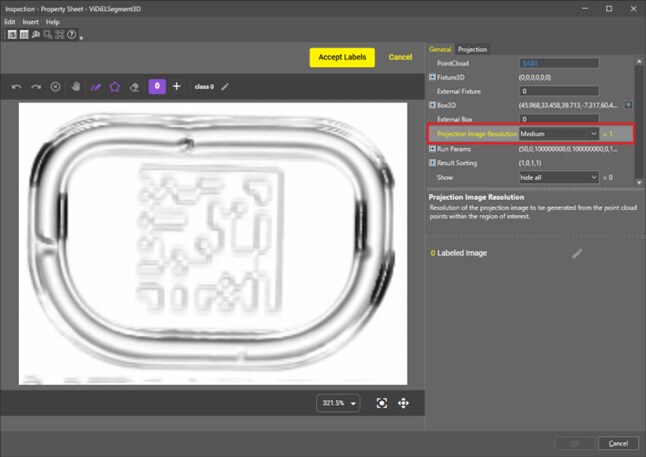
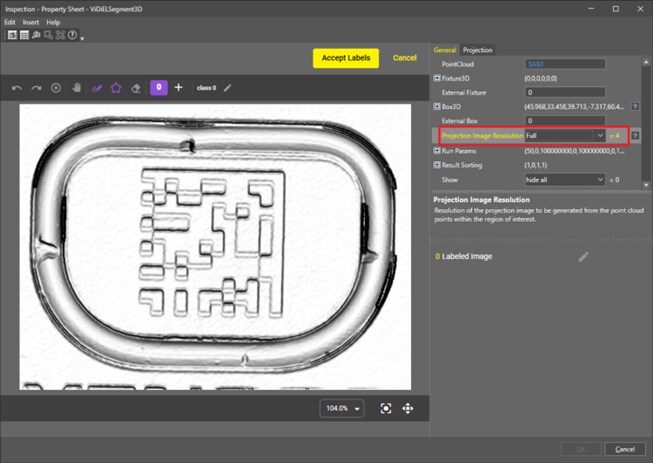
The ViDiELSegment3D tool performs labeling (Label) of defects on the 2D projection images derived from the point cloud images captured by the L38. The parameter "Projection Image Resolution" determines the resolution of these projection images. Currently, this parameter has five selectable levels: Low, Medium, High, Very High, and Full, with the default setting being Medium. When higher resolution projection images are needed, you can select Very High or Full for this parameter. Below is a comparison between a Medium resolution and a Full resolution projection image.