

Details
Issue:
After upgrading through setup tool, certain features are not working as expected.
Resolution:
Do the following:
- Verify that the Edge Intelligence upgrade was successful.
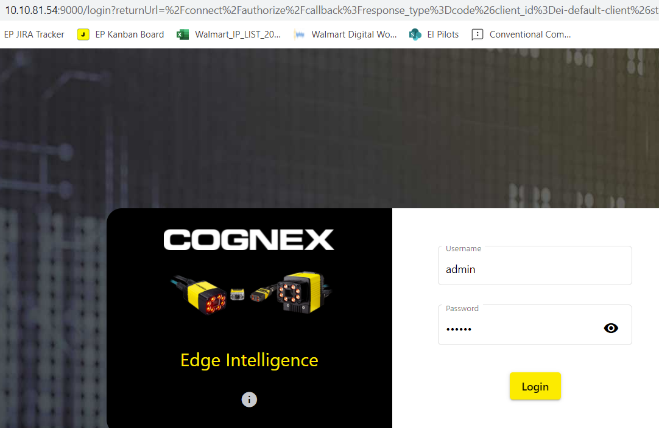
Click on the 'i' icon below the "Edge Intelligence" before logging in.
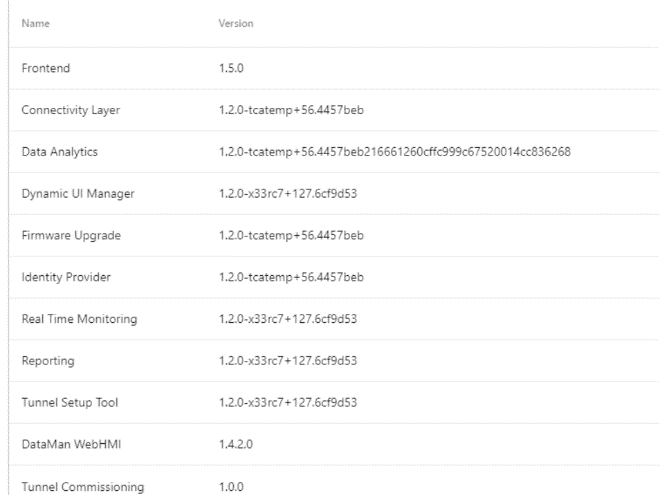
Ideally, all the modules in the pop-up box should be on the same version. If you see a mix of module versions from the current version and the newer firmware version, it means that the firmware upgrade was unsuccessful.
- Try the upgrade again using Edge Intelligence, or the setup tool (if upgrade feature is not available on that version of Edge Intelligence)
- If it fails, loop in Edge Intelligence Team to do the upgrade. The Edge Intelligence team will access the Edge Intelligence box through back-end and do the upgrade again.
