

Details
At first, please make sure you're using an official combination of Cognex Software:
[VisionPro/VisionPro Deep Learning/Cognex Designer/EtherInspect] Vision Software Compatible Versions | Cognex Support Community
Problem:
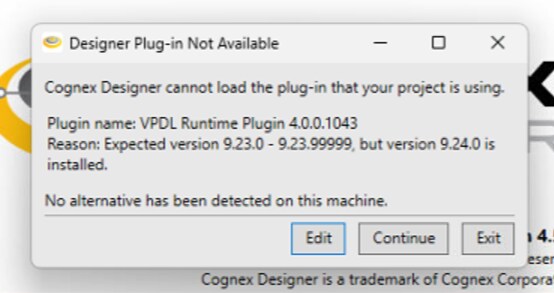
If you're using VisionPro Deep Learning 4.x with VisionPro 9.24 and Designer 4.5.1, you will get the below error trying to enable the Runtime Plugin:
Resolution:
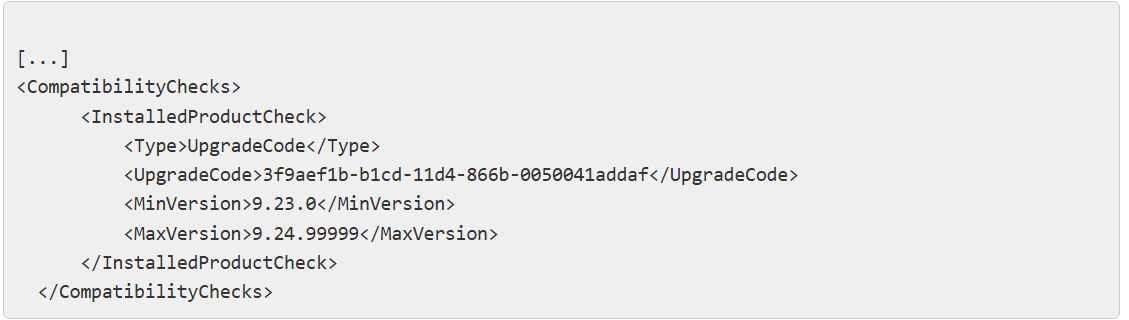
Close Designer and open the "Plugin.config" file at: C:\ProgramData\Cognex\Designer\Plugins\Cognex\Cognex VPDL 4.0 Runtime Plugin for Designer
Modify the MaxVersion from 9.23.99999 to 9.24.99999:
Save and Close the file and restart Designer: you'll be able to enable the plugin now.
