

Details
If the “WriteResultsBuffer” shows #ERR as per below (cell C69):
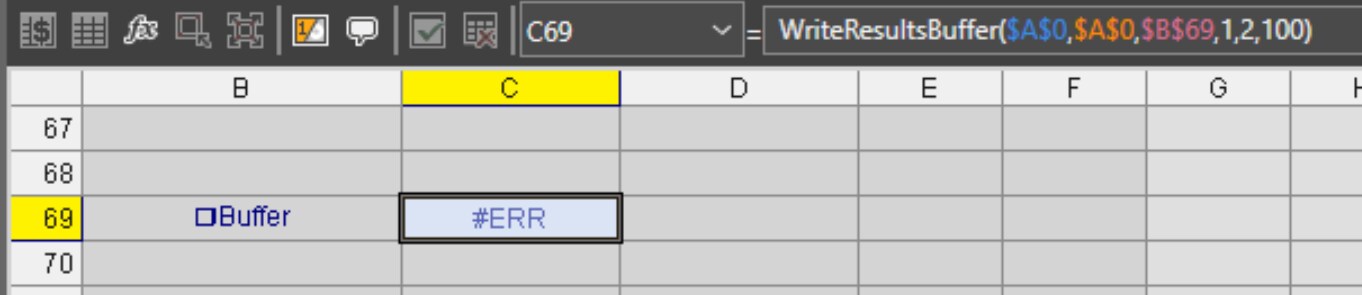
One of the reasons can be the number of elements coming from the “FormatOutputBuffer” functions: 128 elements maximum in total.
For instance, this “FormatOutputBuffer” is using 3 elements (M34, N34 and 034) :
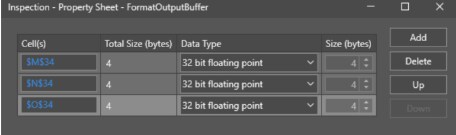
When several “FormatOutputBuffer” functions are used, the total number of elements must be lower than 128.
SOLUTIONS :
- First solution, the number of elements can be reduced, to be lower than 128 elements.
- Second solution, all the elements can be used (more than 128), but then two “WriteResultsBuffer” functions are needed instead of one only. Half of the elements are used by the first “WriteResultsBuffer”, and half of them are used by the second “WriteResultsBuffer”.
To not overwrite the first “WriteResultsBuffer” with the second one, the PLC must use the “Buffer Results Enable” and the “Inspection Results Acknowledge” :
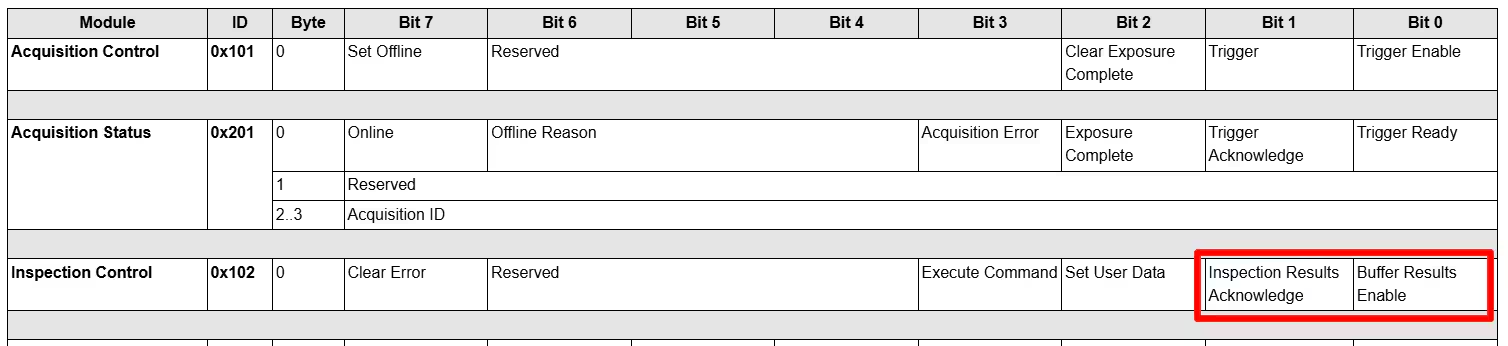
Here is the procedure :
- Set “Buffer Results Enable” to TRUE and keep it TRUE
- Wait for “Results Valid” becoming TRUE
- Read “Inspection Results”
- Set “Inspection Results Acknowledge” and keep it TRUE until “Results Valid” turns to FALSE
- Clear the “Inspection Results Acknowledge”
- Jump back to step 2
