Question
How can I write data into a cell in the Math tool on In-Sight Vision Suite cameras in EasyBuilder view?
Answer
User Data can be written into those cells in the Math tool that contain user input functions. These functions are:
- CheckBox
- EditInt
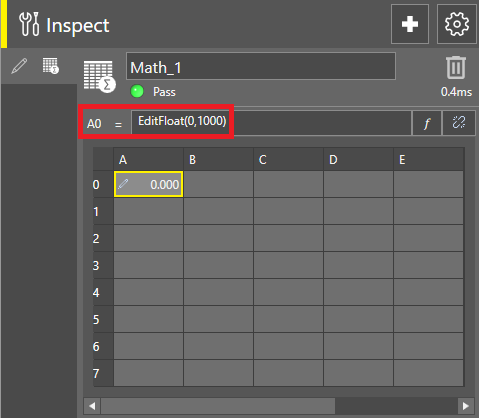
- EditFloat
- EditString
Add one of the above input functions into the Math tool cell where you would like to get the data through industrial communication protocol
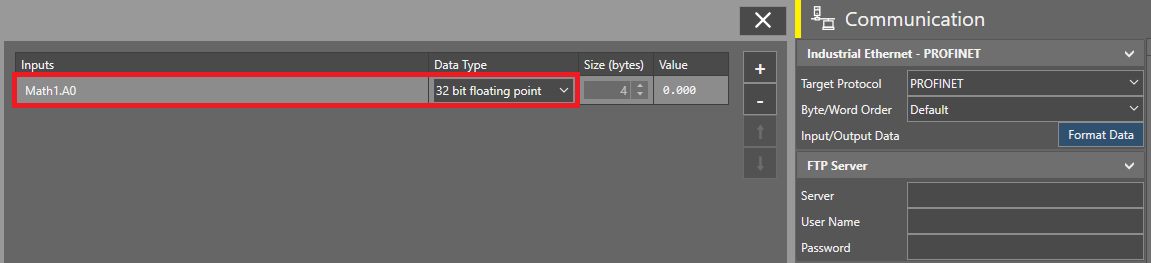
Add that cell reference in the Input buffer of the selected communication protocol, and set its Data Type according to the needs: